There has been a new release on Glow Blogs, dealing with some issues, updating themes and plugins.
Fixes
The Tiled Gallery Block is again available on Classic-themed sites. See the Tiled Gallery information on our blocks information site.
Problems with the appearance of widgets in the editor have been fixed.
A problem where raw HTML was displayed on some posts listed on Local Authority home pages has been fixed.
Jetpack blocks which are not suitable for Glow Blogs have been removed. These would have required linking with a WordPress.com account, involving payments and or external data storage.
Jetpack Custom Content Types are again available to activate. The activation process has changed a little, we have details on this post.
Plugin Updates
The following plugins have been updated, mostly minor bug and security fixes. These updates should not affect functionality.
Display Posts Shortcode
3D Flipbook Lite
Classic Editor
Contact Block Form
Google Translator Widget
MegaMenu
Simple Local Avatars
WordPress Importer
WP Accessibility
WP Post Ratings
Embed Plus for YouTube
Translations
Google have changed their permissions to limit the use of their translation widget limiting it to non profit sites. This had stopped the translation service working in some cases in Glow Blogs. We have now updated the Google Language Translator to the most recent version. This has fixed the problem. Details of how to use the plugin are here Google Language Translator.
Themes
Nearly all of the Twenty series of themes have been updated to the latest versions. Again, this should not affect basic functionality. Accessibility has been improved for some themes.
⚠️ We remind everyone about our recent Theme Advice. We advise people to choose from the Twenty series of Themes.
There has been a new release on Glow Blogs, making some changes, dealing with some issues and updating themes and plugins.
Changes
Site Creation
This will have no effect on existing sites.
We have changed the default site created to use the block editor and the Twenty Twenty Five-Five theme, a block theme.
In the Blog creation form there are two choices: Classic or Blocks
Choosing Classic leads to the site being created with the Twenty Fourteen Theme and the Classic Editor being set.
Choosing Blocks leads to the site being created with the Twenty Twenty Five theme and the block editor being set.
You can have the same choice as before but the default has changed.
You can choose Classic if you wish. You can also change Editors and theme at any time so you can use the block editor with a classic theme after the site is created.
Theme Switch
We have changed the default theme when you choose Blocks from Twenty Twenty Three to Twenty Twenty Five. The Twenty Twenty Five theme is a lot less opinionated than the Twenty Twenty Three theme. The Twenty Twenty Three theme came with a fair amount of ‘boilerplate’ that is not suitable and over complex for the bulk of the type of sites typically created in Glow Blogs. Until recently we have been ‘protected’ from this problem by a bug with templates that our developers have just fixed.
The Twenty Twenty Five theme is the fastest and most efficient on the front end, loading less style sheets and other dependencies.
You can of course switch to Twenty Twenty Three or any other theme at any time. We have more information on themes and switching on the Themes Glow Blog Help page.
Quick Start Videos
We have added two Quick Start Videos to the Site Editor page. These show how to get started quickly with the site editor. One for simple blog type sites that consist in a series of posts, the other a school site that will be made up mostly of pages and organised hierarchically.
Editors
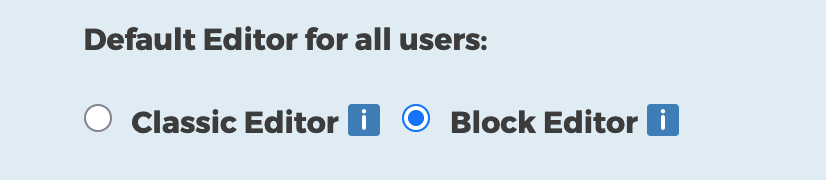
You can also change editors whenever you wish. You can also allow the switching of editors so posts can be made with either editor on the same site.
The Block editor was introduced in 2018 and to Glow Blogs in 2021. We would advise activating the block editor. If you are very familiar with the classic editor it is quite different so it would be a good idea to try it out. More information.
We have quite a few resources to help with the block editor, including a screencast demonstrating how to quickly create a school website using the site editor. We will be expanding that help over the next few weeks.
Fixes
Slow Menus problem
The problem with sites with a very large (>50) menus items having a problem with the menu editor has been fixed.
Missing Shortcode block
The problem with the shortcode block not being available on sites with a classic theme and using the block editor has been fixed.
Pupils Display Name
The problem with pupils not being able to set their display name to anything other than their first name has been fixed.
We would recommend that staff advise pupils either to stay with that option or to set a nickname.
Updates
Plugins
The Following plugins have been updated, mostly small bug and security fixes.
Draw Attention
H5P
WP Accessibility
Post Ratings
Themes
The Make theme has been updated to support more recent versions of WordPress. We would still advise thinking carefully about using the Make theme. It uses its own editing system. content created may not convert if the theme is changed. Skills learnt in the Make editor are not transferable to the classic or block editors.
There has been a new release on Glow Blogs, dealing with some issues and updating themes and plugins.
Event Organiser
A security issue has developed with this plugin. We have temporarily patched(fixed) the problem for sites already using the plugin. We have also prevented the plugin from being installed on sites. If you remove the plugin, you will not be able to install it again. We hope there will be an update to the plugin soon. There is no issue with running the patched plugin.
Fixes
Widgets
A problem with widgets developed which affected new classic themed sites. To fix this issue we have moved to using Widget blocks in the Widget area of the dashboard and the Customizer in classic themed sites.
This will bring editing widgets in line with modern WordPress editing. There are many advantages to this:
You can use all of the blocks not just widgets and even lay them out in groups, columns etc.
The editing is more visual and supports drag and drop for arranging blocks.
Classic Widgets are in maintenance mode and may not get accessibility improvements.
Existing classic widgets are automatically wrapped in a Legacy Widget block. You will still be able to add widgets that are not block widgets by using the Legacy Widget block
The Widgets page of the help will be updated to reflect the changes.
Block Theme templates
An issue where the correct template was not applied in the site editor has been fixed.
Plugin Updates
The following plugins have be updated to newer versions.
3D Flipbook
H5P
Megamenu
Embed Plus for YouTube
The updates should not affect how you use these plugins.
If you are considering a theme change we would encourage you to read Theme Retirement News | Glow Blog Help. In general choosing one of the Twenty themes is a good idea.
As always please get in touch if you need more information.
This upgrade focuses on collaboration, editing improvements, new blocks, accessibility, and performance. Here are the main changes. We have put then in a new accordion block, so click the headings to expand each section and find out more.
A new accordion block lets you create expandable/collapsible sections without plugins. Good for FAQs, long pages, or menus. We have used this block to show you the update information. Read more about The Accordion Block on the Blocks Blog.
Example
A stretchy heading fills the available space. There is a stretchy paragraph block too:
This is stretchy and fills the space.
We would recommend typing a paragraph and then transforming that to stretchy. More information on the Blocks Site.
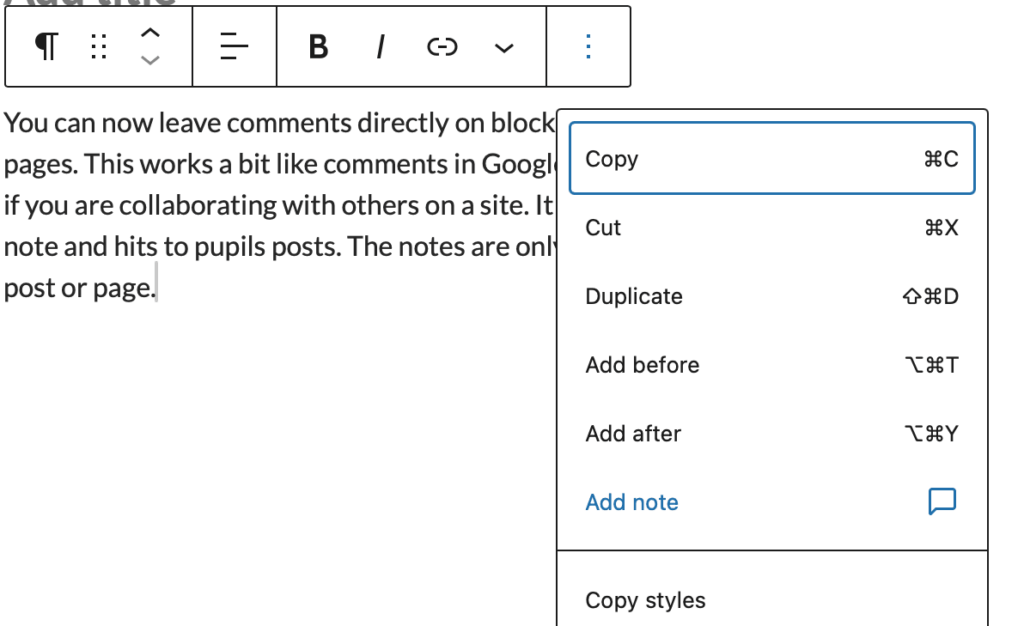
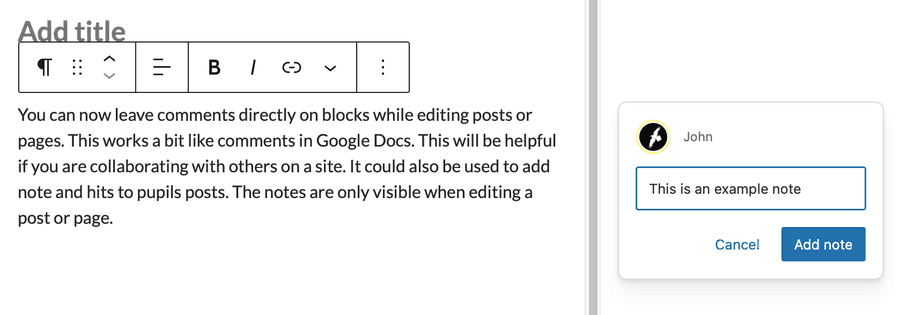
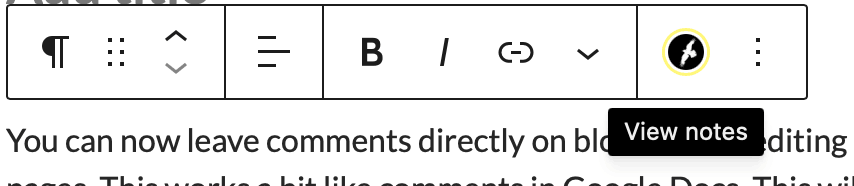
You can now leave comments directly on blocks while editing posts or pages. This works a bit like comments in Google Docs. This will be helpful if you are collaborating with others on a site. It could also be used to add note and hits to pupils posts. The notes are only visible when editing a post or page.
You add a note from the ellipses on a block toolbar.
The Block appears in the side bar.
Block with notes attached show a users icon.
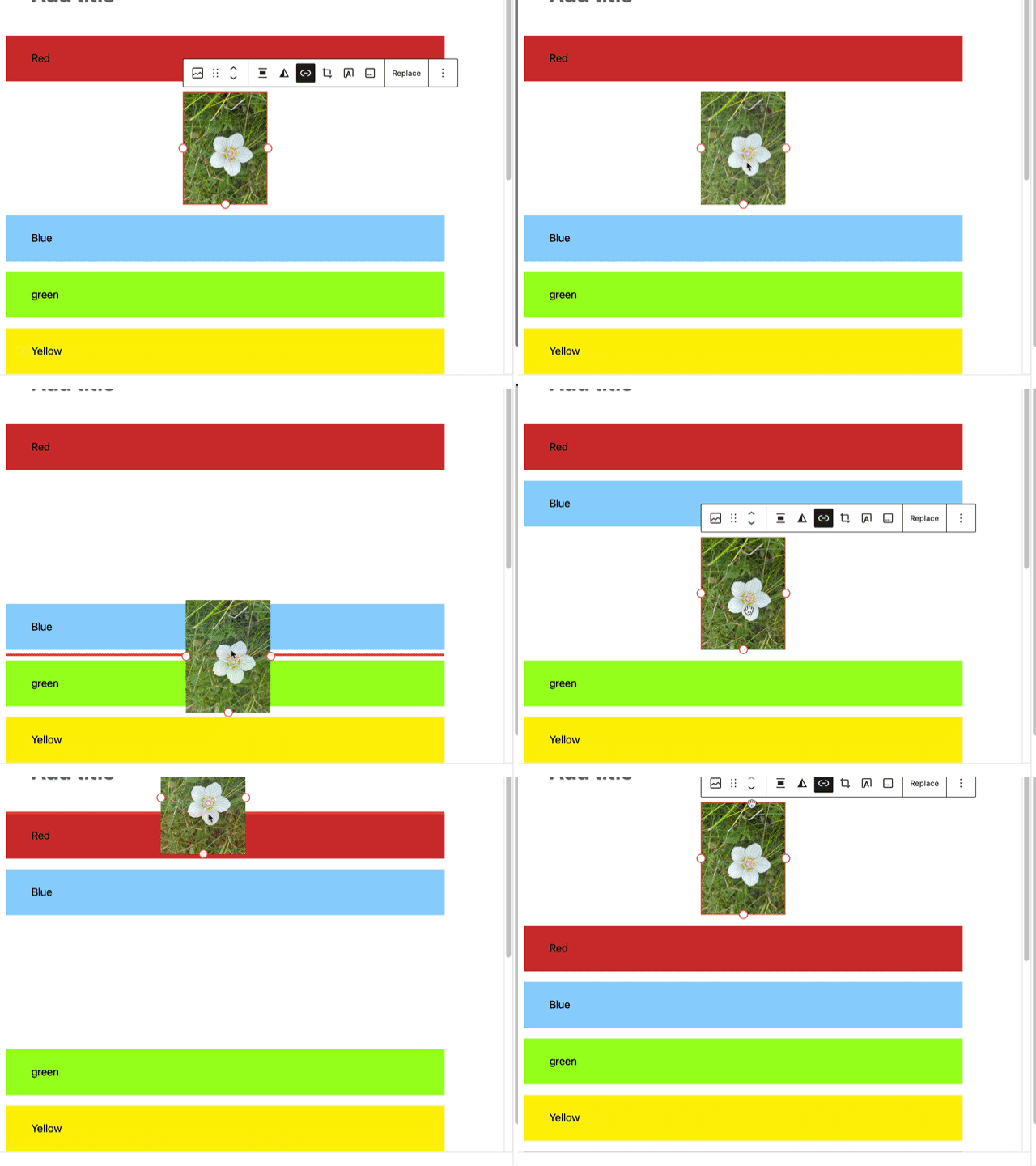
Moving blocks around is now more visual, with clearer drag handles and live previews while dragging content. This makes layout editing feel smoother and more predictable.
Gallery blocks can now enforce a consistent aspect ratio across images, helping galleries look tidier without manual image cropping.
This video has no sound
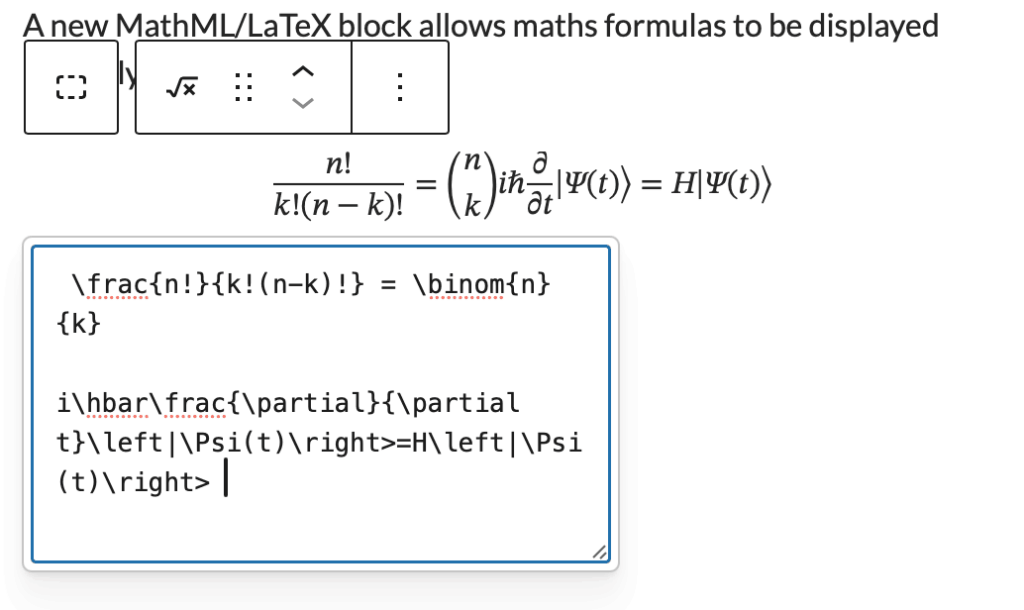
A new MathML/LaTeX block allows maths formulas to be displayed properly in posts and pages.
for example
You can automatically show estimated reading time for posts. This can be used in the Query Loop.
2–3 minutes
Several blocks for use in designing category or tag pages in the block editor, including term-count, term-name, term-template & terms-query. Of interest to people doing advanced editing in the site editor.
The Command Palette has expanded beyond the editor, letting power users jump quickly to templates, pages, settings, and other admin areas using keyboard shortcuts. Likely to be of interest to people who are doing a lot of site design work in the site Editor.
WordPress 6.9 includes a large number of accessibility fixes 70+ accessibility fixes and enhancements focus on central areas of the WordPress experience.
Several frontend performance improvements aim to make sites load faster.
We have been making some updates to the infrastructure that glow blogs runs on. In doing so we have also updated themes and plugins where updates have been available.
Themes
Theme updates have been applied to the “Twenty” series of themes.
Classic themes (2012–2016): almost invisible updates
Block themes (2022+): noticeable improvements in editing and patterns
The WordPress “Twenty” themes are regularly updated. We would recommend choosing one of these themes when creating a new site.
Things you may notice:
Better mobile layout
Cleaner typography and spacing
Improved block editor appearance
New patterns (in newer themes)
Plugins
The Yammer Plugin which allowed comments from Yammer on posts has been removed. Glow no longer includes Yammer so this plugin had no use.
These plugins have been updated:
Various Embeds, ePortfolio, Glow Analytics, Glow Register Blog Widget, UCAS Widget, WordPress importer, WP Accessibility, MegaMenu, 3D Flipbook, Search Filter, H5P, Youtube Embed Plus and Userway Accessibility.
All updates are about fixing bugs, improving compatibility, and making things work more smoothly. No major new features—just better reliability and performance.
WordPress 6.8 packs a wide range of performance fixes and enhancements to speed up everything from editing to browsing.
100+ accessibility fixes and enhancements touch a broad spectrum of the WordPress experience.
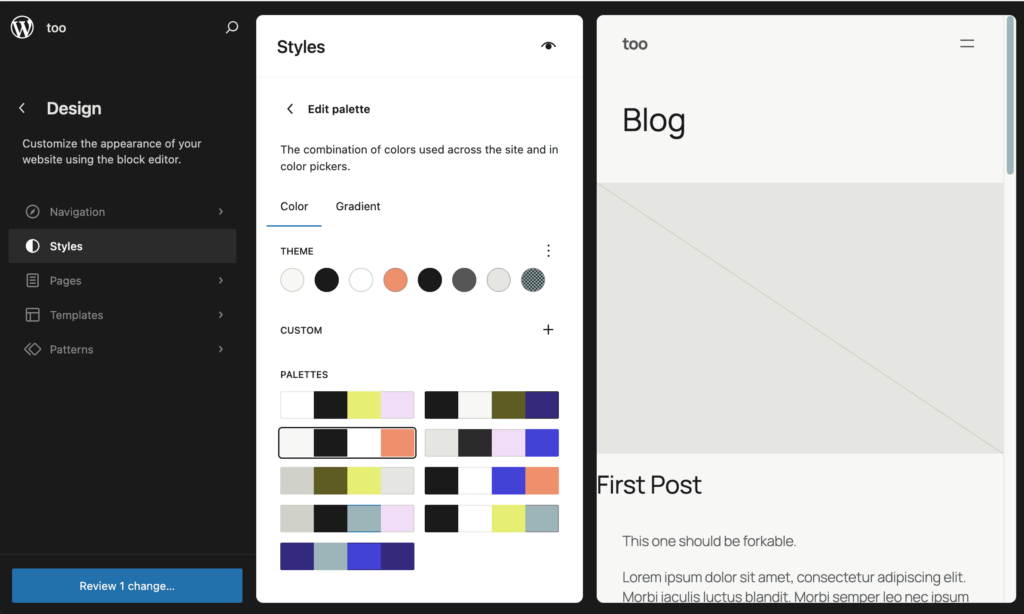
The Style Book is available in some classic themes, this gives you an overview of the standard styles in classic themes in the Site Editor style book. It is read only for our classic themes. Accessed via the Appearance -> Design section of the dashboard.
You can also access patterns for classic sites in the Design section, this allows you to add & edit patterns easily. Usefull if you have repeated content or repeat a type of content. Patterns are used in the block editor.
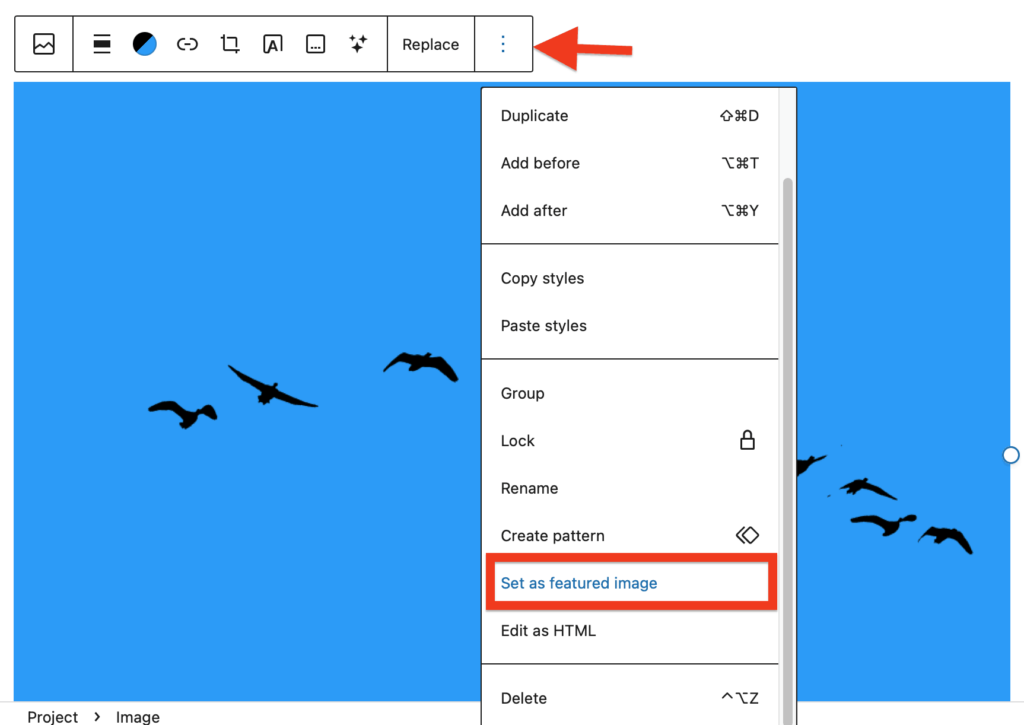
Block, images, you can set any image to site featured images.
The Full Site Editor
The FSE see some improvements. Especially in the views of Navigation, styles, Pages & Templates in the Editor.
Style Editor
The Style Book has a new, structured layout and clearer labels, to make it even easier to edit colors, typography—almost all your site styles—in one place
Pages in the Editor
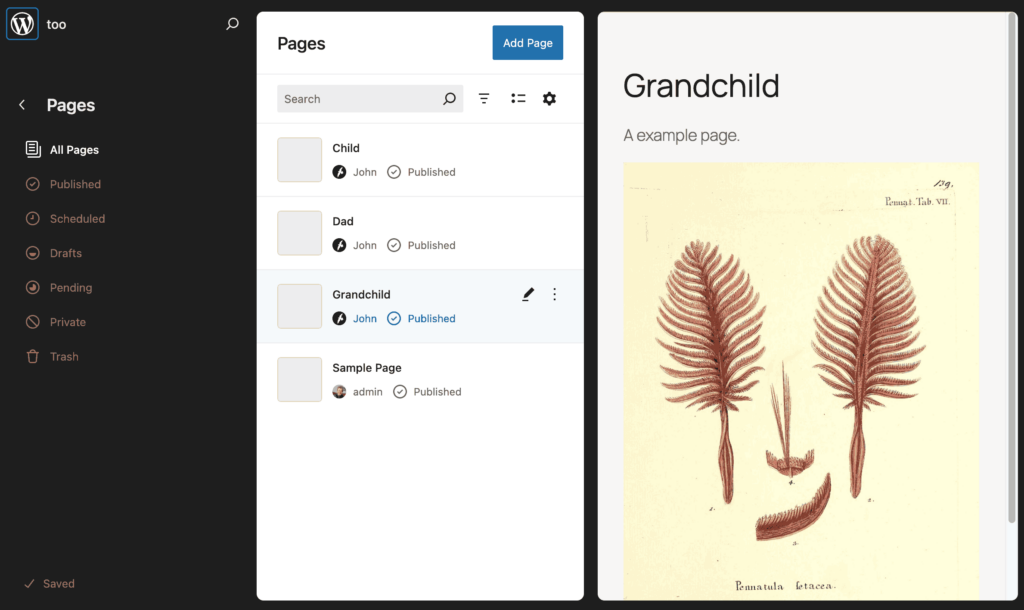
Pages listed & can be edited in the Appearance-> Editor section of the dashboard.
This release contains a couple of improvements and some general updated.
Additional CSS
We have restored the ability to add additional CSS in the customiser and the Styles of the Site editor. You can again edit the styles of your site. Read more on the new CSS page.
New Plugin: Contact Form Block
We have added a new contact form with Google reCatcha v3 to Block themes. The Jetpack contact forms did not work in the block editor. You can now use this plugin in Block Theme sites. Read more about the plugin & other form options on the Contact Form page.
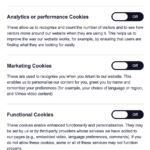
We have changed the way users can control cookies with the civic cookie plugin. This allows visitors and users to set the cookies they will accept from Glow Blogs. You can change this at any time by editing your cookie preferences. These are accessed from the icon that will appear at the bottom right of every page.
Civic Cookie Setting iconCivic Cookies Settings Click to expand.
You can choose to accept or reject cookies in different categories. We have also an new Glow Blogs Cookies Policy page.
Other Plugins
The Following plugins have been updated to the latest versions:
WP Draw Attention, Akismet, Jetpack, Civic Control Cookie, WP Accessibility, MegaMenu, 3D Flipbook and You Tube embed.
A Reminder – Housekeeping
Check your sites & tell your Key Contact before the 21 August 2025 if you need any restored.
It is getting near to the 28 August 2025 date when unused blogs will be deleted from the system. If you have a blog that you have not used for a few years but still value please check:
The Following Plugins were updated. Jetpack, Syntax Highlighter, WP Accessibility, Mega Menu, H5P, Youtube Embed , 3D Flipbook, Userway Accessibility, WP Draw Attention.
The Plugin updates in the main as small fixes and compatibility with the latest version of WordPress.
Jetpack
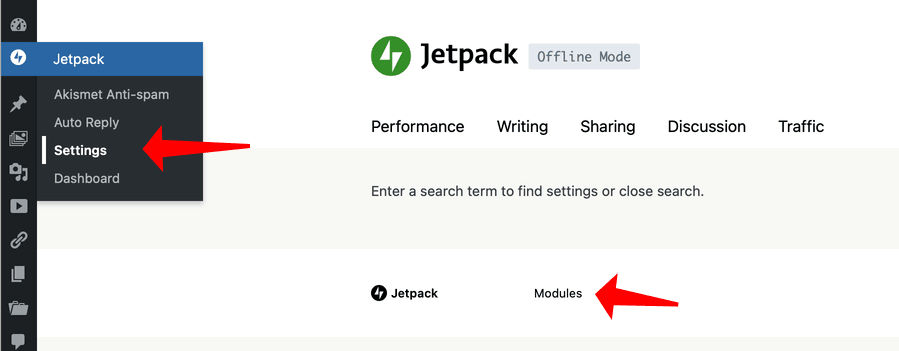
Fixed: A problem with the Jetpack icon not being visitable in the dashboard. Access to turn on and off the jetpack modules has been restored to the dashboard. The interface has changed a little. The Modules have been split into tabbed sections in the Setting screen.
You can access the older simpler interface by using the Modules link in the settings or Dashboard.
H5P
Fixed: Various problems with the H5P plugin. You now can install all of the H5P content types.
You may see a problem with installing some content types. In particular the Games Map, Interactive Video and other large content types. The libraries are large and need other libraries to be installed. You may occasionally see a 503 error but refreshing the page will show the content type installed and ready to use. We would recommend installing the interactive Video content type before adding the Game Map, Branching Scenario or Column types.
Glow Blogs has just been updated to WordPress 6.7.2
This has not brought a lot of new features that users will notices but there are improvements in performance, security & accessibility.
Most of the improvements to the editor are for the block editor and site editors, bringing some more features to many of the blocks and improvements to the site editor.
Not many users of Glow Blogs are using the block or site editor yet. We would recommend trying the block editor as it makes posting different types of content simpler. There are also a lot more possibilities for changing the appearance of the content & layout.
The Site editor is more complex but lets you completely change the layout and appearance of the site.
We have more information on the Block editor. We have a site that explains a lot more about the individual blocks along with lots of tips for using it: Blocks – Using the Blocks Editor in Glow Blogs. Finally our newer tutorials cover many of the features of the block editor.
This video shows some of the main changes in WordPress 6.7. Remember third party videos show WordPress in general so some of the features may not be available on Glow Blogs.
Housekeeping
This release also prepares for our housekeeping exercise. Please read: Glow Blogs Hosekeeping Announcment The exercise starts on May the first. This is paerticualry important if you have a useful site that has not been updated for a while.