
The site is divided into a few main sections that can be accessed from the Menu or search:
Or Just search the main help articles:
The Site Map gives a one page overview of the help.
And you can see the Recent Changes listed together.
Latest News
-
Blogs Back Online
As a precautionary measure, the Glow Blogs platform was temporarily taken offline. This decision was made to allow our technical team to apply urgent security updates to protect the platform. These updates address recently discovered vulnerabilities in PHP – the foundational programming language that acts as the “engine” behind the scenes to make our WordPress…
-
Building Advanced H5P Learning Experiences webinar
Building Advanced H5P Learning Experiences webinar
Read all the News on Glow Blog Help
Latest Tip
-
Bulk Editing Posts and Pages
Sometimes in Glow you want to edit some aspects multiple posts or pages. There are some tools in the Dashboard to help you. This might be useful when you want to delete many posts, add tags or categories and more. Posts You can bulk edit a selection of posts on the Posts Screen of the…
Random Tip
Latest FAQ
-
Editor & Theme Choices
When you create a new Glow Blog you choose the editor you would like to be set as default. This also set the theme. Both can be easily changed at any time.
An introduction to Glow Blogs
Other Help for Glow Blogs
Here are a few other sites you can find help on Glow Blogs on:
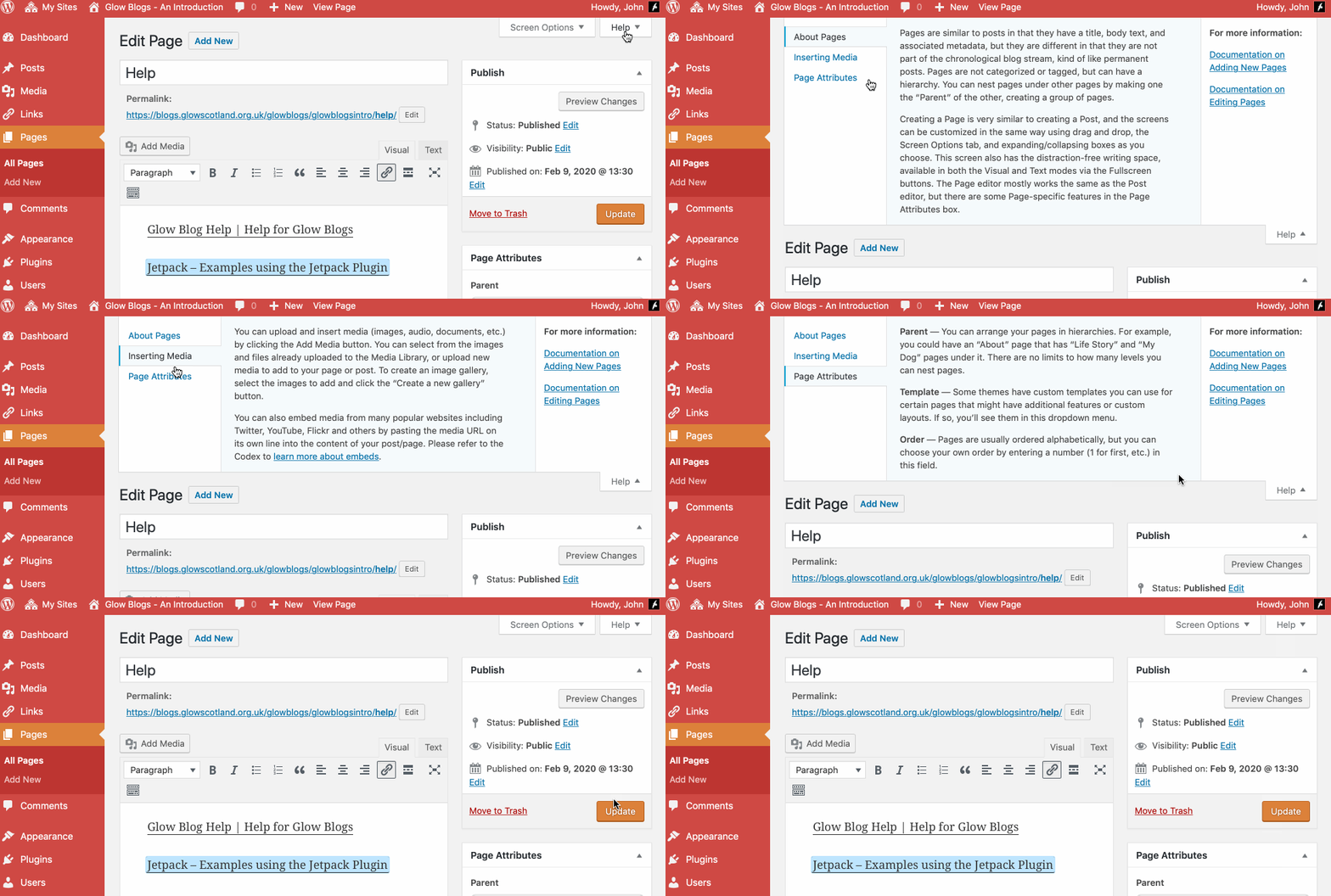
Remember WordPress has some really good built in help:

Hi,
I already have a glow blog that I made in my first year of school – I wish to change the design of it to make it more presentable for school. What I mean by this is I wish to change the blue and bubbled background and dark style of my blog to something neater. I was just wondering if it was possible to change the style of my blog and how I could do this. I am sorry if what I am trying to say is not very well explained anyway if you can help that’s great.
Thank you.
Charlotte Carey
Hi Charlotte,
You can change the style of your blog by changing the theme or using the options to customise the theme.
The theme can be changed in the Dashboard->Appearance section.
Some themes can be customised in Dashboard->Appearance->Theme options
others in Dashboard->Appearance->Customiser
You can get to the customiser from The Admin menu (black bar) at the top of your blog pages too.
We have used the Oxygen theme for our Blog site – we do not want the Leave a Reply on the home page – I have switched everything off in regards this that I can, but it displays these fields on the home page. Can this be remove completely as we would prefer it if no-one can use this, especially as it seems that posts can be put up with no control/authorisation for everyone to see. Thanks
Hi Christina,
If you have turned off discussions in Setting-> Discussions it does not change the status of existing posts or pages.
To do that you need to edit the post or page concerned. You may have to Open Screen Options at the top of the dashboard and check the box for Discussion to show the correct control.
More info:
https://blogs.glowscotland.org.uk/glowblogs/glowbloghelp/how-to/comments-wp4/
gw09johnstonjohn4@glowmail.org.uk if you have any problems.
Hi John
Thanks! Put the checkmark back on Discussions and found the option to remove comments – worked a treat!
Thanks again!
Christina
I would also like to get more info on e-portfolio. I am new to Glow but have some understanding of WordPress. Many thanks
Hi Christina,
We have several pages of information about e-Portfolios here:
https://blogs.glowscotland.org.uk/glowblogs/glowbloghelp/e-portfolios/
Including some screencasts.
These might help. If there is something not covered there you you need more information please get in touch. gw09johnstonjohn4@glowmail.org.uk