All posts by John

I am a retired (2025) primary teacher. I act as part-time Product Owner/provide support for Glow Blogs. I like Blogs.

WordPress Update

Glow Blogs have been updated from WordPress 4.7 to 4.8.2

The main features in this update:

New Widgets

There are new Text, Image, Audio & Video widgets More details and examples.

Improvements to adding links

Adding and editing links is now a better process.

See the Version 4.8 on WordPress Codex for more details.

PDF upload problem – Fixed

We have had reports with a problem uploading PDF files to Glow Blogs.

This issue is now fixed, here is an example 3 page PDF uploaded to blogs: Test PDF file

PDFs that are uploaded  to blogs are linked to the  image thumbnails of the pdf. This looks like the first page of the pdf.

The developers are investigating a fix which we will be implemented as soon as possible.

We have a workaround at rather kludgy workaround.

You can upload pdfs somewhere else on the internet and link to them in your blog.

The O365 OneDrive provide by Glow is a good place to do this. After uploading a PDF to one drive you can ‘share’ it. Make it public and copy the link. In the blog post you want to add the pdf to you can, instead of uploading the file, link directly to it like this:  Download Test PDF



e-mail Notification for comments

Glow Blogs now supports email notification for comments.

To enable email notification:

  1. Dashboard
  2. Settings
  3. Discussion
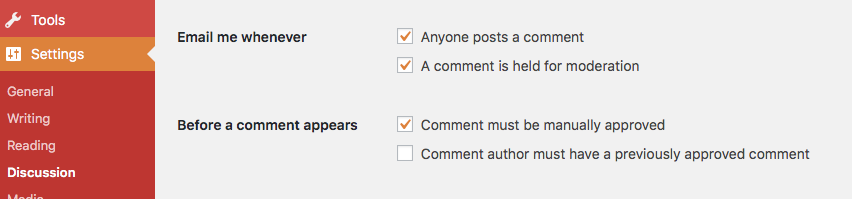
    1. Email me whenever:  A comment is held for moderation √
    2. Before a comment appears: Comment must be manually approved √

Screenshot discussions settings - email

Let it Snow on Your #GlowBlog

This is no longer included in Jetpack.

If you have the jetpack plugin Activated there is a setting to add snow to your blog in December.

Dashboard->Settings->General

screenshot of snow setting


Glow Blogs YouTube tutorials by @donaldfeist

Glasgow Teacher Donald Feist (@donaldfeist) is producing some YouTube help videos on Glow Blogs. Glow Blogs Tutorial – YouTube Playlist.

Want to know how and why we use Glow Blogs as an incredible classroom resource? Look no further!
This short series is on how to create your own Glow Blog for the classroom. This is primarily aimed at Scottish teachers, however, as the platform for Glow Blogs is WordPress, this works for all teachers across the world who are allowed to use WordPress as an educational platform.

Glow Blogs Update September

Glow Blogs has just had a small update which included:

Speeding up the loading of the Local Authority Home pages.

Add the ability to add O365 Forms, Office Mix and Stream.

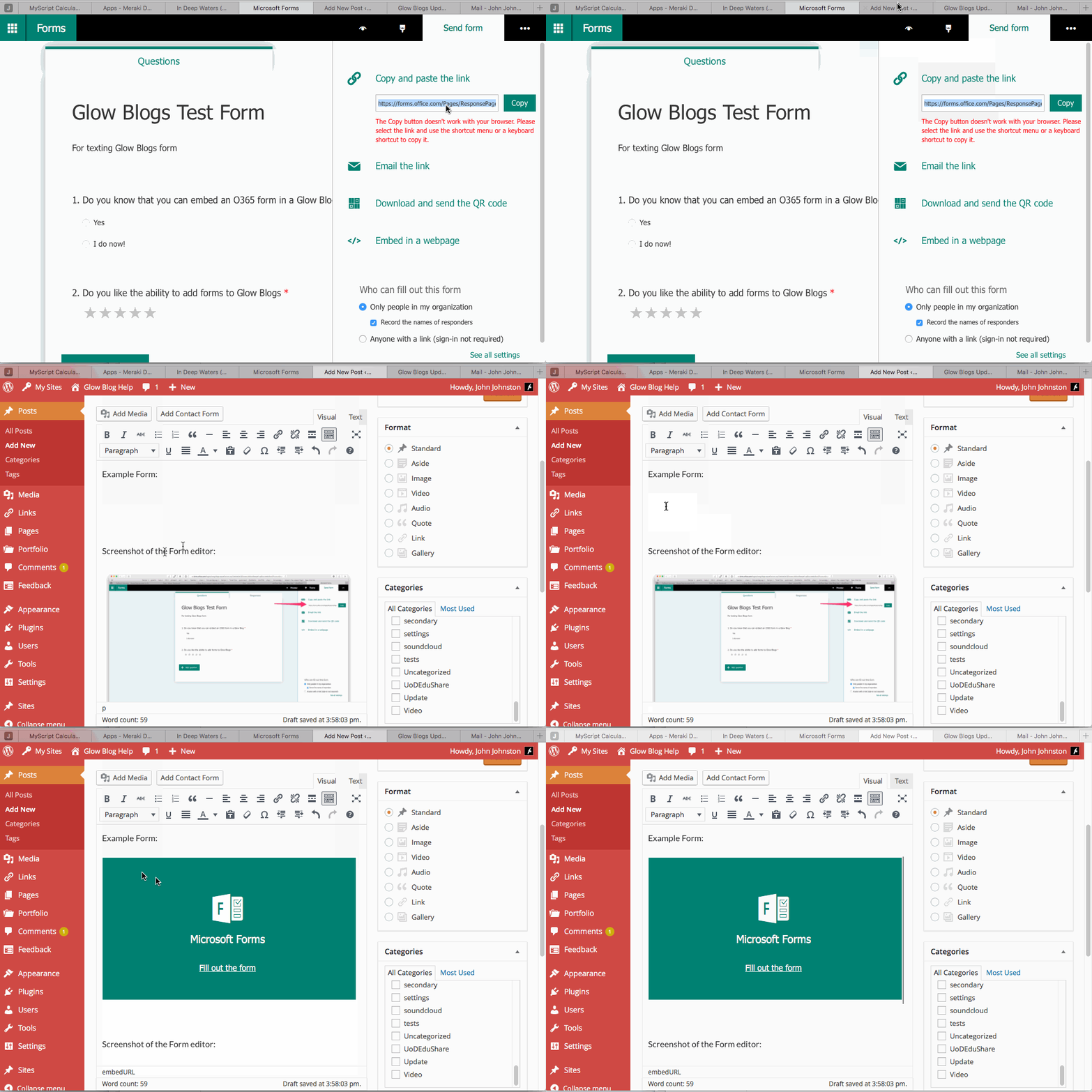
You can embed all of these by pasting the URL into the post editor. No need to copy the embed code.

Example Form:


Screenshot of the Form editor, click to expand:

Screenshot of Form Editor


and a gif showing how easy it is  click to expand:

Gif Embedding Form on Glow Blog

Featured Images

A feature of WordPress that not too many Glow Bloggers use at the moment is the Featured Image.

Features images can be added to posts and will be used by the blogs theme, either to display on the post and or to provide navigation.

for example in TwentyFourteen, the home page grid or slider is provided by posts with featured images. For example:

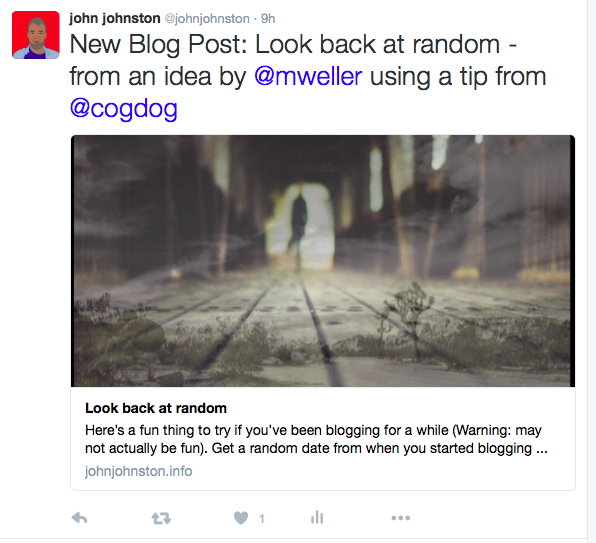
Featured images will also be picked up by twitter if you post a link to a blog. Like this:

Screenshot of a featured image on twitter

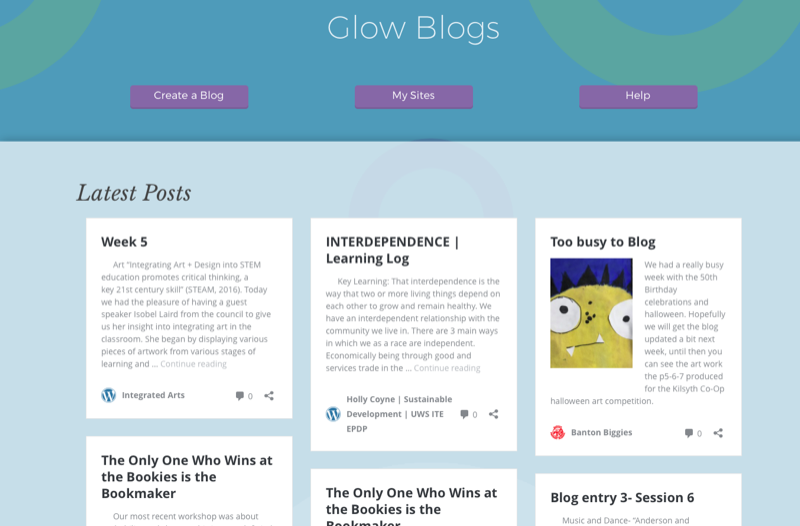
They are also shown if you paste the link to the blog into another post and on the LA home pages of Glow blogs.

Glow Blogs LA Home page

The featured image on this post is Water feature in Muang Boran (Ancient Siam) in Samut Prakan, Thailand found on flickr, taken by Uwe Schwarzbach and used under a Creative Commons — Attribution-NonCommercial-ShareAlike 2.0 Generic — CC BY-NC-SA 2.0 license.

Yammer Embed

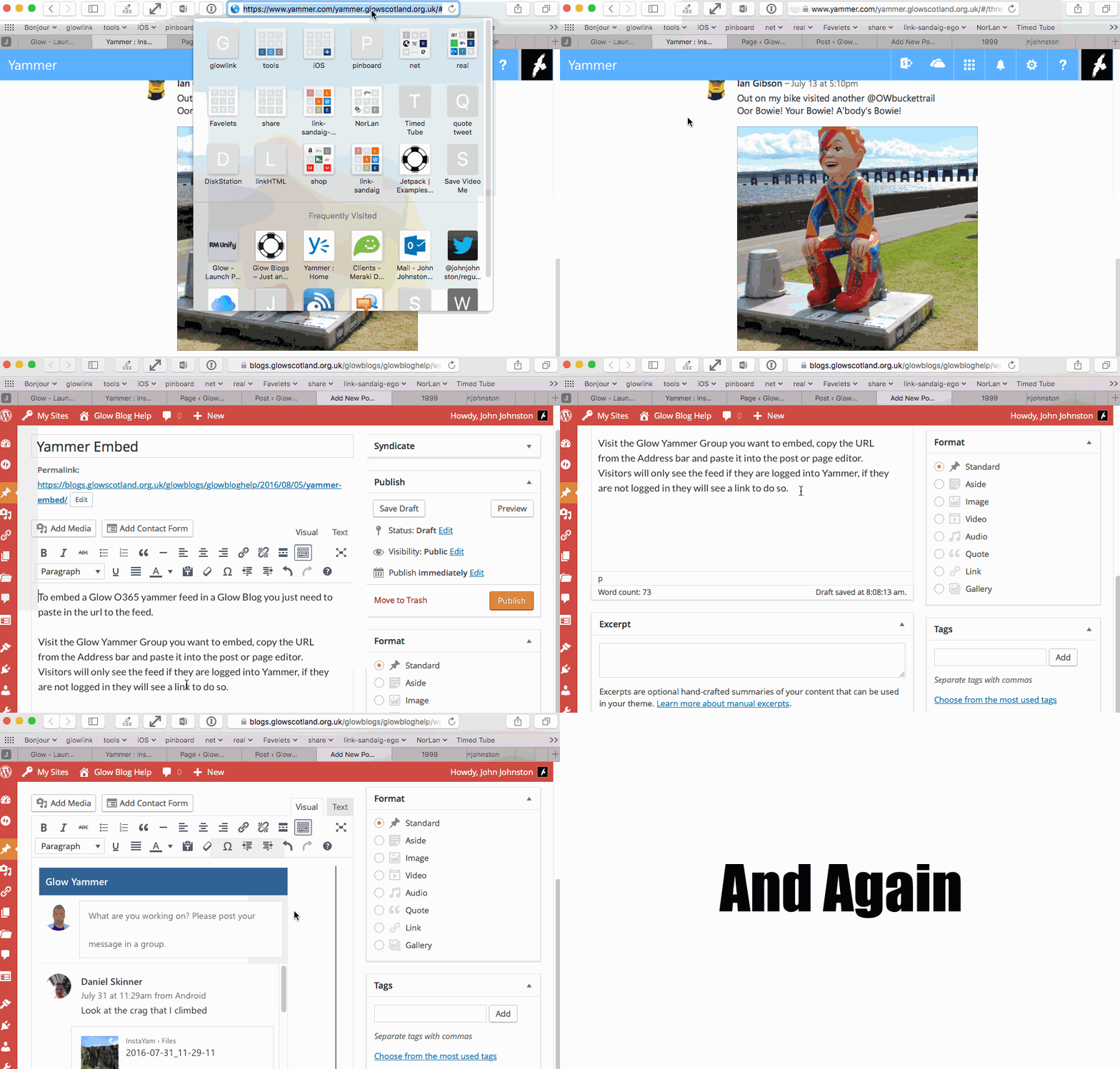
To embed a Glow O365 yammer feed in a Glow Blog you just need to paste in the url to the feed.

Visit the Glow Yammer Group you want to embed, copy the URL from the Address bar and paste it into the post or page editor. Visitors will only see the feed if they are logged into Yammer, if they are not logged in they will see a link to do so.

https://www.yammer.com/glowschools.org.uk/#/threads/inGroup?type=in_group&feedId=12265915&view=all


Here is a Gif showing how I embedded the feed above Click to see full-sized:

Gif of yammer embed in Glow Blog Post

Language packs

You can now set the language for the Dashboard for your blog.

Settings-> General

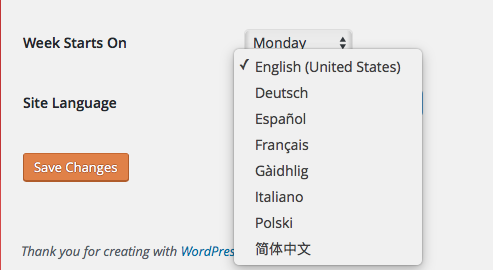
Scroll down to the Site Language choose a Language and save:

Screenshot site language setting

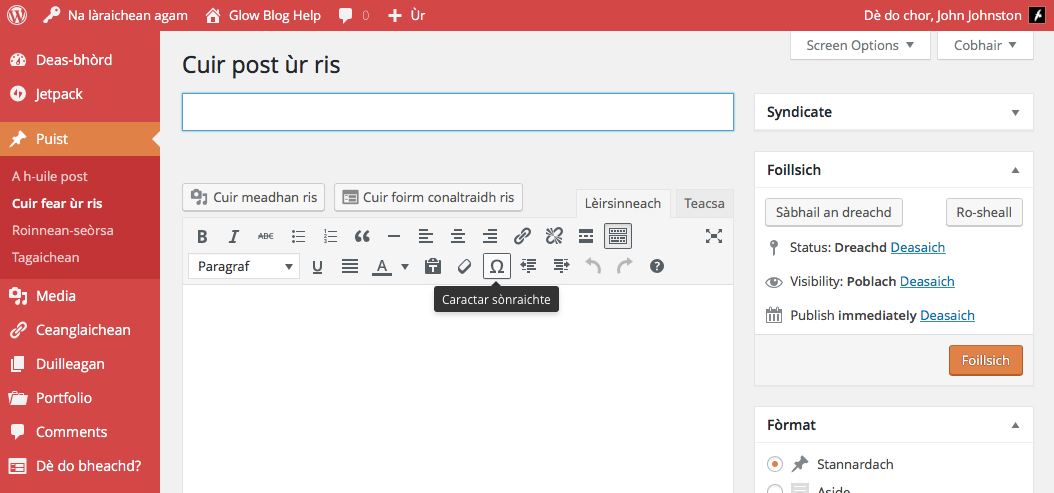
Here is what the new post page looks like in Gaelic or Gàidhig

Screenshot of New Post page in Gaelic or Gàidhig

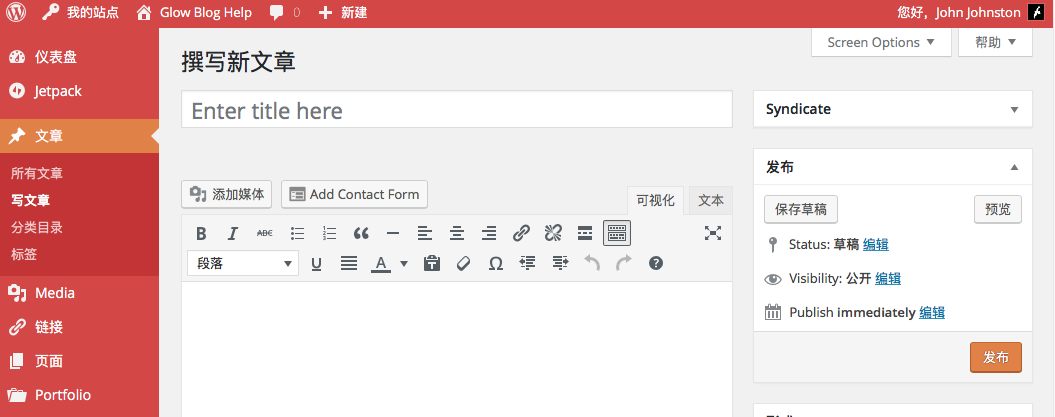
And in Chinese:

Screenshot of new post page with language set to Chinese

Note not all parts of the interface have translations, for example the Jetpack plugin which includes the Contact form which you can see in the screenshots.


Scratch Embed

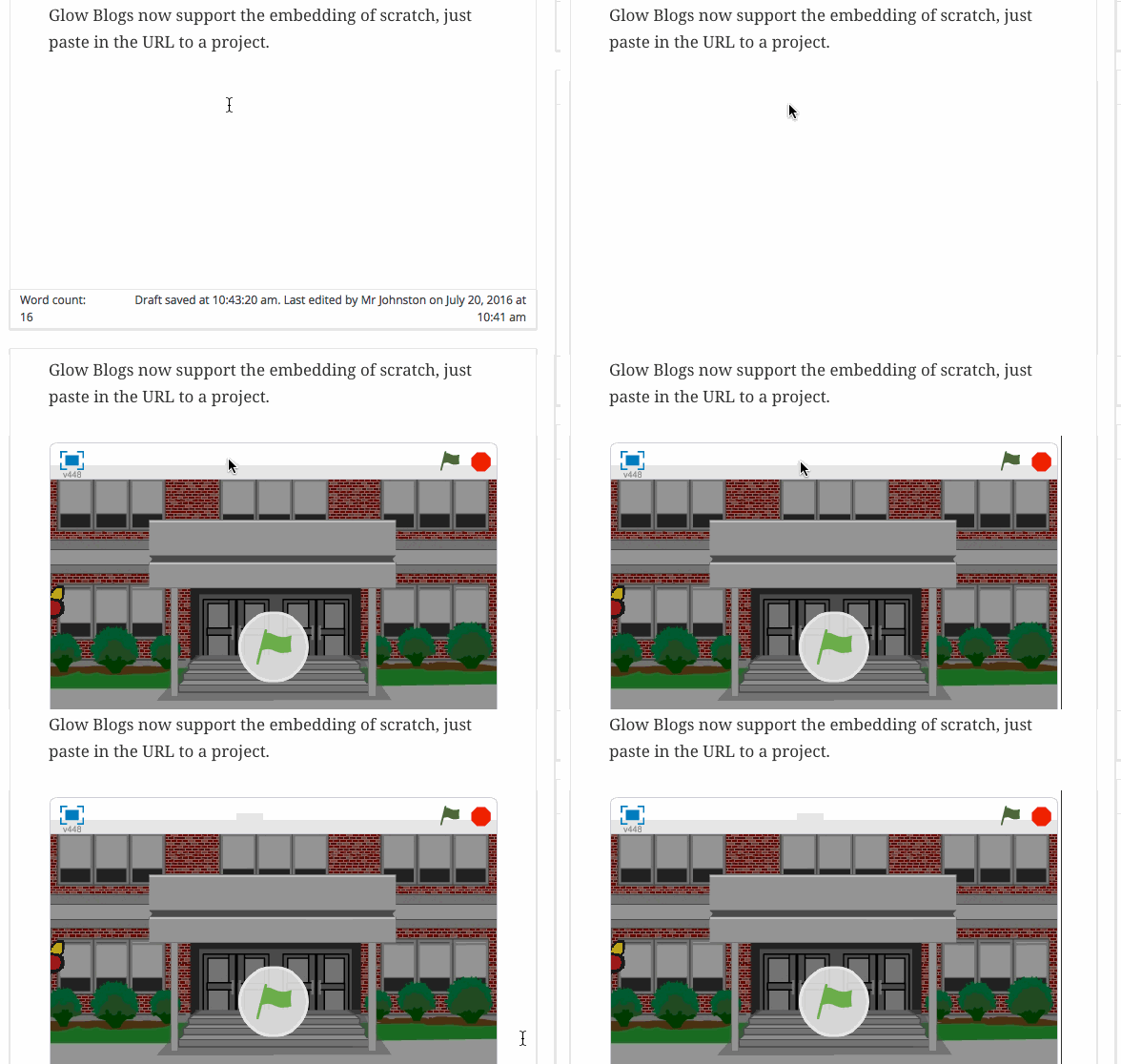
Glow Blogs now support the embedding of Scratch projects. Just paste in the URL to the project into a post or page.
Example:


gif of embedding scratch project in Glow Blog