All posts by John

I am a retired (2025) primary teacher. I act as part-time Product Owner/provide support for Glow Blogs. I like Blogs.

Jet Pack Settings Issue

Fixed 27 May 2025

Jetpack

Fixed: A problem with the Jetpack icon not being visitable in the dashboard. Access to turn on and off the jetpack modules has been restored to the dashboard. The interface has changed a little. The Modules have been split into tabbed sections in the Setting screen.
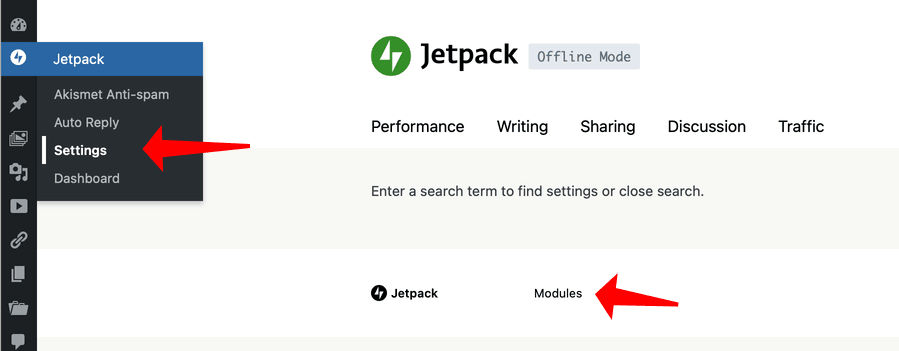
You can access the older simpler interface by using the Modules link in the settings or Dashboard.


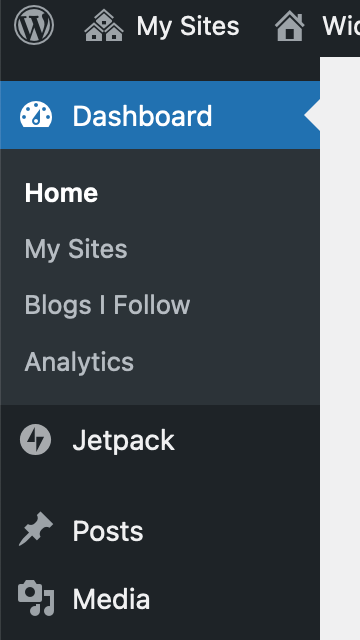
Some sites with the Jetpack plugin enabled do not have a link in the Dashboard Sidebar.

Our developers are aware of the problem and are working on a fix.

Workaround

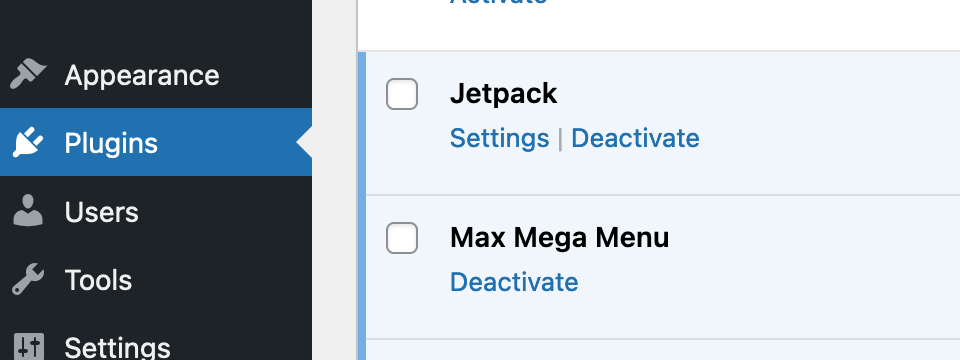
The Jetpack settings can be accessed from the Plugins screen:

Screenshot of the Link to the settings on the Jetpack listing on the Plugins page of the dashboard.

Clicking on the Settings link under the Jetpack listing will take you to the Jetpack settings.

Unfortunately there is not a link to the Auto Reply page which allows you to reply automatically to contact forms. You can find that by adding /wp-admin/admin.php?page=jetpack_auto_reply_settings to the url of your blog.

Widgets in New Site Issue & Workarounds

There is a problem with the display of widgets when editing them. This only happens with a classic theme on newly created sites. It does not affect older sites.

This issue has been fixed in July 2026, the classic widgets have been turned off and widgets are edited with the block editor.

When a new site is created it comes with a pre-installed set of widgets. This is theme dependent.

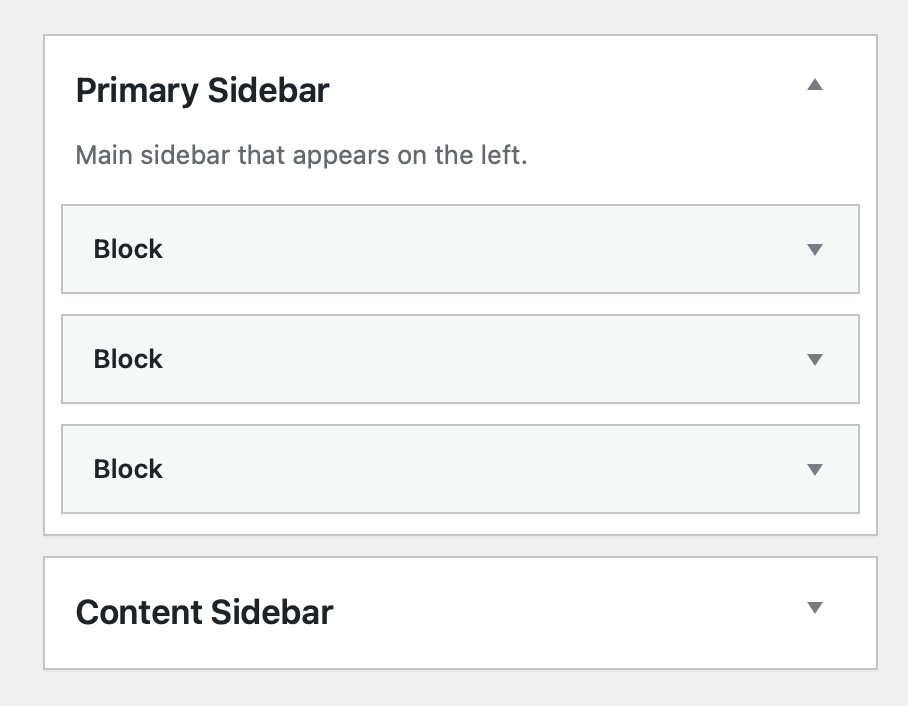
When you go to edit the widgets in this scenario the pre installed widgets show up labeled ‘block’ in the widget editor. They still work on the front page of the site but may cause confusion.

Adding more widgets to the sidebars and other widget areas is not affected, these show up as expected.

This seems to be a side effect of our transition from the classic editor and classic themes.

We are looking at fixing this but it is a tricky problem.

Workarounds

  1. Ignore the problem, the widgets still work. If you are happy with the widgets that are pre-installed by the theme just keep them.
  2. Ignore the problem but add any more widgets you need. Adding more widgets works as expected.
  3. Delete the widgets labeled ‘block’ and replace. The newly added widgets will display properly. If you look at the front end of the blog you should be able to note the widgets you need to replace.
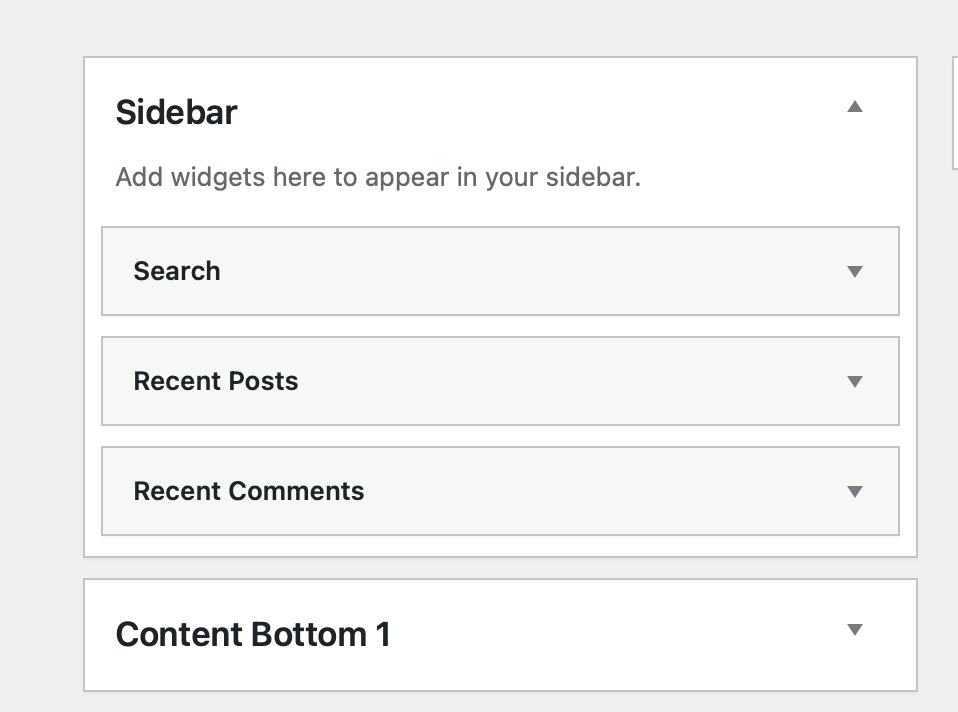
Screenshot of a widget area in glow blogs with a standard set of widgets
Here we have replaced the ‘block’ widgets with new ones. These are correctly labeled.

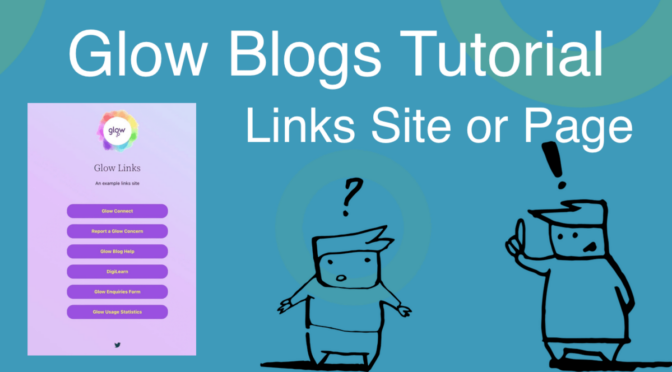
Glow Blogs Tutorial: Simple Links Site

This tutorial shows how to make a one page site with Glow Blogs. You can read through the tutorial or follow along on the Video.

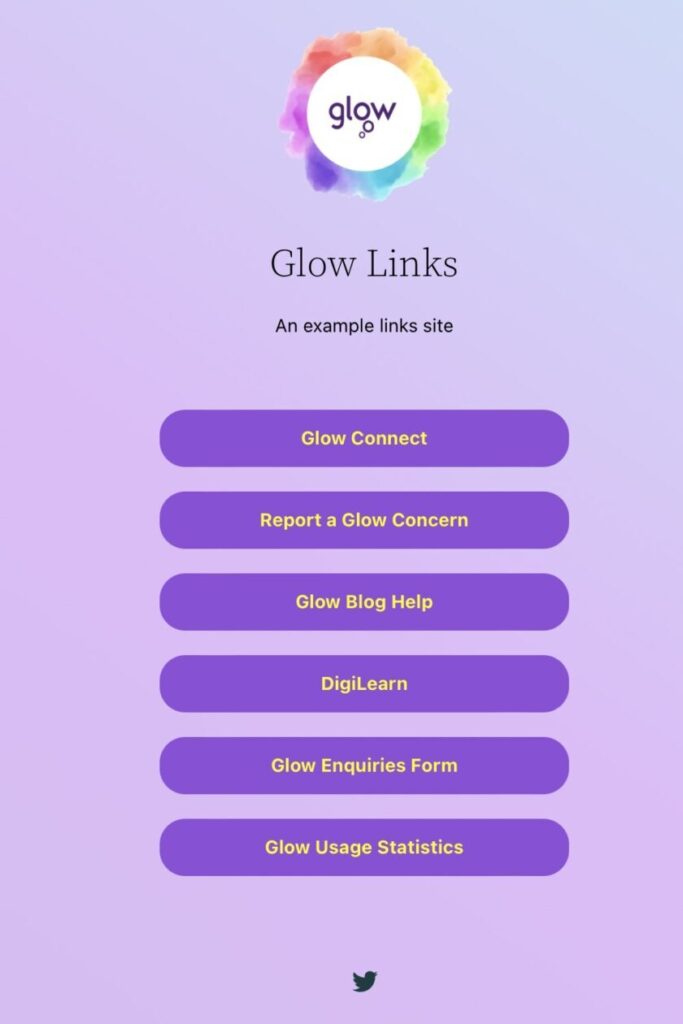
Screenshot of a Linksl list page

The tutorial will cover using the block editor, patterns & the document overview.

This will be a Links in Bio type of page or site that is common on the internet now, sometimes called Link Trees sites. There are several services that will help you create such a site but it is pretty easy with Glow Blogs.

You could add a page like this to an existing site or create a a one page site just for sharing a set of links.

The tutorial will also help you to understand some of the basics of the Block editor.

The site will be a simple list of links. I might use it to provide a set of resources, or list different places on the internet I’ve got a presence.

You can view the completed one page example site.

This is the first of several tutorials sites that are in the works. We would very much appreciate any feedback.

Glow Blogs New “New Site” Functionality

The latest release of Glow Blogs makes a slight change to how you create a new site.

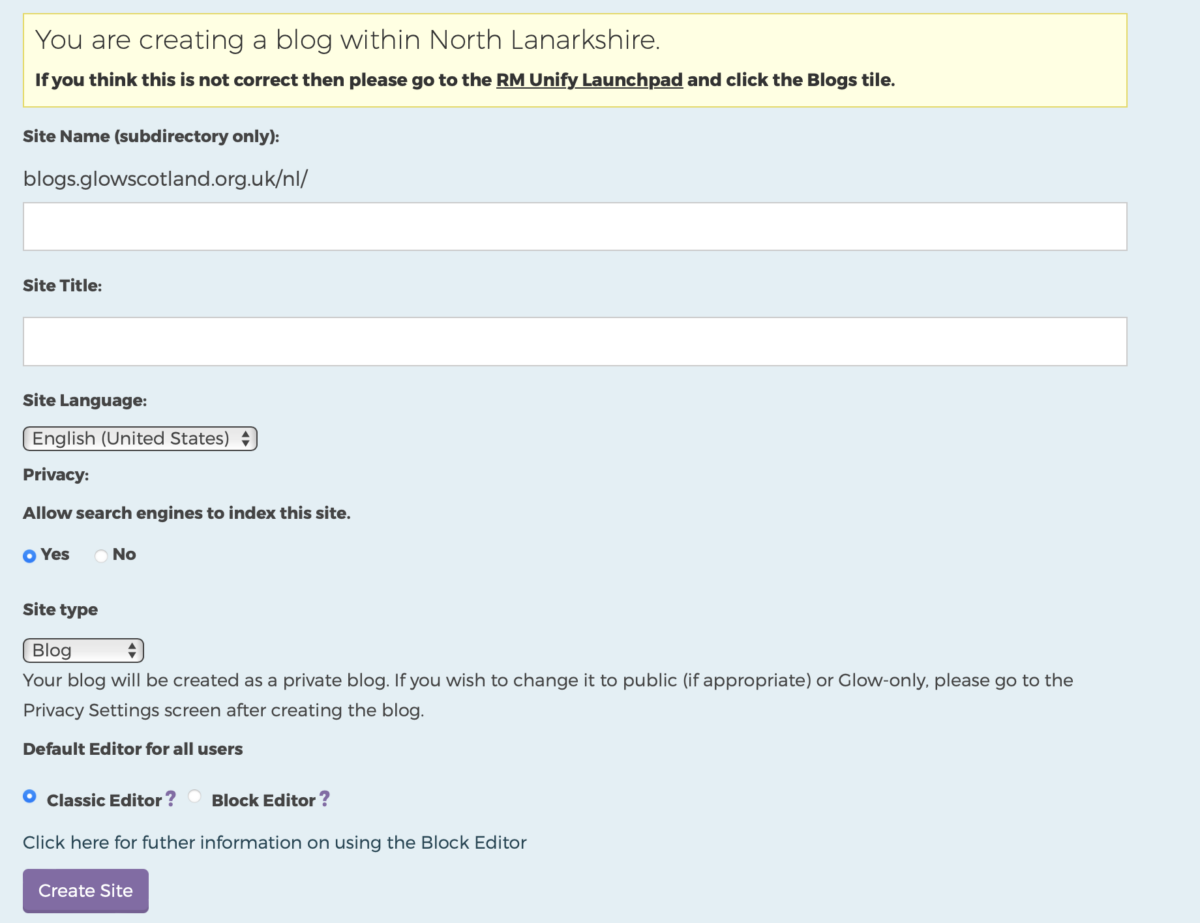
There is an added choice when creating a site:

Screenshot of the New Blog page, chowing the radio buttons for choosing the editor.

You can choose between the Classic and Block editor.

Choosing Classic will create a site with the default editor for posts and pages is the classic editor and the theme is Twenty Fourteen. This is the default choice.

Choosing Blocks with make the default editor the newer blocks editor. The Theme will be Twenty Twenty-three.

In both cases you can change the editor later in the settings-> Writing page of your blog’s dashboard. You can also set it to allow yourself and other users of the site to swap back and forth between editors.

You can also change the theme in the Dashboard-> Appearance page.

The Twenty-Twenty-three theme is a block theme and is very customisable using the Site editor to edit the templates. This is a bit more complex that using the customiser on older themes.

You can use either editors to edit pages and posts on your site they are not theme dependent. The exceptions are the Make and Agama themes which do not work with the block editor.

The block editor is the future of WordPress, it allows for a modular design for flexible content creation. You can make more complex layouts than with the old classic editor. Many features, columns, groups which have been much requested by glow users are in the Block editor.

We have a page on the help blog: The Block Editor which outlines some of the differences.

We have also a blog which give a lot more details on using the blocks editor Blocks – Using the Blocks Editor in Glow Blogs. This lists all the available blocks, shows examples and has links to even more information.

H5P in Glow Blogs – News

The First Annual H5P Academy Awards were just announced. The winners in the different categories:

  • Best Interactive Book (content type)
  • Best use of Course Presentation (content type)
  • Innovative Use of Multimedia (video, image and sound)
  • Outstanding Visual Design
  • Impactful Gamification

Although they are all from higher education they give a good idea of how H5P can be used at a sophisticated level.  The winners are linked from the announcement.

H5P updates

There has been a new version of Game Map and Drag the Words. You can read more on the March 2024 release note at h5p.org.

These updates are available in Glow Blogs now. You may need to update the modules concerned when you are creating H5P content:

Screenshot of the H5P create content screen showing that an update is available.

Click on the Details Button and then Update.

Glow Blogs Update: More Blocks & More

Glow Blogs has undergone an update, including fixes for various issues and notable improvements.

Fixes

  • List blocks now function as expected; a new item is generated when the return key is pressed.
  • Buttons Blocks also work correctly, creating a new button upon pressing the return key.
  • Bulk adding users in “Add Users” and “Add Curriculum Groups” now functions properly. Please note that it requires pupil and teacher information to be present in SEEMiS and sent to Glow via Click and Go.

Improvements

Still to fix

  • The Bulk Create Blogs feature is currently not operational but is expected to be resolved in October.
  • Forms created with the Block Editor are currently experiencing issues and are under investigation. However, the Jetpack Contact form can still be used in the classic editor for posts and pages, and it continues to function as usual.

Forms in the Block Editor

Update Autumn 2025

Jetpack forms do not work in the block editor. We have removed the blocks from the editor. You can now use a new Contact Form block, use the classic editor for a post or page with a contact form or a third party, google or O365 form. More information on our contact forms page.

Add Users & Bulk Create blog problem

There is currently a problem with the system for adding users from a curriculum group from seemis.

November 2024 Bulk Create Blogs is now working as expected.

27 Sep 2023 Add Users, Add Curriculum Groups is now fixed and working as expected.  A fix is under way for Bulk Create Blogs and we expect it to be live in October.

This stops the Bulk Creation of blogs working.

Users can still be added to blogs using the Add Users Screen, not the Add Curricular Groups. Details: Add Users.

A fix has been developed and is in the process of being tested before deployment. We hope the fix for the Add Users screen will be out before the end of the month and the Bulk Create Blogs in October.

Block Editor List Block problem – Fixed

Fixed 26 September 2023

We have currently a problem with the list block in the Block Editor on Glow Blogs. When you create a list, it only allows you to have one item. Pressing return does not give you another item in the list.

A fix has been found and will be release soon.

Workarounds

Use a classic block. This adds the older classic editor to a post where you can add a list.

Use a markdown block.

Markdown bullet list:

  • item 1
  • item 2

Markdown numbered list:

  1. item a
  2. item b

The about list was produced with the markdown block, here is a screenshot:

A screenshot of a markdown block being edited to show a list.

Glow Blogs Update June 2023

Highlights

  • The WordPress version is now 6.2
  • We have included new themes Twenty Twenty-two & TwentyTwenty-Three
  • WordPress 6.2 and the new themes bring Full Site Editing to glow blogs.

Full Site Editing

WordPress Full Site Editing allows non-technical users to have more control over the appearance and layout of their website. It enables you to customise your entire website, including headers, footers, sidebars, and content areas, using a visual editor.

There is a lot to FSE, we will add more information and links to help on the Help Blog over the summer.

A couple of interesting improvements

Themes with FSE can allow you to easily swap from a set of predefined styles, or create your own.

Animated gif of the styles available in the Twenty Twenty Three theme

Distraction Free mode. If you are rather overwhelmed by the new Block Editor you may like distraction free mode. This helps in giving you more space to write on and a much calmer experience. You can choose it from the editor settings, and it removes all toolbars and editing panels from the screen.

Openverse

An extensive library of free stock photos, images, and audio, available for free use.

Openverse is built into the Block editor, this allows you to search openverse for an image you can use legally. What is different from similar searches using other tools is that this also adds the attribution text below the photos.

Screenshot of openverse in Glow Blogs

There is more information on some of the main feature added in these posts:

What’s New in WordPress 6.0 (Features and Screenshots)

What’s New in WordPress 6.2 (Features and Screenshots)

These refer to standard versions of WordPress so there many be a few details of difference from glow blogs.

Remember too, general WordPress help online now often assumes the newer Blocks editor. This is not enabled by default yet on Glow blogs, but can be easily turned on.