Sometimes in Glow you want to edit some aspects multiple posts or pages. There are some tools in the Dashboard to help you.
This might be useful when you want to delete many posts, add tags or categories and more.
Posts
You can bulk edit a selection of posts on the Posts Screen of the Dashboard.
Select the posts you want to edit, or select all the ones on the page with the select all checkbox in the header of the posts table.
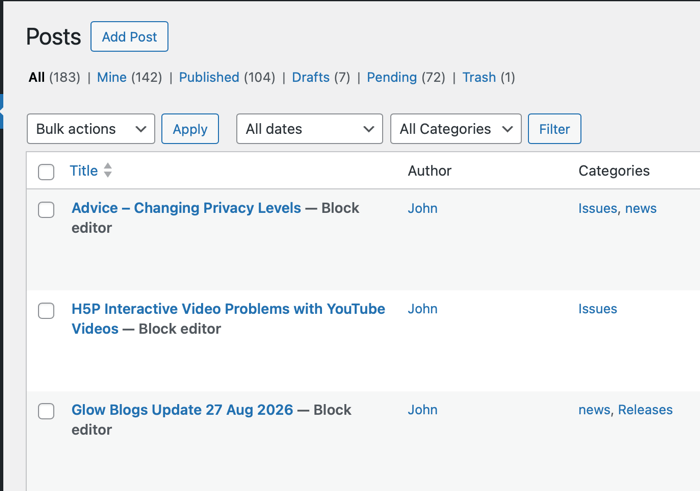
Once you have them selected you can change the bulk actions menu to Edit and Click Apply.
This opens a dialogue where you can edit all the posts at once:
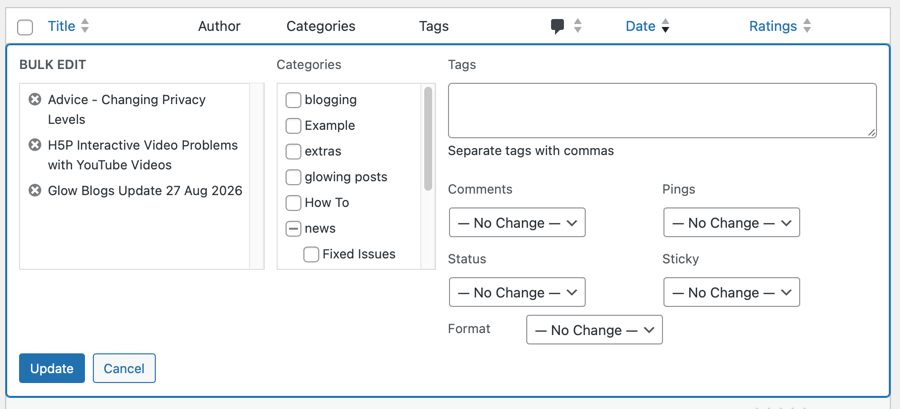
You can change Comments Allowed, Status, Pings Allowed, and Sticky for a whole batch of posts. Categories and Tags can be added in bulk but you cannot delete a Category, or Tag you can remove Categories but not Tags.
Once you have finished, you click Update which will make the changes and close the Bulk Edit dialogue.
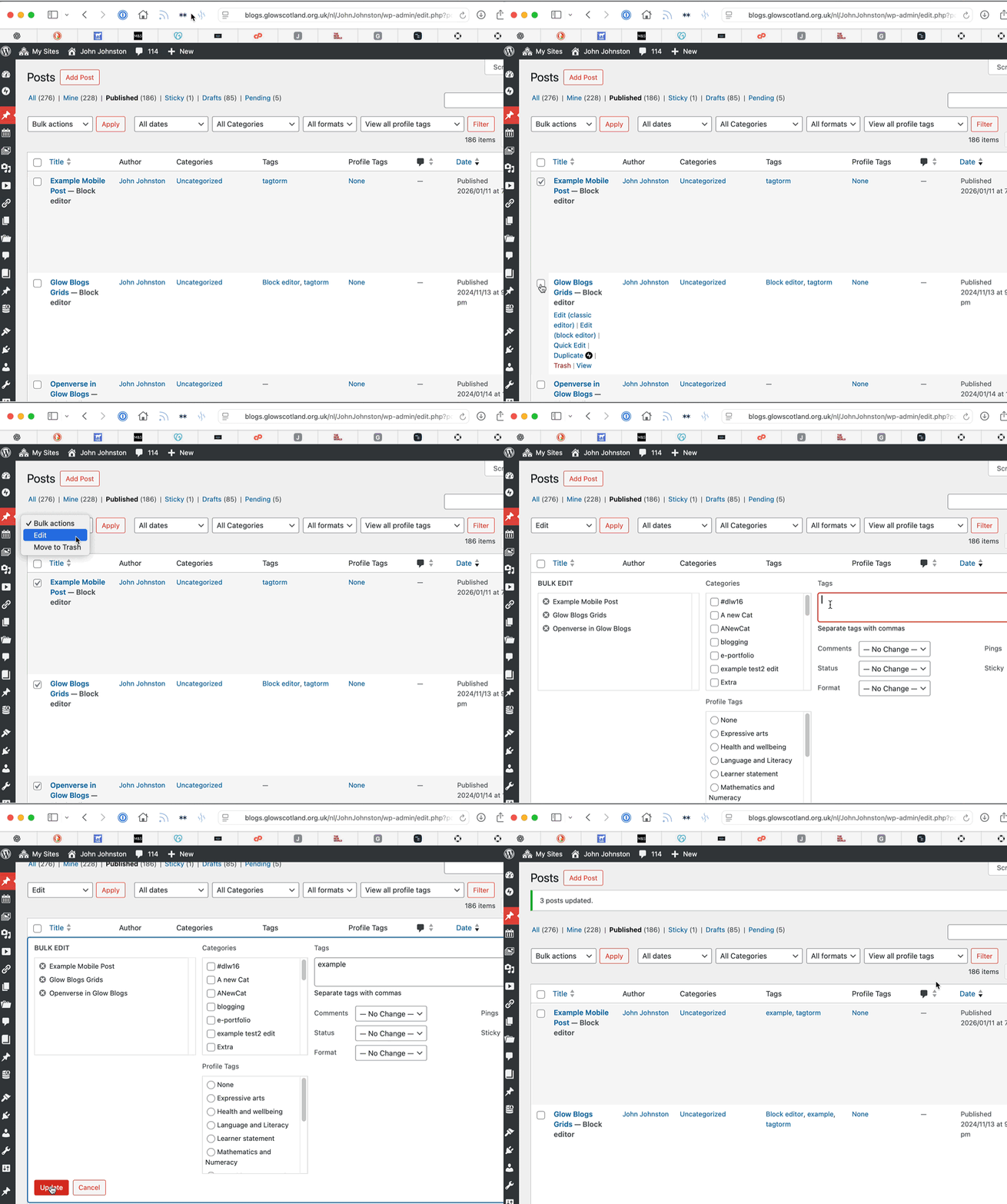
Here is a GIF of a simple edit, adding a tag to several posts:
Pages
Pages work in exactly the same way, except there are fewer choices. Perhaps the most useful would be to change the parents of pages to help with navigation.
Bonus Tip
When working with multiple posts and pages, you can change the number of items on the screen in the screen options at the top of the page.

Expand that section and change Number of items per page to 200 (the maximum)
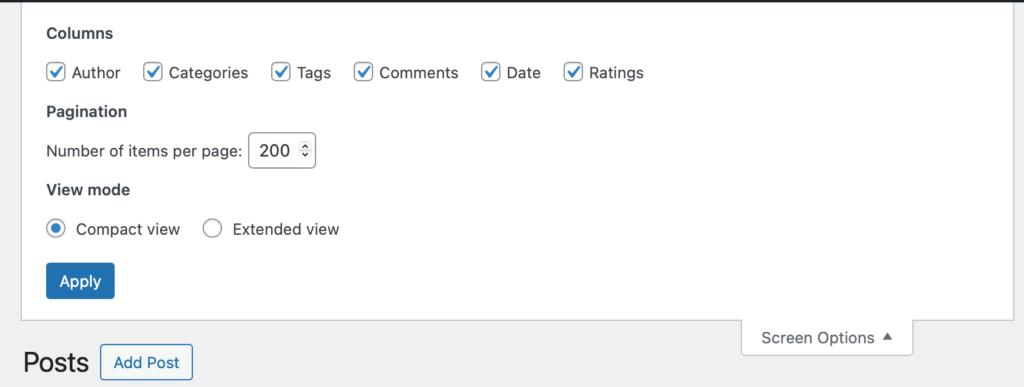
And press Apply. You can now edit 200 posts or pages at once. This might take some time.