There are two problem with some H5P interactive videos.
both are the result of changes in YouTube behaviour.
1 The videos play but audio only
In this case the content appears but the video can’t be seen.
You can fix this by updating the Interactive Video Module.
This can be a bit complicated, but this method has worked for me
- Go to create a new piece of H5P content.
- Find the interactive video type and if it says Update Available then click Details and Update.
- Go to H5P-> Libraries in the settings.
- If there is a message about Rebuilding the cache do that.
- Check and see if the video works
- If not go back to the Libraries scroll down and find Interactive video, open the information screen and rebuild cache there too.
Those steps have fixed the issue from me on two sites.
On one of my site where I have hundreds of pieces of H5P content the rebuilding took around 20 minutes. I went for a cup of tea!
2 YouTube videos show an error on Safari.
Interactive Video not working – Error 153 | H5P
Even after applying the fix about there may be a problem with any YouTube Videos in the Safari browser. There is currently not a fix for this. But there is a workaround.
- Create and embed your content or edit the content. Make sure all the Display Options are ticked.
- View a page with the content on it.
- Click Embed and copy the code. This embed code will work when added to a post. You can replace the original code.
This will fix problems with any YouTube videos in Safari. It may be worth doing if you are providing H5P video content to learners using macs or iPads.
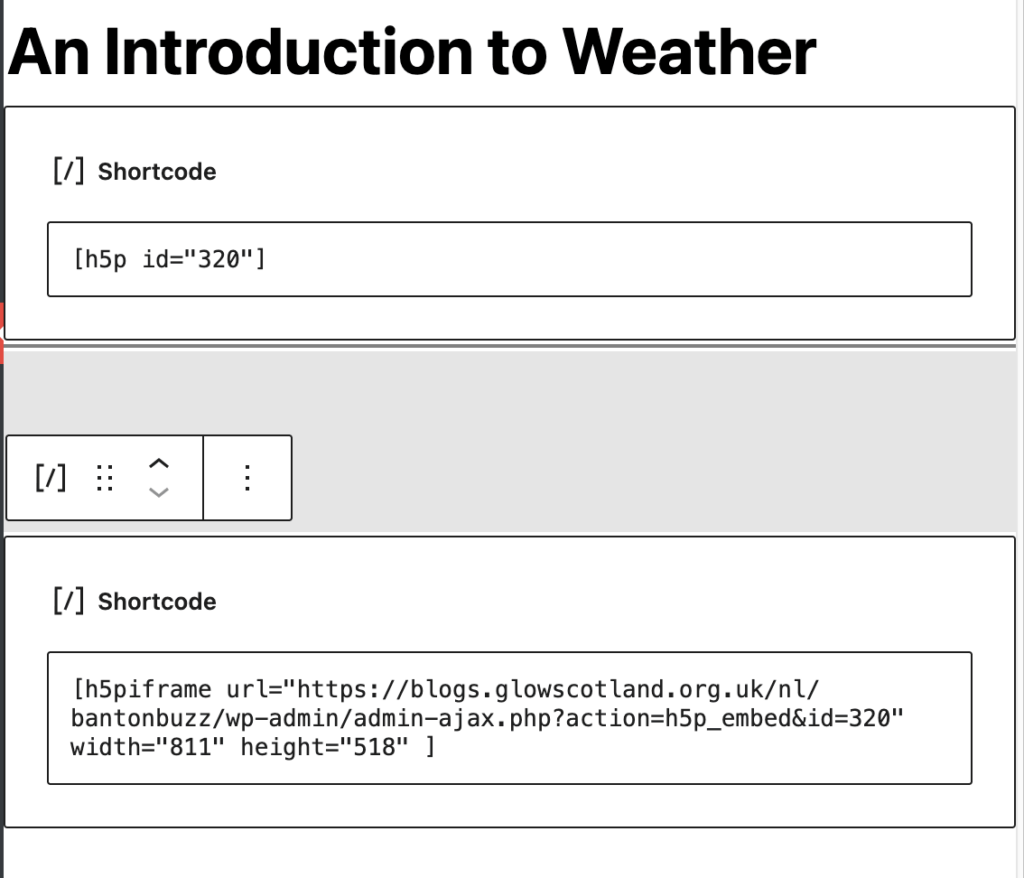
This screenshot show the original embed code and the one copied from the content. Do not use both in the same post.
If you are seeing this problem and have trouble fixing it, please get in touch, fill in the form.