Author: George Milliken

Quick Wins for Numeracy: CPA online

Quick Wins for Numeracy, January 2021

We delivered a workshop on the use of mathsbot virtual manipulatives and Google Jamboard to develop learners’ numeracy understanding. Using these tools allows you learners to model their thinking with a range of manipulatives that they might use in class. Jamboard, or OneNote in O365, act as a virtual whiteboard where learners can use ink, photos, and a range of other tools to show their thinking, collaborate with peers and access teacher feedback online.


This short tutorial video demonstrates how to use Windows Snipping Tool with Mathsbot manipulatives to create graphics for Jamboard, OneNote or Forms quizzes:
Supporting Strategic Reading on Screen

Supporting Strategic Reading on Screen, January 2021

This professional learning model was developed by the Perth and Kinross Education Support Officer Team and shared with us. They have created a pathway to explore reading on screens: identifying challenges, solutions and ideas to develop your practice. The Sway below can also be expanded to view in full screen.

Literacy and English – Digital Playlist

Developing Literacy and English Through Digital Skills, YouTube playlist

We developed and delivered two series of professional learning with our literacy and English colleagues last year and theses webinars have been curated in this playlist. The playlist has now had several more videos relating to literacy and English added to it, and it continues to grow.

internet safety

What is Internet Safety?

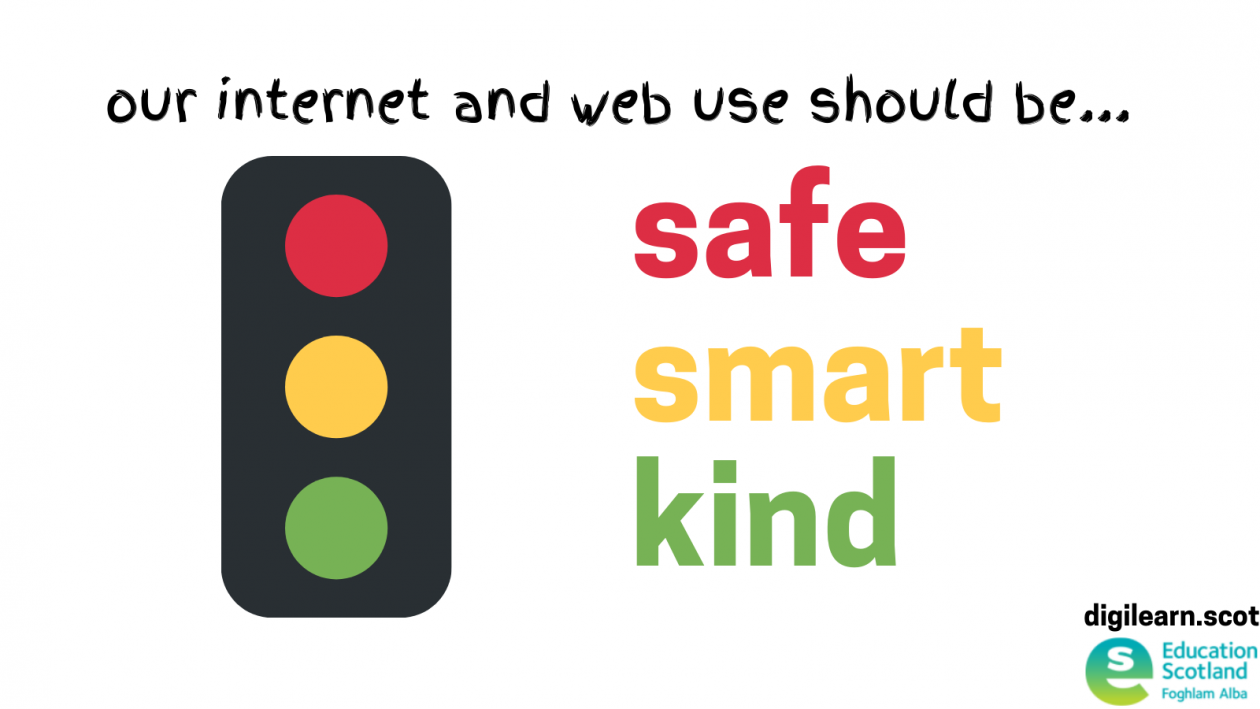
traffic light graphic for safe smart kind internet use
Share what internet safety looks like in your setting Please fill out this form

The Scottish Government (2017) states: “Every child and young person has an age appropriate and evolving understanding of the opportunities and risks which exist in the online world.”

This is defined within these outcomes:
  • Children and young people are aware of their rights and responsibilities in the online world
  • Children and young people are resilient and are equipped to help themselves and their peers
  • Children and young people are able to identify when they, or their peers, are at risk, and know what to do if they spot something

Internet safety deals with events and issues that are cyber enabled – that means it can be an issue online and offline. Cyber enabled issues include viewing inappropriate content, sharing images and videos, and harmful communication, such as cyberbullying and grooming.

Dealing with internet safety requires support with behaviours and understanding the needs that drive those behaviours, more than the use of an internet-connected device. When using the internet we want our children and young people to be safe, smart and kind.

Have you tried these free internet safety resources?

BAFTA Young games designer competition
Making Games: BAFTA Young Games Designer competition 2026

Education Scotland is keen to support as many children and young people participate in playing and making games as possible. We are excited to work… Read more
TEaching information and media literacy - part of finding and checking information
Evaluating your own practice (educators) – finding and checking information

Assessing your own practice  It is important to not only develop effective information literacy skills but also to assess how these can impact our own… Read more
Evaluating information - part of finding and checking information
Evaluating information – finding and checking information

Evaluating information sources  Here are a couple of ways children and young people can evaluate sources:  Look for clues: Author (are they trustworthy?), Date (is the information still current?), Purpose (does… Read more

trusted sources - part of finding and checking information
Trusted sources – finding and checking information

Trusted sources  Children and young people should look for information that is reliable, accurate and credible. They should use sources that are transparent about their… Read more

CSW2025: Computing Science Week recap

Thank you to everyone who attended Computing Science week and made it a success again this year. Below is a playlist of some of the… Read more

building digital citizens a primary teachers perspective community post
Building Digital Citizens: my experience with Scotland’s Curriculum Improvement Cycle by a primary digital lead

My decision to engage with Scotland’s Curriculum Improvement Cycle regarding digital literacy began primarily when I began to lead my school through the Digital Schools… Read more

Upcoming CRIS Webinars

what makes an engaging cris lesson?

3. What Makes an Engaging CRIS Lesson?

“Ensuring the elements of effective teaching are present – for
example clear explanations, scaffolding and feedback – is more
important than how or when they are provided.” Education Endowment Foundation (2020)


A good lesson is a good lesson, regardless of curricular area. HGIOS (4th edition) makes clear that high engaging learning, quality teaching and effective assessment, will improve educational outcomes for all learners.
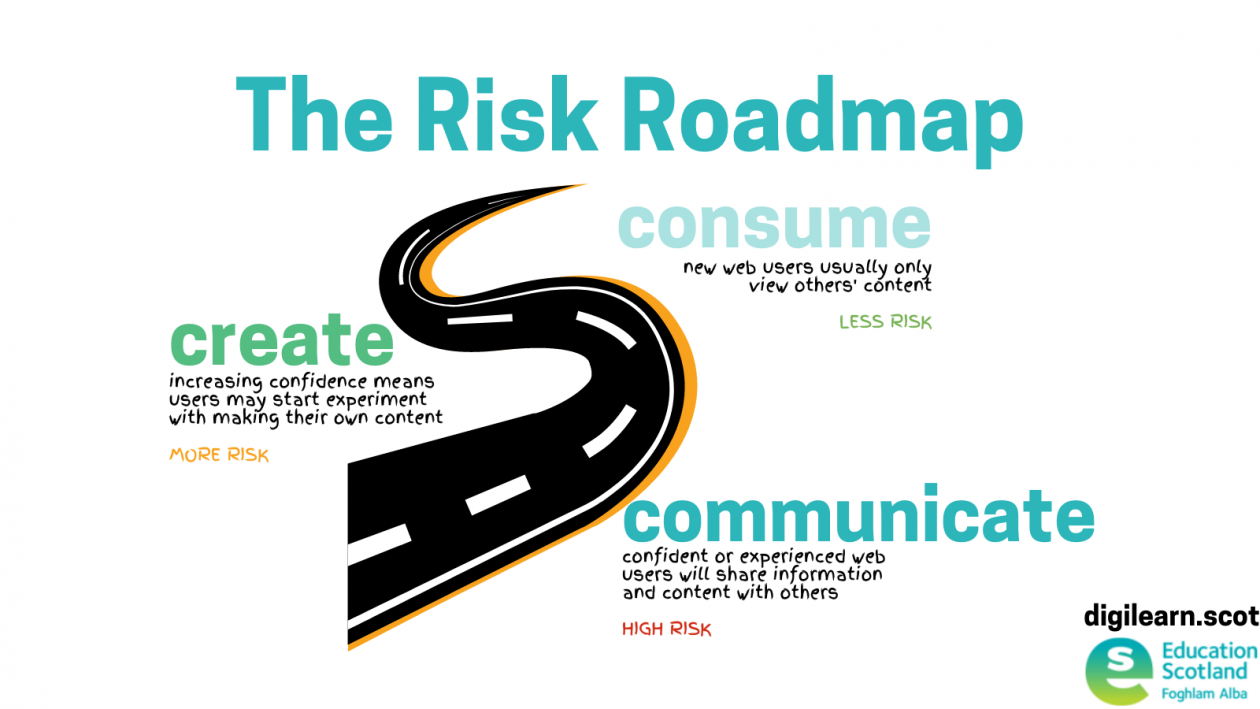
road graphic showing progress from consuming content to creating then communicating it

As with any other area of the curriculum, in CRIS learning the context should be meaningful and relevant to the leaders – for many children and young people the internet and web are routine aspects of their lives already. Therefore, learners should be given the opportunity to share what they already know about the internet and web and the educators can use effective questioning and engaging activities to spark the learners curiosity about CRIS even further.

As educators we may need to develop our own knowledge and understanding of CRIS in order to support and challenge our learners’ thinking, and to make the contexts relevant and meaningful.

Finally, assessing the learners’ progress is vital to identify next steps and improve their educational outcomes. There is certainly scope to use formative assessment as learners learn, summative quizzes to check their knowledge and understanding recall but also to assess their ability to apply their learning in new contexts, such as with new apps, devices or curricular areas.

This lessons explains what the internet and world wide web are, with opportunities for learners to engager with research, share opinions and apply their learning.

cyber in health and wellbeing

Cyber in Health and Wellbeing

This page is designed to help teachers plan learning that covers aspects of cyber resilience and internet safety and health and wellbeing (HWB)

go to cyber home

Digital Learner diagram (landscape)

Why cyber resilience and internet safety?

The Internet safety for children and young people: national action plan, from the Scottish Government, states the aim of: “[…] children and young people to be protected, safe and supported in the online world and for them to be able to enjoy the internet, show resilience and take advantage of the opportunities it has to offer.”


The plan has three broad aims but the first two certainly fall into the remit of educators:

  • Giving everybody the skills, knowledge and understanding to help children and young people stay safe online: we will help parents, carers and people who work with children and families to understand how to help children stay safe online and how to deal with problems if they occur.
  • Inspiring safe and responsible use and behaviour: we will make it clear that individuals, including children and young people themselves, need to take responsibility for their own online behaviour.

Internet safety for children and young people: national action plan


Education Scotland’s HWB guidance defines a resilient child as one who can:

“resist adversity, cope with uncertainty and recover more successfully from traumatic events or episodes.”

health and wellbeing experiences and outcomes

Mental, emotional, social and physical wellbeing

cyber toolkit

The Cyber Toolkit for Teachers can support teachers to understand how children and young people use the internet and the potential risks of doing so. This focuses on how devices and accounts are used to consume, create and communicate.

Social wellbeing may focus on aspects of citizenship and values: how they participate and interact with others online – are they respectful to others?

Mental and emotional wellbeing may focus on aspects of interactions with others and how the behaviour of others may affect them – how do they manage these interactions and develop resilience to overcome them?

Any learner who potentially experiences harm in these areas should contact Childline.


go to Cyber Toolkit

5 rights digital childhood report

There are aspects of the 5 RIghts Digital Childhood report (2017) that may be useful to consider, particularly the age-group developmental milestones. These provide a useful reference to what behaviour and potential risks might be expected at each age and stage.

Read the report

OECD Educating 21st Century Children

‘Screen time’ is often spoken about in terms of children and young people’s health and wellbeing but the OECD (p42, 2019) states that such studies have ‘weak findings, are correlational and an unwarranted moral panic.’ Therefore, teachers may avoid teaching the harms of ‘too much screen time’ and focus on other aspects of cyber resilience.

read the OECD report: Emotional Well-being in the Digital Age

Relationships, sexual health and parenthood

technology assisted harmful sexual behaviour

Children and young people should learn about relationships that are healthy, respectful, and based on trust and respect. However, there may also be a need to support them when this is not the case.

The NSPCC defines Technology-Assisted Harmful Sexual Behaviour (TAHSB) as: “a range of behaviour including the developmentally inappropriate use of pornography, online sexual abuse, grooming, sexting.” 

Education Scotland have collaborated with Stop It Now to create guidance and support for teachers on Technology-Assisted Harmful Sexual Behaviour (TAHSB). The TAHSB programme is free and can be delivered in any local authority. 

hackett continuum
click the image to enlarge it

 The Hackett continuum is used across Scotland, by the NSPCC, Education Scotland and the Scottish Government, to evaluate the sexual behaviours of children and young people.

cyber resilience

What is Cyber Resilience?

cyber resilience. recognise react recover

Share what cyber resilience looks like in your setting Please fill out this form

The Scottish Government (2015) states that: “Cyber resilience is being able to prepare for, withstand, rapidly recover and learn from deliberate attacks or accidental events in the online world. Cyber security is a key element of being resilient, but cyber resilient people and organisations recognise that being safe online goes far beyond just technical measures. By building understanding of cyber risks and threats, they are able to take the appropriate measures to stay safe and get the most from being online.”

Cyber resilience deals with events and issues that are cyber dependent – that means it can only be an issue when an internet-connected device is involved. Cyber dependent issues include hacking, phishing scams and malware, such as ransomware.

In order to deal with cyber threats and to become more cyber resilient it is important we support learners to make their devices and platforms as safe and secure as possible – this includes steps such as setting passwords and two-factor authentication (2FA).

Cyber Advice

Passwords and 2FA

Cyber threats

national cyber security centre

Supporting Financial Education

In the UK, we spend more money online per capita than any other nation. So, if our learners are spending money online – how are you supporting them to be as safe and secure as possible? What threats are they likely to face when spending money online?

your money matters textbook

Your Money Matters is a FREE financial education textbook for Scottish schools – chapter 6 looks at cyber resilience in financial education.

cyber resilience in financial education

This page has more cyber resilience in financial education, as well as other numeracy and mathematics contexts.

Barefoot Computing Resources

These lessons plans with activities were created by Barefoot Computing. They are free to access from Barefoot Computing and link to CfE.

You’re the Cyber Security Expert

The Phisherman Game

You’re the Jury

Code Cracking


Upcoming CRIS Webinars

Digital Fire Drill: preparing for online learning

Are you preparing for online learning in January? We loved this guide from Marr College in South Ayrshire about ‘digital fire drills’. These guides allow for teachers and learners to be prepared for online learning by making clear the processes and expectations.

Take a look at this tweet from Miss Wylie, a teacher and digital leader at Marr: