Month: February 2013

ICT Resources to Support Social Subjects in the Primary School

Malcolm Wilson, ICT Curriculum Development Officer in the Curriculum Support Team of Falkirk Council Education Services, presented a session with primary class teachers on a variety of ICT resources to support teaching Social Subjects in the Primary School.

Resources

Here are links to some of the resources shared:

What was there, then and now – Tools to compare photographs of same views then and now http://glo.li/pzwVdT 

Class character exchange – engaging with another class in another part of the world by exchanging a soft-toy character or other figure. Provides a route into pupils having a better understanding of people in place. http://glo.li/NUzqij 

On This Day in History Link topic to events by particular days http://glo.li/Whu37F

Timeline Tools – Marking Milestones in History Timeline Tools including Fakebook – Facebook-like timeline, Twister – Twitter-like events as they happen http://glo.li/IYu6fU 

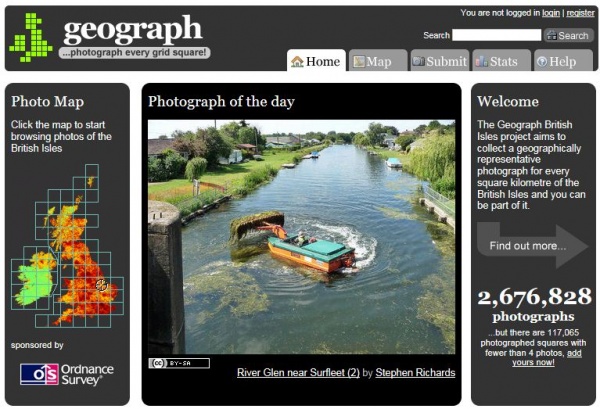
Geograph the British Isles – combining mapping, photography and gaming http://glo.li/HbTeQZ

Our Governments – Scottish, UK and EU parliaments http://glo.li/mSDggW

World Disasters and Emergencies – Learn about natural disasters around the world. Resources to support dealing with emergencies http://glo.li/JxNmxr 

Use digital video cameras for pupils to engage with social studies topics and demonstrate their understanding of the information. Create stop-motion animation to illustrate features, concepts or event sequence. Resources here for video cameras: http://glo.li/gTmdzS. Resources for editing video: https://blogs.glowscotland.org.uk/fa/ICTFalkirkPrimaries/2010/09/16/video-editing-with-windows-live-movie-maker/Resources here for making videos from still image photographs: https://blogs.glowscotland.org.uk/fa/ICTFalkirkPrimaries/2011/03/09/photostory-3/

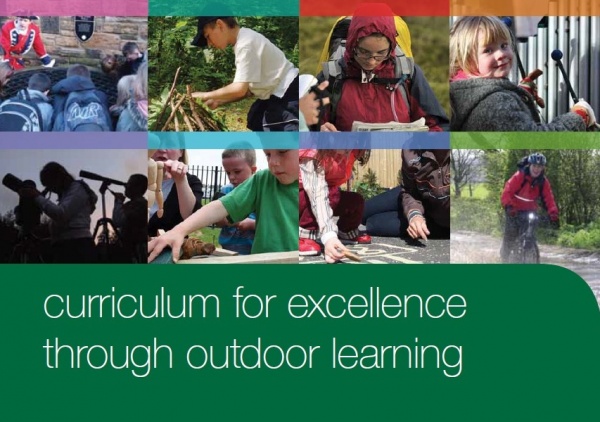
Outdoor Learning – the outdoor clasroom http://glo.li/rycd4U

SCRAN – Cultural Resources Archive – Images & videos with full descriptions and automatic credits for use in class projects. Free access through Glow http://glo.li/mTo4Ui

Google Earth – Explore anywhere in the world http://glo.li/v4NDkU 

Quiz-creation tools – create self-correcting quizzes, provide feedback on what has been learned by pupils, pupils creating quizzes motivates & helps embed learning http://glo.li/g73CnR

Further Online Links

Teaching Ideas – a series of crowd-sourced ideas shared by teachers http://www.teachingideas.co.uk/history/contents.htm

http://www.teachingideas.co.uk/geography/contents.htm 

Cybrary Man links to resources by category http://cybraryman.com/socialstudieslinks.html
Outdoor Learning

Karen Thomson, Senior Early Years Officer, Falkirk Council Education Services, Curriculum Support Team provided support to nurseries prior to outdoor learning opportunities for early years children.

If you would like your nursery children to access a local woodland or greenspace here are some of the documents that could get you starting in your planning.  If you wish support in setting up this programme and supported visits from myself please contact me on 01324 503764.

Initial General Letter and Consent Form

Sample Outdoor Education flyer

Sample Powerpoint for Parents can be obtained by contacting Karen.

Active Literacy – What do the Parents Think About It?

Sharon Wallace, Effective Teaching and Learning Teacher, Curriculum Support Team, has recently been carrying out a number of Parent Information Workshops in Falkirk establishments.

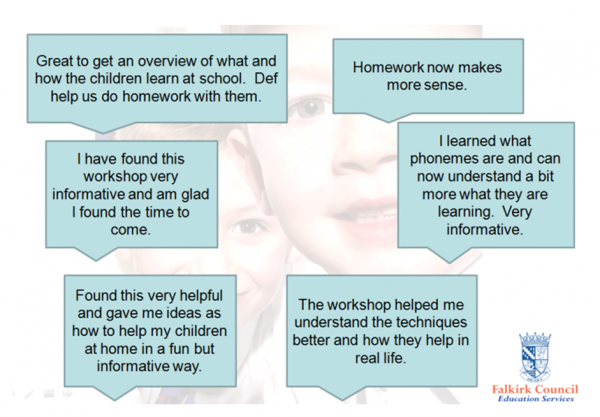
The aims of these workshops is to provide an overview of the strategies and methodologies used for Active Literacy in class. These workshops begin with a short presentation which examines strategies such as Elkonin boxes, diacritical marking and reciprocal teaching.

During the next part of the workshop, pupils invite parents/ carers to take part in the activities. Here the pupils take on the role of reciprocal teacher and help their parents/ carers take part in activities such as pyramid spelling, phoneme stories, making words and spell-er-cise.

Parent leaflets are given out which explains the terms used in active literacy, alongside useful websites to support with from home.

Here are a few quotes:

Active Literacy – What do the Pupils Think About It?

Sharon Wallace, Effective Teaching and Learning Teacher, Curriculum Support Team, has been carrying out some research with pupils in Falkirk establishments to see what they really think about Active Literacy and how they think it helps them to learn.

We first asked the pupils:

“How would you describe active literacy”?

It is fun and really exciting! It is also very helpful with spelling words, I really like it (P6/7)

Active literacy is a language task that is used to help children improve their spelling and sounds (P7)

It helps you see the phonemes in words (P6/7)

Fun if you are working with a partner (P4/5)

I would describe it as a fun lesson to learn different phonemes and spelling rules to help us spell accurately although I enjoy the tasks (P7)

Fun, great way of learning and very helpful for spelling and understanding of spelling (P6)

A better way than spelling tests (P4/5)

I do like active literacy, but sometimes it can be difficult (P5)

We then asked the pupils how they think Active Literacy has helped them in class and this is what they said:

The spelling rules and syllabification.

I understand my literacy work more using active literacy.

I have got better at spelling and I learn lots of new words.
It helps me get better at my literacy work because we learn different language rules that we remember to help us spell so our work is correct.

It has helped me get better because I really understand it now.

I have learned more about the sounds of words.

It helps you see phonemes in words.

I have learned loads using active literacy.

Here are a few pupil quotes:

“I like active literacy because it helps me improve on my story writing and phonemes. I really like the active literacy homework. I like the spellings”. (P4)

“I like active literacy because I am a better reader and speller and I like all the fun tasks for homework. My favourite task is bubble spelling”. (P4)

“I like active literacy, my favourite part is Elkonin boxes. I prefer Elkonin boxes to diacritical marking, but at least it is helping with my vocabulary and spelling. For homework I like the jingles. My spelling has improved since I started Active Literacy. (P7)

ICT to Support Modern Languages in the Primary School

Malcolm Wilson, ICT Curriculum Development Officer in the Curriculum Support Team of Falkirk Council Education Services, presented a session with primary class teachers on a variety of ICT resources to support teaching Modern Languages in the Primary School. 

Resources

Audacity – Record pupil voice with Audacity, create and edit audio as pupil listening activities (e.g. cutting individual words or phrases and pasting them out of sequence in the audio for other pupils to correctly re-sequence the words) , turn into mp3 files (such as recitations or songs of individuals or groups of pupils) for sharing on school website, class blog or Glow group: http://glo.li/gJxmOi  

Little Bird Tales – Pupils create stories combining their voice with text (of vocabulary, phrases or sequence of sentences) and their images (either uploaded or created online with an artpad within the Little Bird Tales site) http://www.littlebirdtales.com/ and http://glo.li/rsrAzz for description, guide and video of use. 

Use digital video cameras for pupils to engage with texs and demonstrate their understanding of the text. Create stop-motion animation to illustrate vocabulary, phrase, poem or song. Resources here for video cameras: http://glo.li/gTmdzS. Resources for editing video: https://blogs.glowscotland.org.uk/fa/ICTFalkirkPrimaries/2010/09/16/video-editing-with-windows-live-movie-maker/Resources here for making videos from still image photographs: https://blogs.glowscotland.org.uk/fa/ICTFalkirkPrimaries/2011/03/09/photostory-3/

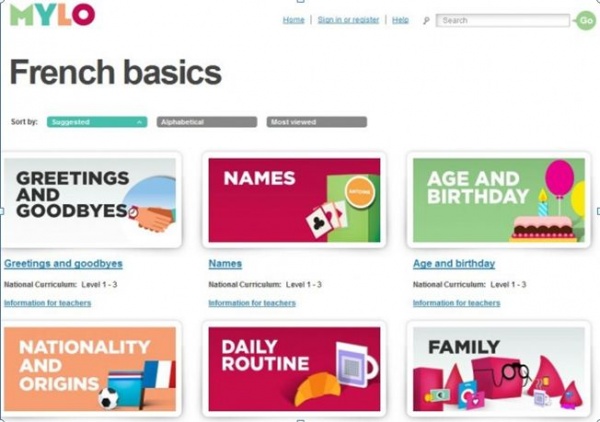
Hello Mylo for Games-based learning, has online badges reward pupil progress, teacher account provides pupil progress reports. http://glo.li/RqNj0r

Create word-cloud images for wall display, blog, or website. Pupils create a word cloud of vocabulary on specific topics. Connect foreign word and English word in Wordle by adding a tilde between the words (~) or omit the connection and use as lesson starter for pupils to connect word and translation with pen on interactive whiteboard http://glo.li/f2Ifx9

Comic Creation Tools – pupils sequence stories in chosen language, or annotate conversations with images and speech bubbles for visual story-telling. Free online Comic-creation tools and resources here: http://glo.li/eEkUjo 

Google Translate – Use Google Translate to translate any text by copying and pasting words/phrases, paragraphs or a whole document or website. Use the speech feature to hear the text spoken with the accent of the chosen language. Translate class blog or school website. http://translate.google.com/

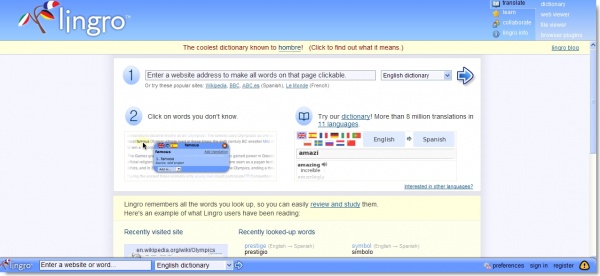
Lingro – Highlight words on any website in chosen language, Listen to the words spoken, Translate, then play flashcard games with all words chosen – all within the Lingro toolbar along the top of any website you choose. http://glo.li/hNnhFk 

Song Videos with Lyrics – Online videos with printed lyrics to follow http://chansons-fr.com/ – may provide inspiration for pupils to create own videos http://glo.li/gTmdzS (for resources about using Flipcam-type video cameras). Lyrics-gap Songs on video with choice of level of missing words for pupils to select from words while listening http://www.lyricsgaps.com/ 

Classtools: Online class gaming tools already created for French or German. Easily add own arcade-type games with own questions/answers http://www.classtools.net 

Quiz-creation tools – create self-correcting quizzes, provide feedback on what has been learned by pupils, pupils creating quizzes motivates & helps embed learning http://glo.li/g73CnR

Further Online Links

Teaching Ideas – a series of crowd-sourced ideas shared by teachers http://www.teachingideas.co.uk/foreignlanguages/contents.htm

Cybrary Man links to resources by category http://cybraryman.com/foreign.html 

Comments from participants included

“Made me keen to try sites with my class.” 

“Really useful, easy to understand and well presented.”

Active Literacy and the Specialist Subject in Primary

Sharon Wallace, Effective teaching and learning teacher, Curriculum Support Team delivered an Active Literacy workshop to the Primary Specialists team. Specialists in P.E., Music, Modern Foreign Languages, Art and Drama examined the connections between their subject area and active literacy. We examined the literacy skills needed for each area which included: subject specific vocabulary, visual literacy, sharing ideas, following instructions, interpretation of texts and presenting.

Feedback from colleagues included:
“Will work with class teachers to enable pupils to create a piece of writing linked to work carried out in a drama session”
“This builds confidence and encourages me to do more. Will use Victoria Libraries and GLOW links as suggested”
“Makes me more aware that a lot of what I am doing already links well to active literacy. Makes me more confident”
“I will get my pupils to work more in pairs (Reciprocal teaching) to improve their communication skills”
“Some practical ideas of how to include Active Literacy in a specialist lesson”
“To work co-operatively with the class teacher to enhance active literacy in music class”

[kml_flashembed movie="http://www.youtube.com/v/vPRZ8MN9Ha4" width="425" height="344" allowfullscreen="true" fvars="fs=1" /]

First Outdoor Learning Network within Falkirk

Jane Jackson – Outdoor Learning Development Officer of the Falkirk Council Education Services Curriculum Support Team organised the first Outdoor Learning Network within Falkirk.

The outdoor learning network has been established to assist schools with delivering CfE through Outdoor Learning.  As well as giving opportunities for colleagues to share good practice the network will link schools with outside providers who can help with the delivery of outdoor learning.

Comments from participants have included:

“Great meeting last week.  was very pleased to be part of it so thanks for inviting me along.”

Support For Booking Rooms Within Camelon Education Centre

Kate Hotchkiss – Receptionist/Clerical Assistant in the Curriculum Support Team of Falkirk Council Education Services, provides the support for booking rooms within Camelon Education Centre.

Kate’s role is to ensure the facilities  provide the best learning environment for staff attending either short meetings or all day seminars. Staff can then return to the classroom with as  positive an experience as possible.

Comments from presenters and Participants include “Thank you so much for your help on the day of our training” and “you helped everything go smoothly on the day”

Administration of Instrumental Scheme

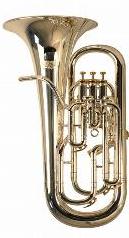
Fiona Dyson and Elaine Hunter, Clerical Assistants, Falkirk Council Education Services, Curriculum Support Team have been administering the Falkirk Council Education Services Instrumental Scheme.  This provides opportunities for pupils to learn a musical instrument.  By providing the administration at the centre this in turn saves the tutor valuable time and allows them to concentrate more on teaching.