For all parents of Students who are receiving offers from Universities and Colleges. The link below will take you to a guide which will help you and your child apply for Funding for Fees and any other loans or Bursaries which they may be eligible for.
To make sure funding is in place at the start of the course, a correctly filled-in application should be sent to SAAS by 30 June.
TELL engineering are looking for x 41 Engineering Modern Apprentices in disciplines such as Aeronautical Electrical Electronic Mechanical Maintenance and Fabrication/Welding
Across several areas of Scotland including Greater Glasgow, Renfrewshire, Ayrshire, Greenock & Inverclyde, Lanarkshire, Argyll & Bute, Dunbartonshire.
If you think you would be interested see Mr Reddick for details about how to apply.
Although the Festive Period is a joyous time for many, there are some people who find it a really difficult time of year. So please look out for each other over the festive period.
Here are some useful numbers for anyone who may need a bit of support:
Samaritans 116123 Breathing Space – 0800 83 85 87 NHS 24 – 111 Emergency numbers:
North Lanarkshire: Housing repairs and emergencies: 0800 678 1166 (24-7) Gas/solid fuel heating repairs: 0845 606 1555 (24-7) Homelessness: 0800 953 2424 (24-7) Social Work Emergency Service: 0800 121 4114 (24-7) Anti-social behaviour: 0300 123 1382 (24-7) South Lanarkshire Social Work: 0303 123 1008
Mind 0300 123 3393 Anxiety UK 03444 775774 Sane 0300 304 7000 Calm for Men 0800 585858 Scottish Women’s Aid – 0800 027 1234 Abused Men in Scotland Helpline – 0808 800 0024 Childline 0800 1111 Victim Support 0808 1689111 Rape Crisis 0808 802 9999 Rape Crisis Scotland – 08088 01 03 02 Lanarkshire Rape Crisis – 01698 527003 Shakti Women’s Aid – 0131 475 2399 Switchboard LGBT+ Helpline – 0300 330 0630 Chris’s House – 01236 766755 The CALMzone – 0800 58 58 58 The Silver Line – 0800 4 70 80 90
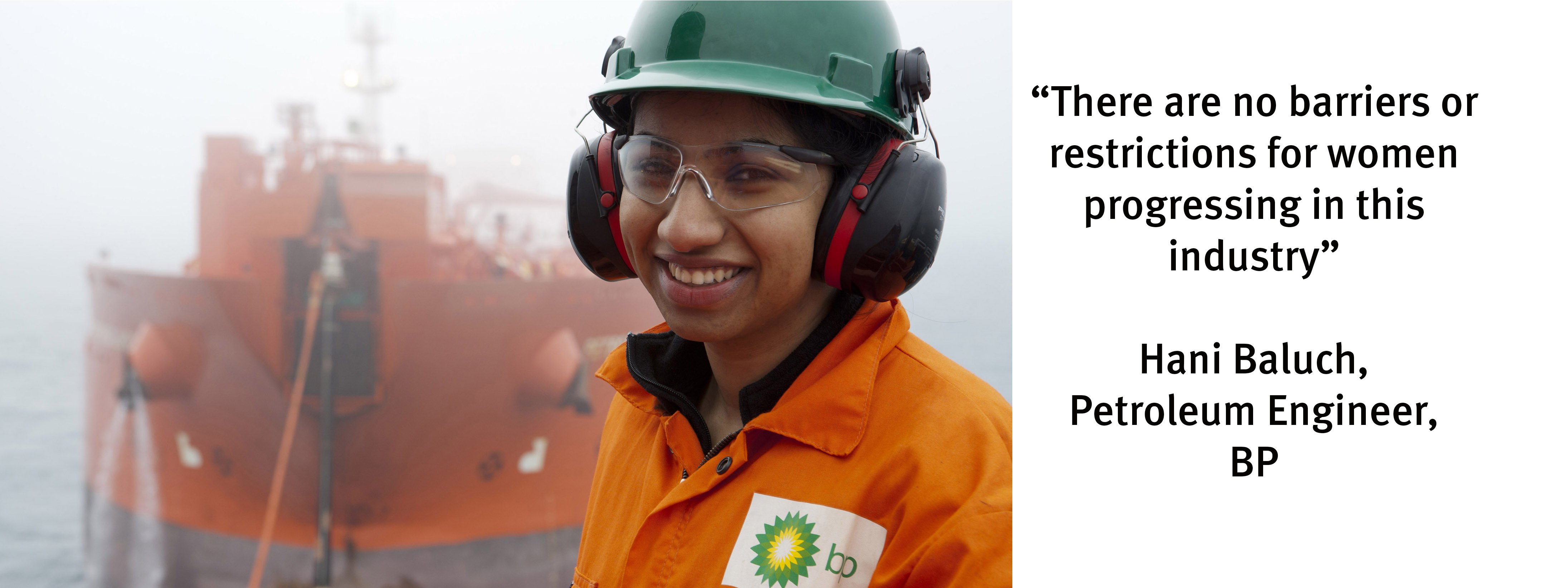
Engineering the Future for Girls is being delivered in collaboration with BP and BAM Nuttall and is designed to engage girls in a wide range of engineering challenges that will inspire them to become the next generation of engineers. The summer school is fully-funded by BP and BAM Nuttall and all student costs, including a contribution towards travel, will be covered. Strathclyde will accept applications from girls with any range of subject choices at National 5. The summer school is non-residential and therefore pupils should be able to make their way each day to the Strathclyde University Campus in the heart of Glasgow City Centre. Teachers are not required to accompany pupils during the week. For the pupils’ convenience, we have arranged for Mentors to accompany pupils from and to Queen Street train station, Glasgow Central train station and Buchanan Bus Station at the start and end of each day.
Your title and surname (these must match those we have on record for you Mr/Mrs/Ms/Miss)
Your child’s first name, surname and date of birth
Once you have logged in, we suggest you use the ‘Automated Booking Wizard’ to make your appointments.
You will be shown your child/children and their teachers, and asked to enter your availability.
Our wizard will use this information to calculate the best order for your appointments, allowing you to navigate the teachers in the quickest and most efficient manner.
Troubleshooting Tips – please read before booking!
To log in you need to enter the details we have on record for you and your child.
If you have recently changed your title or surname, for example, and not informed us, we will be expecting you to log in with the details we have on record.
The email address you enter is only used to receive a confirmation of your appointment. If the system gives you an error when you log in in, it will not be the email address that is the problem.
If you have several children to make bookings for, and decide not to use the Booking Wizard, but instead make appointments individually, use the ‘Change Child’ button on the blue bar (above to school’s name) in the very top left corner of the Parent’s Booking Page to swap between your children.
If you are unable to book at home, please call into the office for assistance.
Cardinal Newman High School, Bellshill, North Lanarkshire Council

 For all parents of Students who are receiving offers from Universities and Colleges. The link below will take you to a guide which will help you and your child apply for Funding for Fees and any other loans or Bursaries which they may be eligible for.









 The Parents’ Evening Booking System for all classes from S5/6 is now live.