Please see this timetable for the days and times of our P4-7 Teams meetings taking place this week. Remember to join us for our whole school Teams assembly today at 1.30 pm.
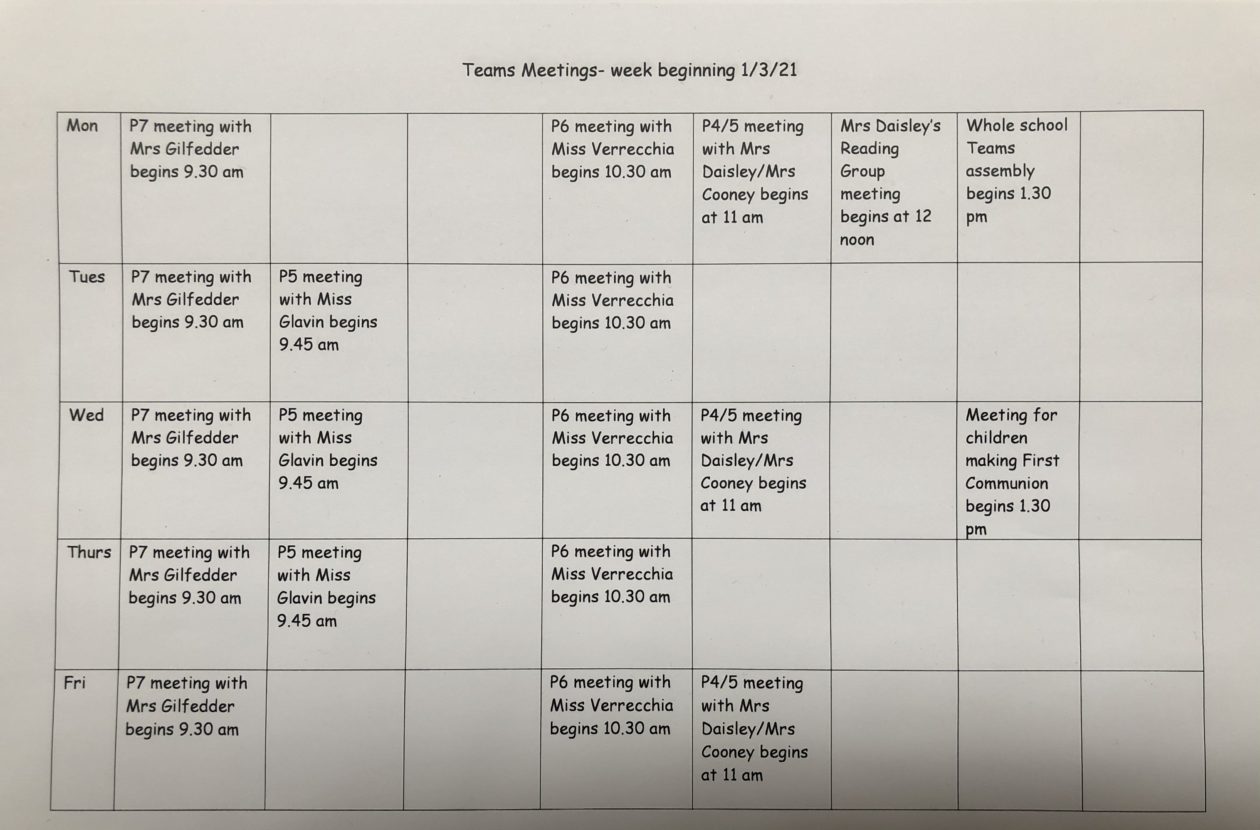
Please see this timetable for the days and times of our P4-7 Teams meetings taking place this week. Remember to join us for our whole school Teams assembly today at 1.30 pm.

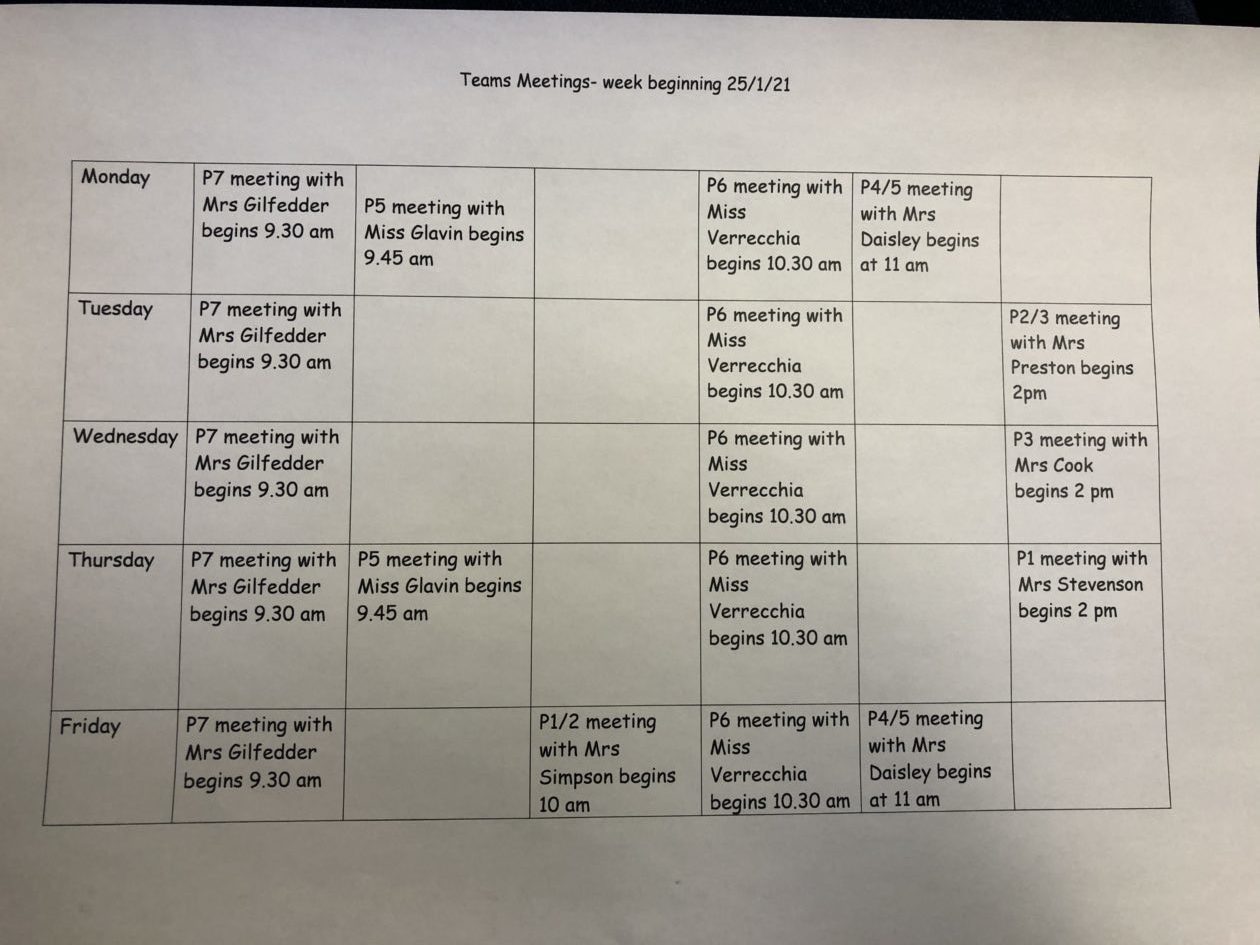
Please see this timetable for the days and times that video calls are taking place this week.
Please see this timetable for video calls taking place today and tomorrow.
Here is the timetable with the days and times of our Teams calls taking place this week. Please note that days and times may be different to last week as some classes now have additional calls taking place this week. Tomorrow we are going to have our first whole school Teams call at 1.30 pm so head to the NLC Holy Family Primary School Team at this time and click Join.
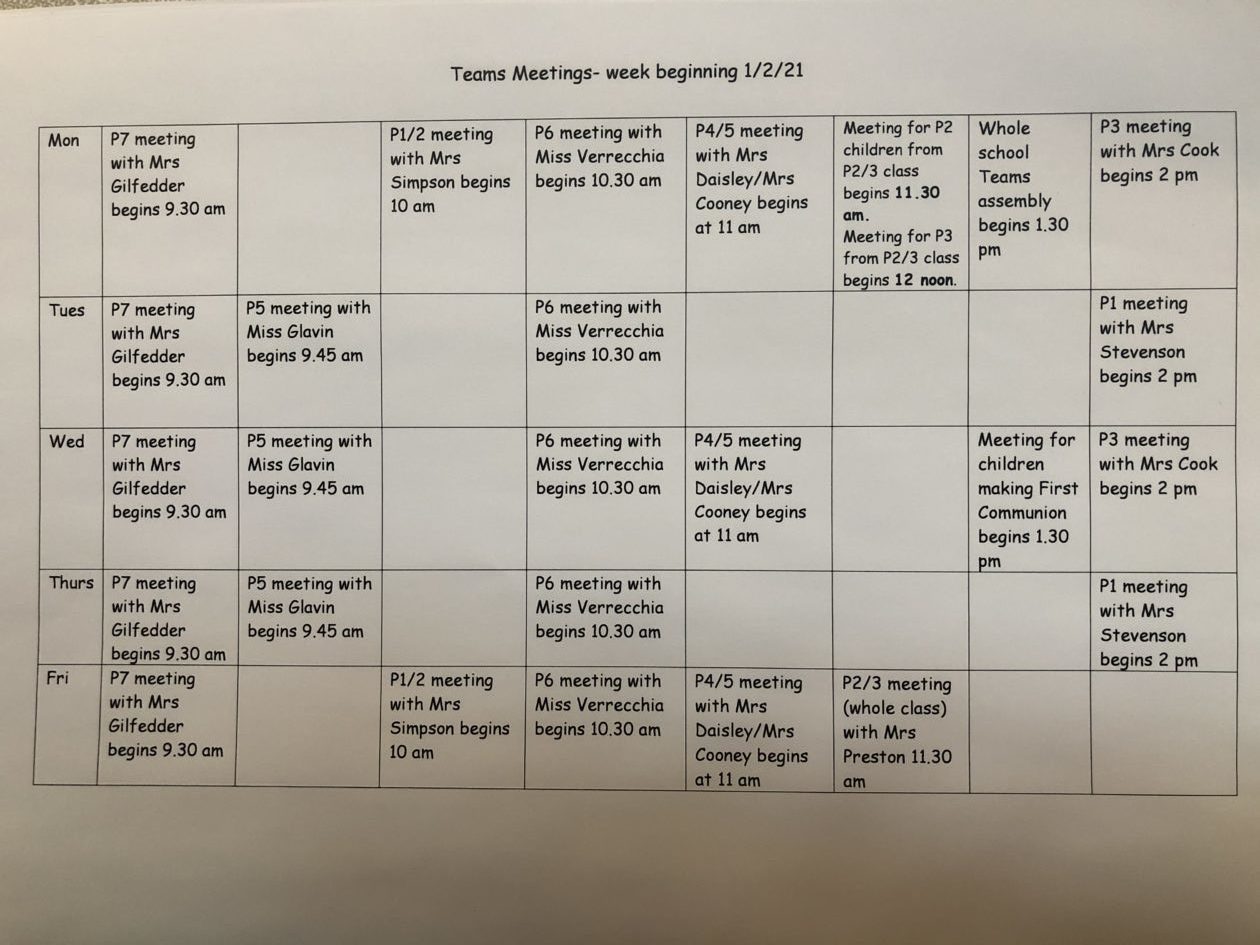
Please see below for the days and times that video calls will take place for your child’s class. Please note that there are a few changes from the days/times last week.
I have put together the following guides to support with the use of Microsoft Teams. Please click on the following link for a guide on how to download Microsoft Teams on your computer, tablet or mobile phone….
This following link will talk you through how to join a Teams video call…
Pupil-Guide-to-Joining-a-Teams-video-call
Here is a reminder of the timetable of meetings on Teams this week…
If you need any further support please do not hesitate to send an e-mail to gw10gallaghergillia2@glow.sch.uk
Miss Gallagher
Please click on this timetable to see the days and times that Teams meetings have been organised by your child’s class teachers. Further help with how to download and access Teams will follow.
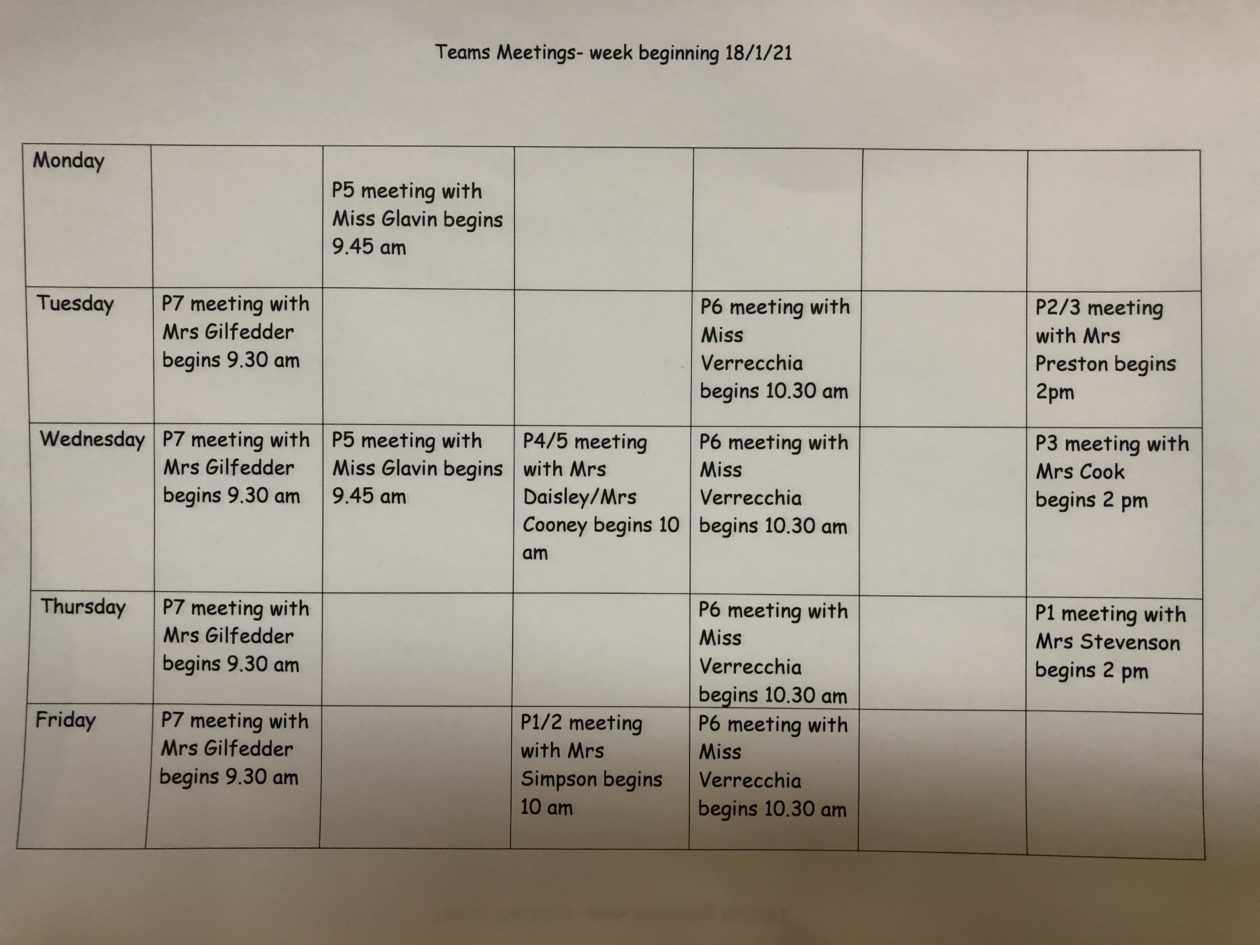

A number of our children have successfully joined their class Team and have been in contact with their class teacher and classmates through Microsoft Teams. We are planning to use Teams to arrange video calls so that the children can have face to face check ins with their teacher. We will be in contact with details of days and times for this.
If you haven’t already done so, please try to download the Microsoft Teams app from the App Store (free of charge). This can be downloaded onto a laptop, tablet or phone.
Once you have downloaded the app, your child will need to enter their Glow username and password. Please note that they will need to add @glow.sch.uk to the end of their username e.g. gw20smithdavid@glow.sch.uk
If you need help with downloading the app or logging in please contact the school and we can help with this.
Miss Gallagher
Good morning,
During the week beginning 11th January 2021, we will return to online learning. We will use the same approach as we used previously for remote learning.
Please follow these steps to access work for your child/children:


Please note that if accessing the website from a phone or tablet, the class menus may appear down the side of your screen rather than across the top as they do on a laptop.
Our P4-7 children should also be able to stay in contact with their class teacher and class mates through e-mail and Microsoft Teams. Both can be accessed by first logging into their Glow account.