Artificial Intelligence (AI) tools can be powerful partners for learning, teaching and creativity, but the quality of the output often depends on the quality of the prompt.
Whether you’re creating learning resources, planning lessons, supporting differentiation, or helping learners develop their own AI literacy skills, knowing how to write an effective prompt can make all the difference.
To support staff, we’ve created a practical prompt guide to help you get the most out of your prompt.
Prompting for Teachers
AI can help reduce workload, generate ideas and support professional creativity when prompts are specific and purposeful.
Teachers might use AI to:
Draft lesson outlines
Differentiate activities / resources
Generate discussion questions
Produce model texts tailored to learner interests
Design quizzes and retrieval practice activities
Support planning and resource creation
Generate images to spark discussions for learning
Prompting for Pupils
Developing effective prompting skills is becoming an important part of digital literacy.
Encouraging learners to think carefully about what they ask AI can help them:
Ask clearer questions
Refine their ideas
Develop critical thinking skills
Evaluate AI-generated content
Become more independent learners
While many AI tools are not available to pupils for safeguarding reasons, there are still valuable opportunities to learn about and engage with AI. Teachers can create AI-generated content for pupils to evaluate and discuss, helping them develop critical thinking skills and explore the ethical considerations surrounding AI. Pupils can also experience AI in a safe and age-appropriate way through Adobe Express, using features such as image generation and text-to-design tools.
From Simple to Detailed Prompts
The images above demonstrates how increasing the level of detail within a prompt can significantly improve the quality and accuracy of AI-generated images.
A good prompt often includes:
Subject
Setting
Style
Colours
Mood
Perspective
Additional details
Remember: AI rarely gets it perfect first time. Prompting is an iterative process, and refining prompts is where the real learning happens.
We’re excited to highlight Microsoft Reading Coach, a powerful web‑based tool that supports learners to develop confidence, fluency, and enjoyment in reading. Reading Coach is available to all learners through Glow, making it simple, safe, and accessible – in class and at home.
✨What is Reading Coach?
Reading Coach is a personalised reading tool where learners can independently choose or generate a text, read aloud, and receive immediate, targeted feedback. The platform adapts to each learner’s level and interests, making reading feel meaningful and motivating.
Because it’s fully web‑based, pupils can log in independently using their Glow account, with no additional setup required.
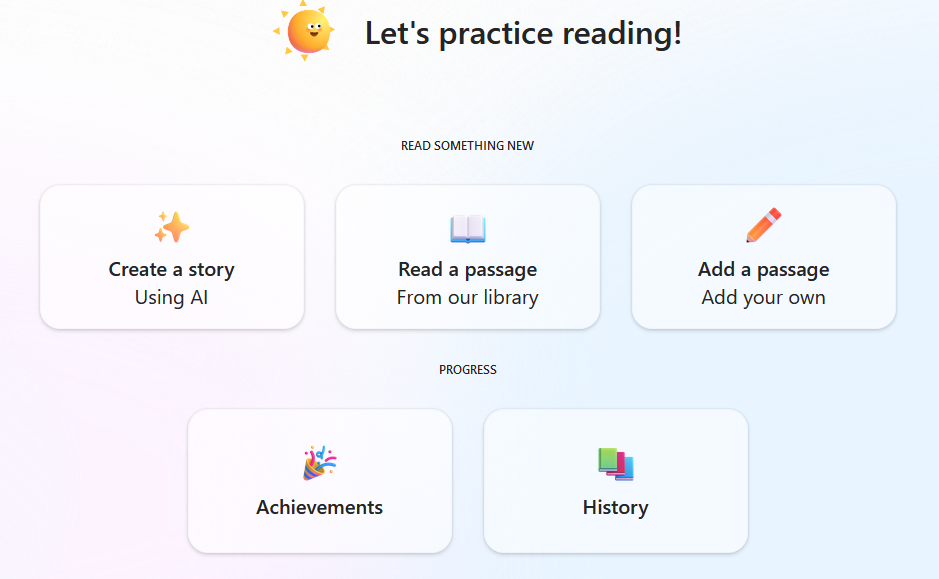
📚choose or create a story
Learners can choose how they want to read by selecting from two options:
Generate a story
Pupils can create their own story by selecting themes, settings, and what happens next. This gives them ownership over the narrative and encourages creative thinking.
Choose a reading passage
Alternatively, they can pick from a curated library of passages—perfect for quick reading practice or structured tasks.
For both options, pupils can choose their reading level, ensuring texts are accessible but still challenging.
🎙️Read Aloud, Record, Reflect
One of the most valuable features of Reading Coach is its read‑aloud and recording function.
Pupils read the passage aloud into their device.
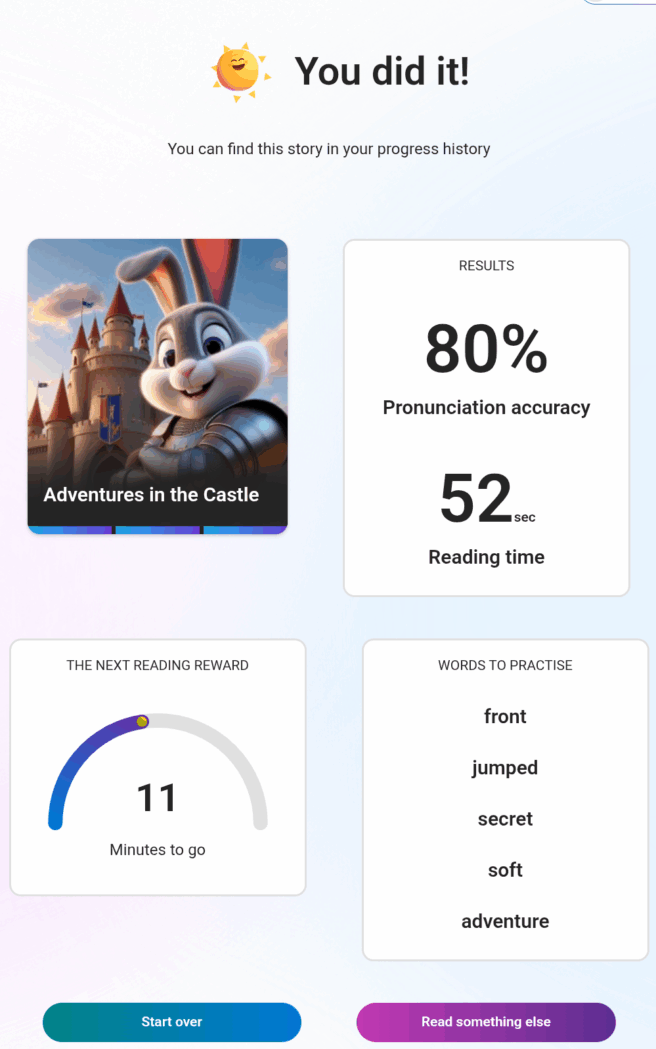
Reading Coach analyses the recording and provides instant feedback on accuracy, including:
An accuracy score
Highlighted words they struggled with
Opportunities to practise those words in isolation
This supports fluency development and reinforces positive reading habits.
🏆Rewards and Motivation
To keep learners engaged, Reading Coach includes simple but effective reward elements. As they continue reading they can unlock new characters and settings, to allow them to further personalise their experience.
👧👦What our pupils say
Learners who have used Reading Coach have shared some really positive reflections:
“I like choosing what happens next in the story.”
“I can create my own story and the chapters aren’t too long.”
“It’s really really good!”
“I can unlock new characters by reading more.”
Pupils appreciate the independence it offers and the sense of ownership over their reading journey.
If you’d like more information, or if you’ve used Microsoft Reading Coach with your learners, please get in touch with the Digital Learning Team – we’d love to hear from you.
Pupils at Kirkhill Primary School have been celebrating the end of term in style with a Pizza Party and Ice Cream Truck, courtesy of Adobe Express, recognising and rewarding their fantastic creativity.
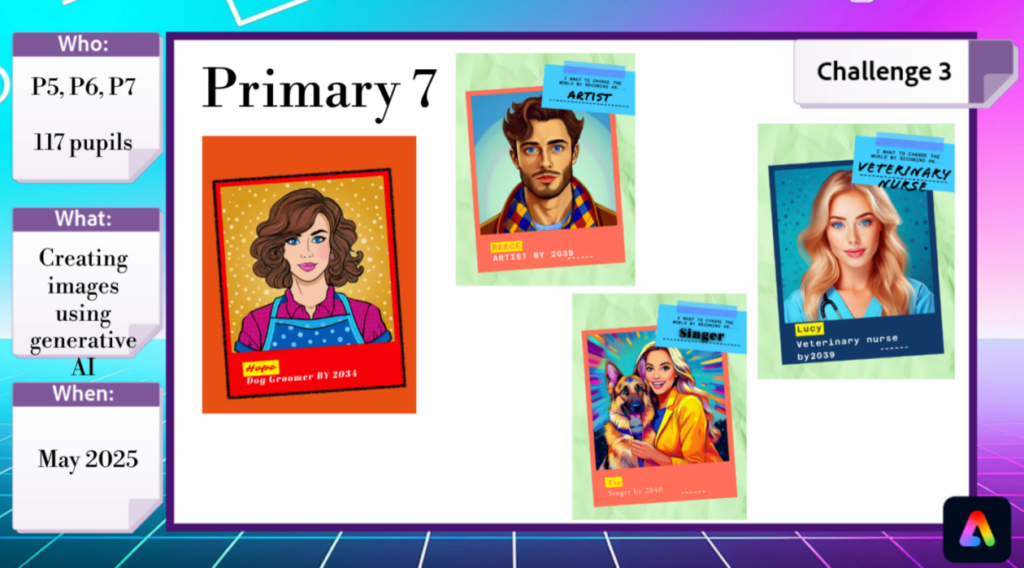
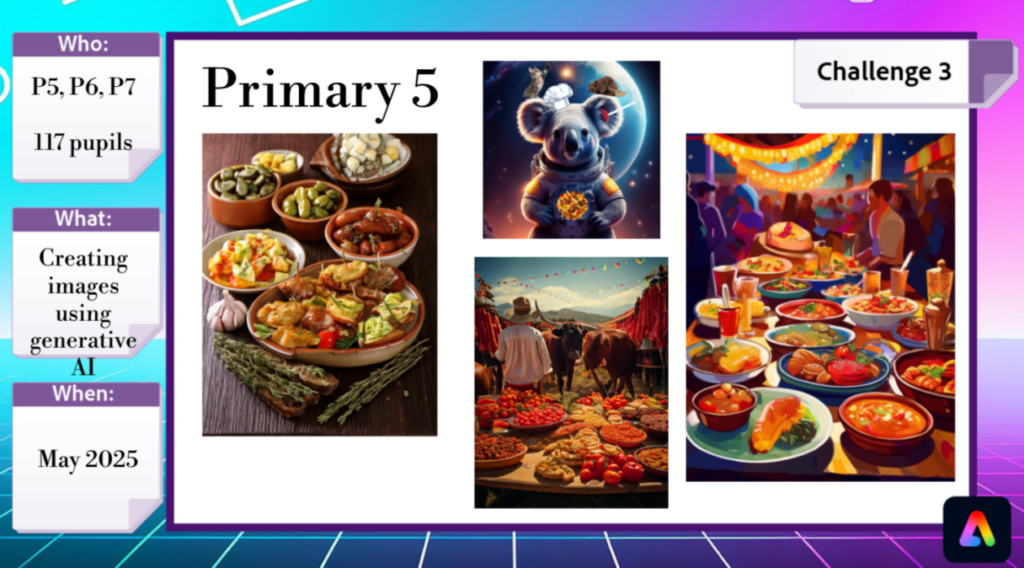
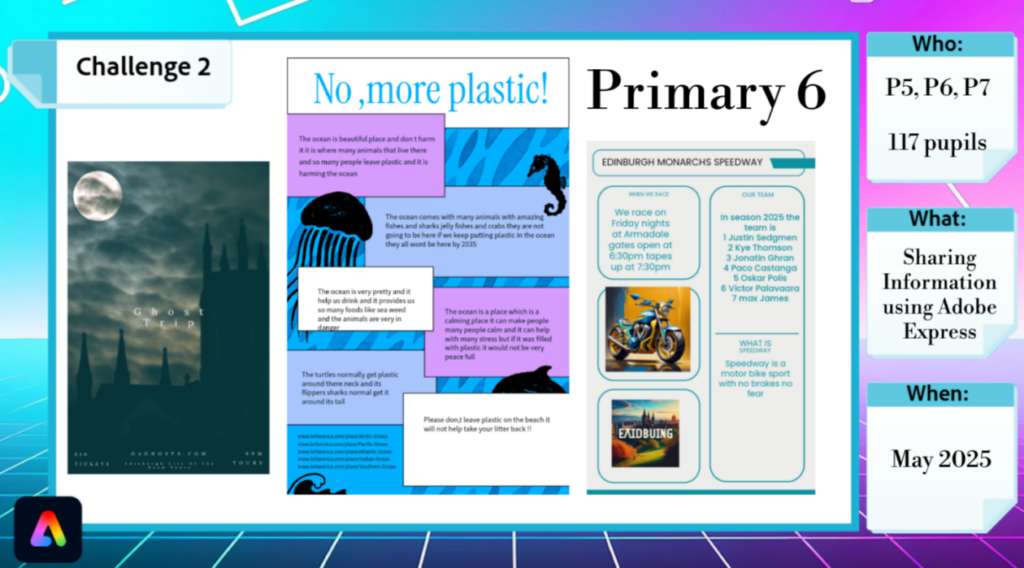
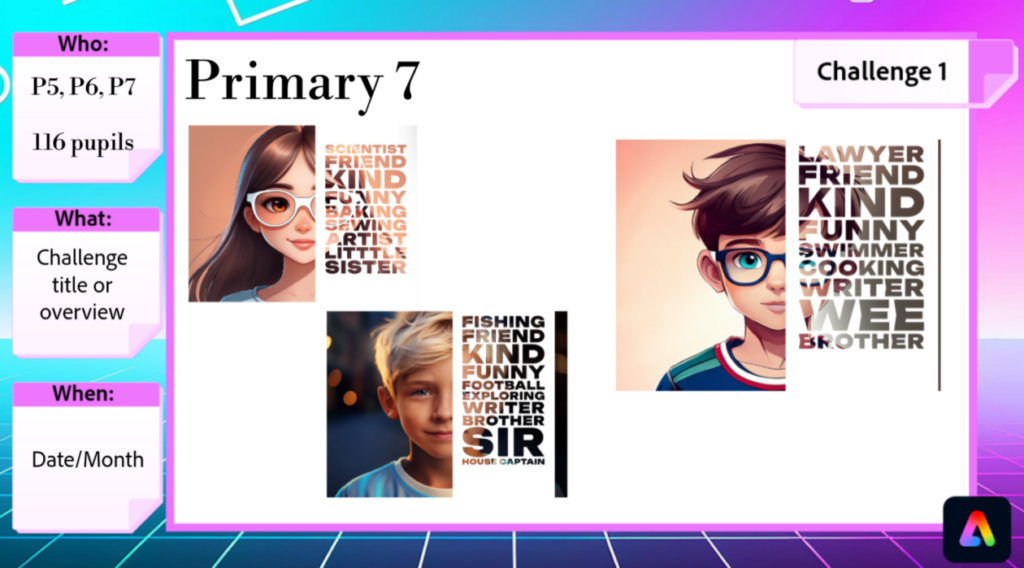
Pupils across P5-P7 have used Adobe Express to share their learning and explore the AI tools for creativity, for projects including creating digital self-portraits, sharing information around upcoming school events, designing persuasive posters, and generating AI images of themselves in their future careers.
Pupils particularly enjoy using the AI tools for generating images and text effects, as well as the animation feature. Staff commented on the ease of the platform, noting that pupils were confidently able to explore and find new tools such as the background remover.
“I love how easy it is to use. Pupils will now ask to use it in lessons to share their learning as well.”
Class Teacher
The Adobe Express School Challenge is running until November, so it’s not too late to join in! Complete three creative challenges with 3 year groups to get rewards! Don’t forget to share your fab work with us too!
AI, or artificial intelligence, is when machines, especially computers, try to mimic how humans think and learn. This includes gaining knowledge, making decisions based on that knowledge, and correcting mistakes. There are two main types of AI:
Machine Learning This type focuses on doing specific tasks, like recognizing faces or searching the internet. We encounter this technology in many aspects of our daily lives.
Generative AI This type can carry out tasks that require human-like thinking. It’s still being researched, and there’s a lot more to discover about how it works. AI is already part of our daily routines, often without us realising it. Virtual assistants like Siri, Alexa, and Google Assistant use AI to understand and answer our questions. Services like Netflix and Amazon apply AI to recommend movies, shows, or products that we might like based on our preferences. In healthcare, AI helps with diagnosing illnesses, creating personalised treatment plans, and even performing robotic surgeries.
West Lothian Guidance
While AI offers many benefits, it also raises important ethical questions. Issues such as data privacy, bias in AI algorithms, and the need for transparency must be carefully managed to ensure that AI is used safely and responsibly:
BEFORE USING ANY NEW AI TECHNOLOGY, APPLICATIONS OR SERVICES:
Check the list of applications already reviewed by the Data Privacy Team.
Request a DPIA screening if using a new application or resource.
Remind users never to share personal or sensitive data.
Encourage users to verify the information with other sources.
The use of AI in education is still evolving, but its potential to transform how we teach and learn is exciting. By using AI appropriately, we can create more personalised, efficient, and inclusive educational experiences for all learners. However, we must explore with caution and ensure we are using emerging technologies safely and responsibly.
SQA GUIDANCE The Scottish Qualifications Authority (SQA) has also provided guidance on the use of generative AI in assessments in response to concerns about the potential for AI-generated content to increase the risk of plagiarism. As they continue to explore the implications of AI in education and assessments, schools are advised to implement robust methods to authenticate the originality of pupils’ work. For more detailed information, you can visit the SQA’s official page on generative AI in assessments here.
How Are We Using AI Already?
We recognise that there are challenges ahead as we develop policy and guidance alongside a rapidly developing use of technology. We are taking a balanced approach which includes:
Learning about AI – through research and professional learning.
Learning with AI – exploring emerging technologies.
Staying safe with AI – applying existing controls for safe and responsible use.
Research We recognise that AI has potential to transform learning and teaching and we are participating in the Learning Beyond Boundaries Research Project to help us explore the benefits, mitigate risks and access resources to enhance learning and teaching using AI technologies. We also have a group of staff working with the AI Futures for Scottish Education project, exploring the ethical use of Generative AI.
Here are some examples of how practitioners are already making use of AI functionality using existing resources to enhance learning and teaching:
Personalised Learning AI can tailor educational content to meet the individual needs of pupils. By analysing data on pupil performance, AI systems can identify strengths and weaknesses and provide feedback on how to improve.
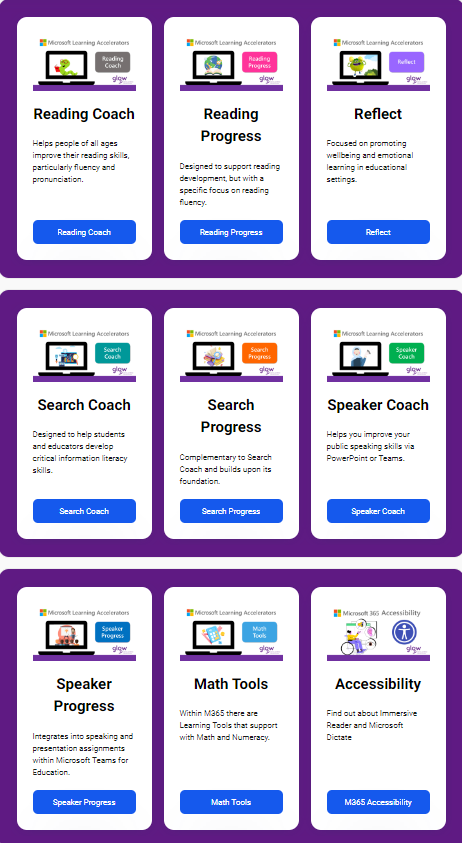
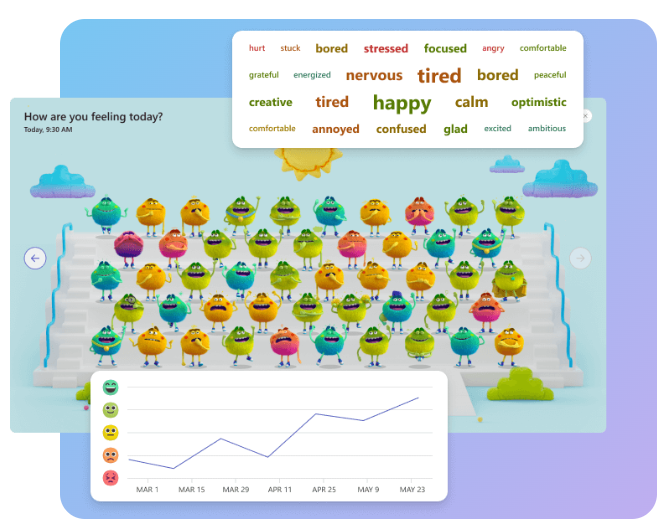
Providing data and insights Reflect uses AI to facilitate regular emotional check-ins with pupils. AI analyses the responses from these check-ins to provide teachers with valuable insights into their pupils’ emotional wellbeing. This data helps identify trends and areas that may require additional support, enabling targeted interventions more effectively. Reflect is also integrated into Microsoft Teams, making it easy for teachers to create check-ins and access the insights.
Inclusive Education AI can help create more inclusive learning experiences by providing tools that support pupils with diverse needs.
Immersive Reader uses AI techniques to enhance reading comprehension and accessibility by:
Isolating text to improve focus.
Displaying pictures for commonly used words.
Highlighting parts of speech.
Reading text aloud.
Translating text in real-time.
Breaking down words into syllables
Dictate uses AI to convert spoken words into text, making it easier to create documents, emails, notes, and presentations. It uses AI technology in the following ways:
Speech Recognition to accurately transcribe spoken language into written text
Voice Commands to format text, add punctuation, and perform editing tasks like deleting or selecting text.
Language Understanding to help users understand the context and improve the accuracy of transcription.
Translate spoken words into different languages in real-time, supporting users with English as an additional language.
Reducing Workload for Staff Some practitioners are exploring the use of an AI Planning Tool to reduce the workload associated with planning. AI tools like the Inspirational Pedagogy Assistant can help teachers by providing suggested learning experiences. These should always be used with a critical lens and adapted to meet the needs of individual learners.
Co-Pilot is available to West Lothian staff who have a Glow login, however, it is a standalone Microsoft product which is continually evolving. Users may experience frequent changes to the interface and functionality as Microsoft continues to develop this product. A full data privacy impact assessment (DPIA) is underway and in the meantime, current guidance is to sign in using Glow credentials and ensure that no personal or sensitive information is shared.
Microsoft have removed access to under 18s while they investigate data privacy and safeguarding required for its use by young people.
Creativity
We encourage creativity and innovation and all staff and pupils (P4-S6) have access to Adobe Express using their Glow login details. Adobe Express uses AI in several innovative ways to enhance creativity and streamline the design process. Some key features include:
Create unique visuals by describing what you want and the generative AI feature will generate it for you.
Add a custom image or special effects to text with just a few words.
Automatically remove backgrounds from images, making it easier to create professional designs.
Fonts and colour suggestions that best match your design, helping to create visually attractive designs.
Insert, remove, or replace objects using the generative fill feature.
Generate fully editable templates based on text descriptions, making it easy to create professional designs quickly.
For information on live lessons and professional learning using Adobe Express, make sure you’re part of the Digiken Team and switch on notifications for the Adobe Express Channel.
Professional Learning
These are not endorsements of practice or guidance and they should be accessed with professional criticality. Before using any new AI approach, application or service ensure a DPIA has been completed.