Tag: News & Updates

Midweek Byte Week Commencing 21 September

Apple Professional Learning Specialist (APLS)

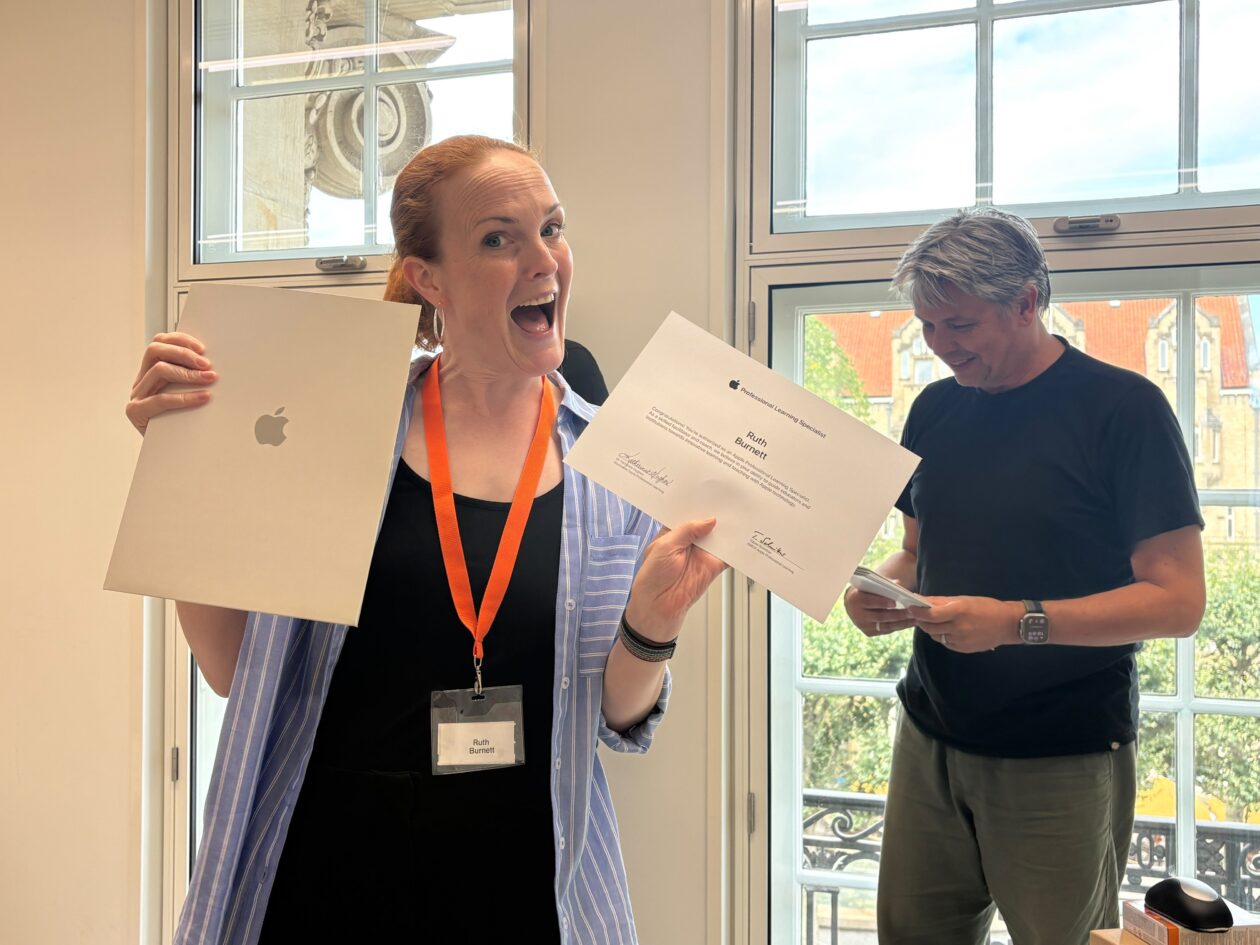
Welcome Ruth Burnett, Our New Apple Professional Learning Specialist!

We are delighted to announce that our very own Ruth Burnett has officially achieved accreditation as an Apple Professional Learning Specialist (APLS)!

In her new role as an APLS, Ruth is certified by Apple to deliver tailored professional learning, coaching and strategic mentorship across all our local authority establishments. Having an in-house specialist means our establishments gain direct access to expert-led digital pedagogy with Apple technology.

Here is how Ruth will be supporting staff, leadership teams and learners across our council:

  • 1:1 & Small Group Coaching: Working directly alongside teachers in the classroom to model best practices, co-teach lessons, and build confidence using iPad.
  • Enhancing Accessibility & Inclusion: Training staff on built-in Apple tools (like Spoken Content, Reader Mode, and Voice Control) to support learners with additional support needs.
  • Curriculum & Creativity: Helping schools embed Apple frameworks like Everyone Can Create and Everyone Can Code seamlessly into everyday learning.
  • Strategic Leadership Support: Partnering with Senior Leadership Teams to ensure digital investments directly boost engagement and reduce workload.

Ruth is looking forward to working closely with schools to build sustainable, long-term digital capacity. If you would like to explore how Ruth can support your team, school, or cluster, please feel free to reach out to her directly!

Over the next few months ICT will be deploying an upgrade to Windows 11 to ensure that our council devices remain secure. This update is larger than the normal monthly update and we recommend that when prompted to reboot your computer to install the update, please wait until the end of the working day as it will take longer to update than usual.

Daydream Believers

Daydream Believers, Education Scotland’s creative curriculum and AI partners have recently published their Impact Report which may be of interest.

‘Inside this report is a year of proof: pupils solving real problems, qualifications gaining recognition, and creativity earning its place at the centre of the timetable. If you are weighing up what a creative curriculum could do for your school, this is where to start’

Impact Report

Safer Schools Scotland

Educate • Empower • Protect

Official Safeguarding Updates & Guidance

Certified Training 💡

Available to all registered Safer Schools Professionals for FREE

Artificial Intelligence in Education: Understanding the Risks and Opportunities

Learning Objectives:

  • Understand what Artificial Intelligence is and how it is used within education and wider society.
  • Recognise how children and young people are engaging with AI and the potential impact on learning.
  • Identify practical ways AI can support teaching, assessment, planning, and time efficiency.
  • Understand the safeguarding, ethical, and data protection considerations linked to AI use in schools.
  • Apply key principles for the safe, responsible, and effective use of AI in line with policy and guidance.

Exploited by Image: Grooming, Blackmail and Control

Learning Objectives:

  • Understand what $3xtortion is and the different forms it can take, including the use of real and AI-generated images.
  • Identify those most at risk, such as children and young people.
  • Learn about the laws surrounding $3xtortion.
  • Recognise the emotional, social, and financial impact $3xtortion has on victims.
  • Apply your knowledge to identify potential cases of $3xtortion and provide effective support to children and young people.

Social Media 101: Your introduction to the platforms, features and risks shaping young people’s online lives

Learning Objectives:

  • Enhance their knowledge of the most popular social media platforms and their basic functions.
  • Develop confidence in navigating social media and gaming platforms.
  • Explore online risks and trends associated with individual platforms.
  • Understand how to keep children and young people safer on these platforms.

Request from ITZA – survey exploring independent learning in secondary schools

There is a forthcoming national investigation in secondary education and we need to understand your experiences and perspectives.

Below is an invitation to participate in a survey about your current practice and perspectives on important topics, such as technology use, independent learning, teaching new subjects, and assessment. Your valuable insights will help to establish the baseline data that will inform the development of a research programme involving the Universities of Glasgow, Edinburgh, West of Scotland and UCL.

The survey takes five to seven minutes and there is an optional second part for anyone who wants to say more. Your answers are reported only as part of a group, and never attributed to you, your school or your local authority. Completing it enters you into a prize draw for £100 Amazon gift cards or other prize packs.

The survey is here: https://graspandrecall.typeform.com/uk-indplearn

Findings will be shared towards the end of the year once the analysis is complete.

Midweek Byte Week Commencing 7 September

Week Commencing 7th September

Read&Write

There’s still time to book one of our Read&Write Professional Learning sessions on CPD Manager. Both courses are being held at Cochrane Castle Primary School:

1 October – Supporting Every Learner with Read&Write using iPads, Course ID: 95776

6 October – Supporting Every Learner with Read&Write using Google Chrome or Microsoft Edge, Course ID: 95778


Accessibility Staff Toolkit

🧰Have you checked out our Staff Toolkits on the new DigiLearnRen? We have created these toolkits as how-to-guides to get you going. There is no expectation that you work your way through them all, rather it is a pick and mix selection that allows you to choose what you need, when you need it.

They are broken down into the main tools available through Glow. So, if you decided that you wanted to know more about the AI tools available in Glow, you could either sign up for our AI Champion courses, Watch Again our AI videos from our sessions run in partnership with Education Scotland or work through our Staff Toolkit.

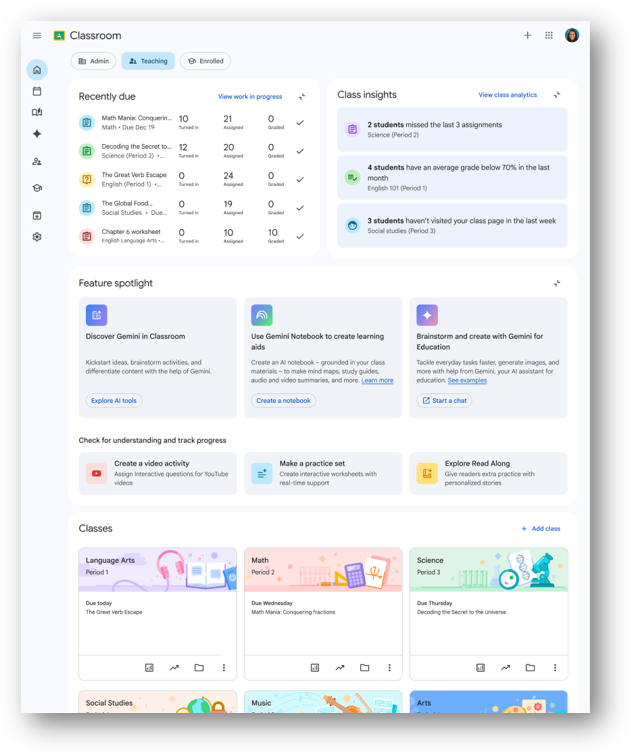
If you are new to the Google tools, there is a Google Staff Toolkit with a host of helpful resources on using Gemini and Notebook.

Or if you want to learn more about Read&Write our authority subscription accessibility tool, click on the Accessibility Toolkit and then Read&Write to find out all about it – including how to use it in exam mode.


Immersive Learning Mobile View with ThingLink

If you haven’t claimed your authority ThingLink seat to allow you to create interactive content – either for use with learners or for learners to create their own – please use the contact form to reach out. There are a host of different ways to use ThingLink with some brilliant ideas to get you started available on their blog. This post is all about using ThingLink mobile view: https://www.thinglink.com/blog/immersive-learning-in-your-hands-introducing-mobile-view-for-thinglink/

Toolkit for Reflecting on Digital and AI Technologies in L&T

Monday 14 September, 9.30 – 11.30 am online

The event marks the launch of a new open-access resource designed to support critical, evidence-informed reflection on the use of digital and AI technologies in education, and to hear how the research team and educational partners will using it in practice this academic year.

The team at the School of Education, University of Glasgow has developed the Toolkit for Reflecting on the Use of Digital and Artificial Intelligence (AI) Technologies in Learning and Teaching. Rather than promoting specific technologies or offering a compliance checklist, the toolkit encourages structured reflection, professional dialogue, and enquiry through self-assessment activities, real-world case studies, and guided reflective frameworks. It supports reflection across a range of dimensions of technology use and can be used individually or collaboratively, with flexibility to adapt to the needs and realities of different educational settings.

At this launch event, we will introduce the toolkit and explore how it can be used in practice. We will share more information about the design process of the tool and where we are heading with our current piloting of the resource in different contexts across Scotland. The event will also provide opportunities for discussion, questions, and feedback, allowing participants to contribute to conversations about the future development of the toolkit and related professional learning resources. The toolkit and associated pilot work are supported through Scaling Educational and Policy Impact through Co-designed Digital and AI Professional Learning and Educational Resources (SCOPED), a project funded through the ESRC Impact Acceleration Account at the University of Glasgow. The launch event marks the starting point for SCOPED’s knowledge exchange and dissemination activities and provides an opportunity to share emerging insights with educators, researchers, policymakers, and other stakeholders.

Anyone with an interest in the thoughtful, critical, and evidence-informed use of digital and AI technologies in education is warmly invited to attend. This includes educators, teacher educators, school and college leaders, professional learning facilitators, researchers, policymakers, and others interested in the educational implications of emerging technologies. Whether you are new to the toolkit or already exploring its use in your own setting, we would be delighted to welcome you.

Attendance is free. Places for the in-person event are limited and will be allocated on a first-come, first-served basis. Online attendance is also available.

Book your place here: Launch Event: Toolkit for Reflecting on Digital and AI Technologies in L&T Tickets, Monday, September 14  •  9:30 AM – 11:30 AM | Eventbrite

Access the toolkit here: https://eprints.gla.ac.uk/366744/


September – Monthly Download

Can you believe it is September already?!

We hope you have been enjoying the resources found in our newly-launched DigiLearnRen website, you can check it out here and via the new tile in the Renfrewshire Launchpad on Glow.

As September begins we have the new edition of The Monthly Download. Our September 2026 Accessibility Monthly Download is here to support you in reaching all learners.


Midweek Byte 19 August 2026

Week Commencing 17th August

👍🏻Welcome Back

We hope you all had a great summer break. This session we will be posting our Midweek Bytes every Wednesday to keep you up-to-date with all the latest digital news so keep checking every week!

🔑Glow Password Reset

The pupil password reset took place on 11th August so if they arrive in class and haven’t logged on, remind them to choose 3 random words. Glow Connect have a useful post to help with this.

Administrators are able to bulk set passwords for students for whole groups/classes. In previous years this meant the whole class would have the same, potentially very insecure password as the admin setting could override any password controls resulting in (for example) a class all having the password “1234”.

This year, to close this loophole, Glow have instigated a process whereby users will be forced to change their password on first login to something known only to themselves, and which must comply with password strength rules.

Remember Staff passwords change on 25th August.

🏫Upcoming Professional Learning

All our Professional Learning (PL) can be found in our PL Calendar which is available here. In addition, our Learning Loop allows you to see what key PL is coming up in Term 1.

There is still time to sign up for our PL Network if you are interested in applying for the Digital School Award, Course ID: 94473 or Digital Wellbeing Award, Course ID: 94474. If becoming an AI Champion is something you are interested in, sign up for our AI series, Course ID: 94446 – you have until 26 August!

Google in Glow

Renfrewshire has its own Google Tenancy within Glow. You can access this from your Launch Pad by clicking on the Google Drive tile or if you can’t see it, click on App Library and add it from there.  This will automatically sign you into the Google tenancy where you can access all the great Google tools like Drive, Docs, Google Gemini and Notebook. If you want to access your Google account from the browser, when you sign in remember that the first part of the account is your Glow username then @re.glow.scot Why not check out our useful Staff Toolkit for Google to learn more?