Week commencing 19th October
Welcome back! We hope you all had a restful October break. Here are this week’s updates. Thanks to Glow Connect for sharing them.
Microsoft External sharing

Within your Glow Microsoft tenancy, when sharing files, the default permission will be View rather than Edit.
You can find out more here:
https://glowconnect.org.uk/important-changes-to-external-sharing-in-glow-m365/
Gemini for Learners Pilot


There is currently a live pilot with Aberdeenshire and South Lanarkshire using Gemini and Gemini Notebook with learners in Glow. This pilot will enable Education Scotland to gather first-hand insights and evidence from real classroom experiences, while also exploring solutions to a set of identified key problem statements.
The pilot is running from August 2026 until January 2027 and we will report on the findings after this.
Google Classroom

There is now a new homepage in Google Classroom to help educators find content more easily.
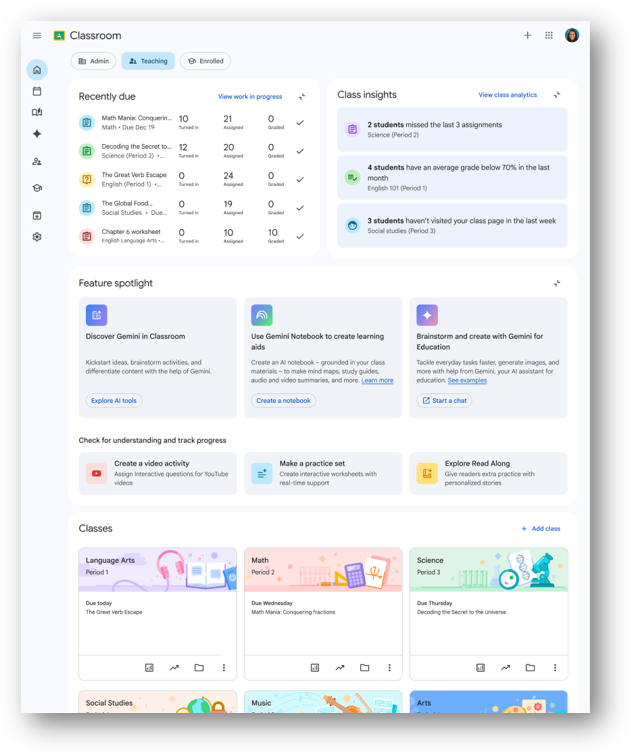
You can find out more here: https://glowconnect.org.uk/redesigned-google-classroom-homepage/
Adobe Express for Education
The Adobe Express Live Lessons continue throughout October. You can Register Here for the Live Lessons.
Canva Education
If you haven’t used your Canva account in Glow yet, check out DigiLearnRen’s full guide which you can find here by clicking on the Canva button.
We are delighted to announce that Canva are running two Renfrewshire Canva professional learning sessions before Christmas!
Tuesday 10th November – Unlock Creativity with Canva Education 4:00pm – 5:15pm
Learn how to navigate the Home screen, find and use ready-made templates, create folders, and share activities with students and colleagues. You’ll get hands-on practice and see just how engaging and intuitive Canva is, so you can feel confident getting started.
Webinar registration link: https://the-team.zoom.us/webinar/register/WN_HCJdBeZeRbGUH3IVNHtfqA
Monday 16th November – Designing in Canva for Educators 4:00pm – 5:15pm
Take a deep dive into the Canva editor and explore tips and tricks to level up your designs. In this session, you’ll explore presentation design, Magic Studio tools, and time-saving editor features that make creating lessons quicker and easier.
Webinar registration link: https://the-team.zoom.us/webinar/register/WN_IDkRE5POQ_Kg5CRQKKrCXg
If you can’t make the Renfrewshire sessions, Canva are running national sessions which you can find out more about here: https://glowconnect.org.uk/docs/canva-education/canva-education-webinars/
Read&Write

If you missed our online professional learning session on using Read&Write on iPads, you can watch again here: