
Microsoft Word Online for document creation and real-time collaboration.
🔍 What does it do?
Microsoft Word Online is the browser-based version of the popular word processor. Word Online is optimised for speed, accessibility, and collaboration. It allows multiple people to work on the same report simultaneously, with all changes saved automatically to your OneDrive. Word Online is available anytime, anywhere with online access at home or at school.
🎓 Why is it useful?
- Real-Time Co-authoring: Learners can work together on a single poem, story, or project at the same time, seeing each other’s changes instantly.
- Built-in Accessibility: Every Word Online document includes Immersive Reader, providing instant support for students with dyslexia or EAL needs.
- Zero Risk of Data Loss: “AutoSave” is always on. If a device loses power or a browser tab is closed, the work is safe in the cloud.
- Simple Feedback Loop: Teachers can leave “Comments” to provide guidance directly on the page without needing to print a single sheet.
⚙️ How does it work?
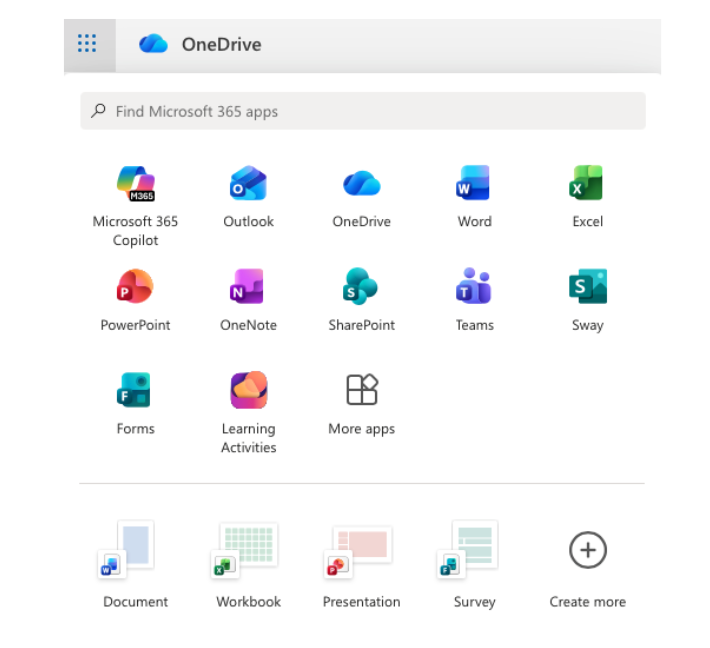
1. Access: Access via the Word tile on your Glow Launchpad, through your OneDrive or via the iPad app or directly at word.office.com using your Glow credentials.
2. Create: Start a new blank document or use one of the education templates.
3. Share: Click the Share button (top right) to invite others to edit. You can control who can view vs. edit. Remember, you can also use the Teams assignment function which will allow you to see learner work in real time.
4. Edit vs. View: Easily switch between Editing mode (writing), Reviewing mode (suggesting changes), or Viewing mode (to see the final look).
5. Export: If you need a static copy, go to File > Save As > Download as PDF.
🚀 Beyond the Basics
- Dictate: Students who struggle with typing can use the Dictate button to turn their speech into text. It even supports “Auto-punctuation” to help with sentence structure.
- Writing Quality Editor: On PC the Microsoft Editor pane goes beyond simple spellcheck. It provides a “Readability Score” and suggests improvements for clarity, conciseness, and formal tone.
- Immersive Reader: Go to View > Immersive Reader to change background colors, increase line spacing, or have the text read aloud. This is a game-changer for independent learning.
- Comments & Stickers: Instead of red pen, use the Comments feature to leave feedback. You can even insert Emojis to provide quick, visual encouragement that resonates with younger learners.