Enhancing Assessment with Digital
Tools for formative assessment
Find out more about one of the great tools below. Get started with one of our quick guides by clicking on the name in the description or click on the logos to visit the app websites for more help.
Still want to know more? Contact one of the team who will be able to help!
Mircosoft Forms – use this through Glow to create (self-marking!) quizzes with response options including multiple choice, short response, upload and many more. Fab for quick check of understanding or assessment. Immersive reader built in too. One great feature to try is branching questions!

Quizizz – an outstanding website for all your quizzing needs. A huge array of options for your quizzes, includes accessibility features and generates useful data. If 5 teachers in your school sign up you also get free access to Quizizz AI features will will save you so much time.

Socrative – use this as stand alone app or through Showbie to create quick questions, quizzes or exit tickets. Great feature to highlight is that when used through Showbie, the scores can be shared in Showbie too! SBC teachers can get a ‘pro’ code from one of the team.

Edpuzzle – use the power of video learning to engage learners and generate data for staff too. Teachers add questions in to the video and learners cannot move on until they have attempted the question.

There are other great digital tools and websites too – here are a selection of ones we like! Each are useful for different things depending on what you need.




Features of highly effective practice
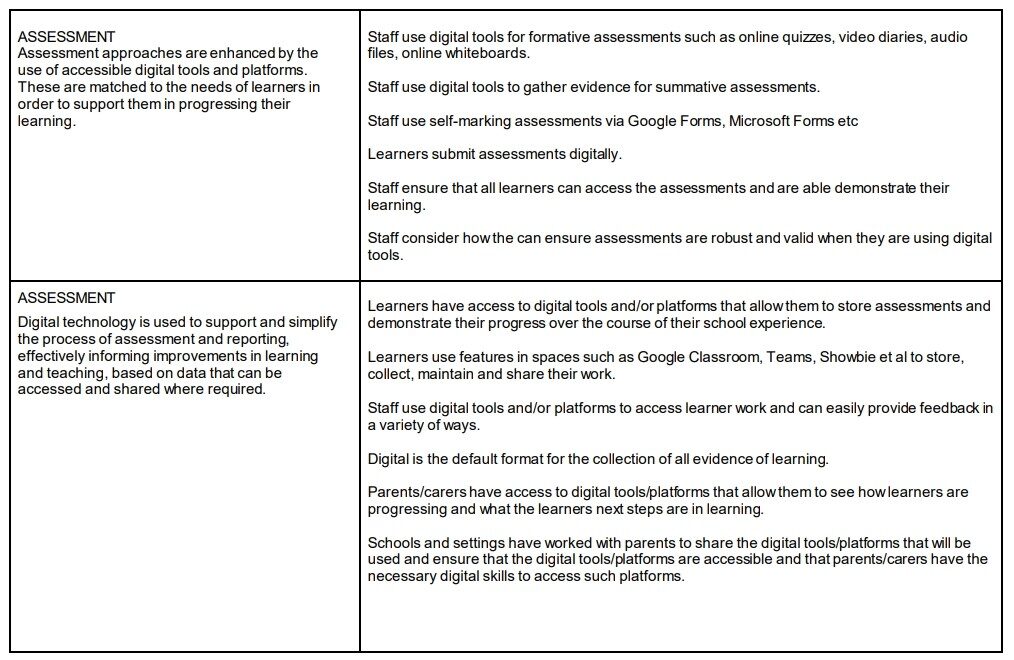
The following extracts are from the Education Scotland document ‘Features of Highly Effective Digital Learning, Teaching and Assessment in Schools’ showing a feature of practice and what this might look like in schools / classes.
Read the full document here:
Evaluate against the document suing this Form (duplicate link to make your own copy)
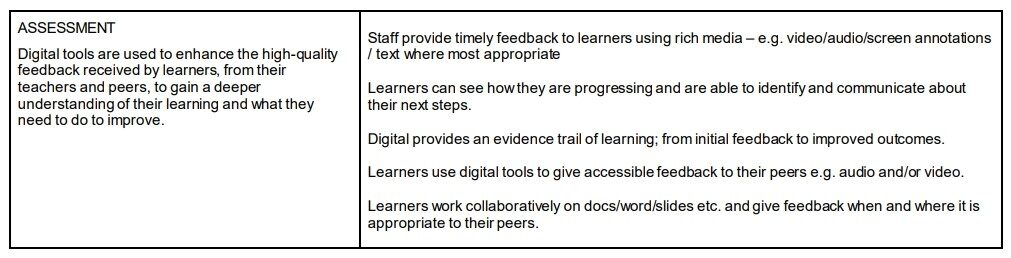
Storing and sharing work plus feedback
- Showbie great for this – from EY to seniors!
- Teams and OneNote great tools particularly for secondary schools (feedback in Teams if ‘assignment’ used)