
Digital Scavenger Hunts
Digital scavenger hunts offer a fantastic, engaging entry point for familiarising our learners with essential technology skills. Learn how to use Keynote’s simple “Take Photo” feature to allow learners to document their finds and create an easily shareable, permanent record of their success.To create your own digital scavenger hunts, you can visit this guide where there are full instructions and downloadable pre-made templates to support you to get started.

Curipod
What does it do? Curipod is a platform designed to assist educators in creating engaging and interactive lessons. It combines elements like polls, word clouds, and drawing activities to make learning dynamic and participatory. Curipod’s built in AI features allow educators to generate interactive lessons quickly and easily. All AI output is customisable. Additionally, Curipod’s AI adapts content to suit different teaching styles and student needs, streamlining the lesson material creation process while making learning more interactive and engaging.
How do I get access? Teachers can access Curipod by signing up for a free basic account on the Curipod website.
Pupils do not need accounts to participate in Curipod lessons.
Garageband is an app built into all iPads that allows you to record audio using the Audio Recorder feature. It’s the ideal tool for creating pupil-read audiobooks, capturing dramatic dialogue, or recording instructions. It includes features such as fun voice effects like ‘Robot’ or ‘Alien’ to inject creativity, and gives pupils a real purpose for using their device. Best of all, converting the final recording into a shareable file is simple, allowing you to easily turn their audio into a QR-code linked resource for the whole class to enjoy!
.

Vocaroo
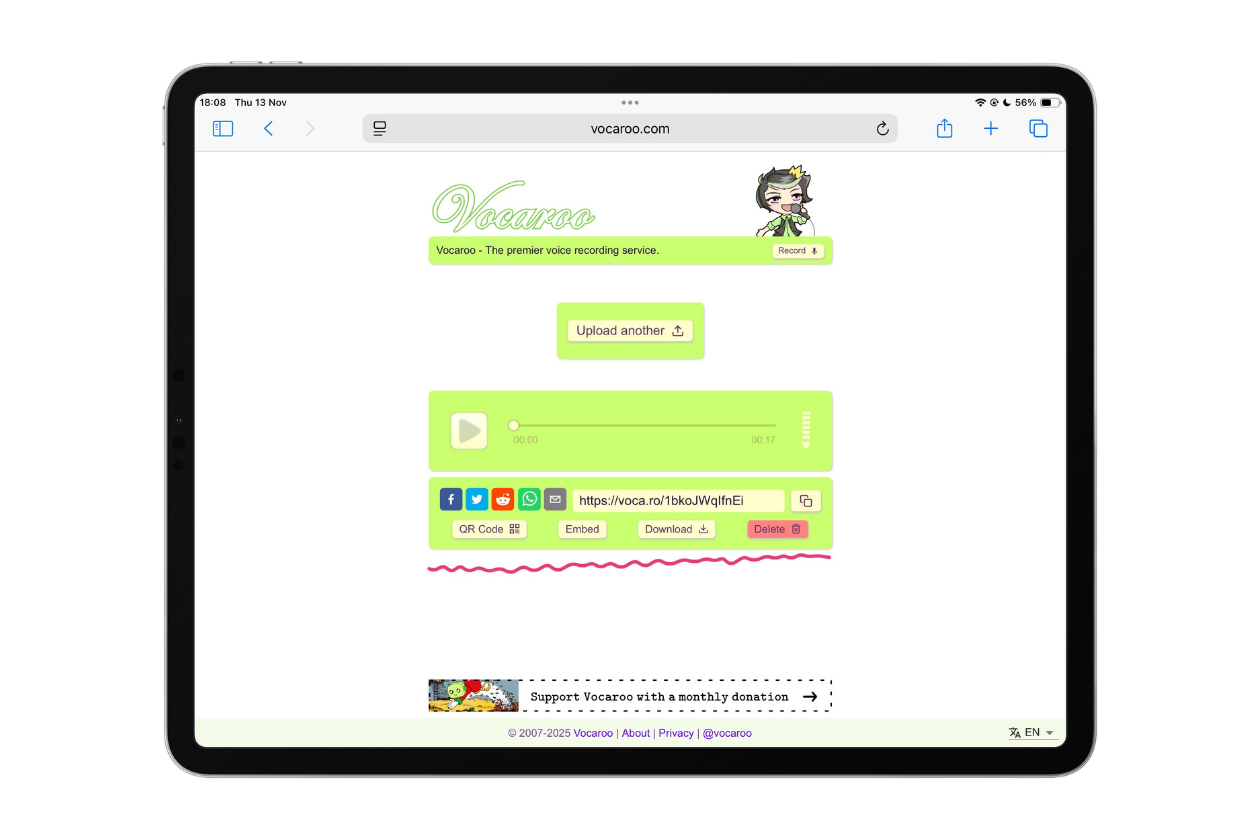
This free online tool serves two purposes: it’s a super easy-to-use voice recorder—just hit the record button right in your browser—or it can act as a handy host site for audio files you’ve already created (like those from GarageBand).
Once your audio is on Vocaroo, it instantly generates a shareable link and a QR code, making it effortless to distribute your audiobooks, instructions, or feedback to anyone.
This video shows you a quick how-to for recording audio:

Uploading Audio recorded elsewhere
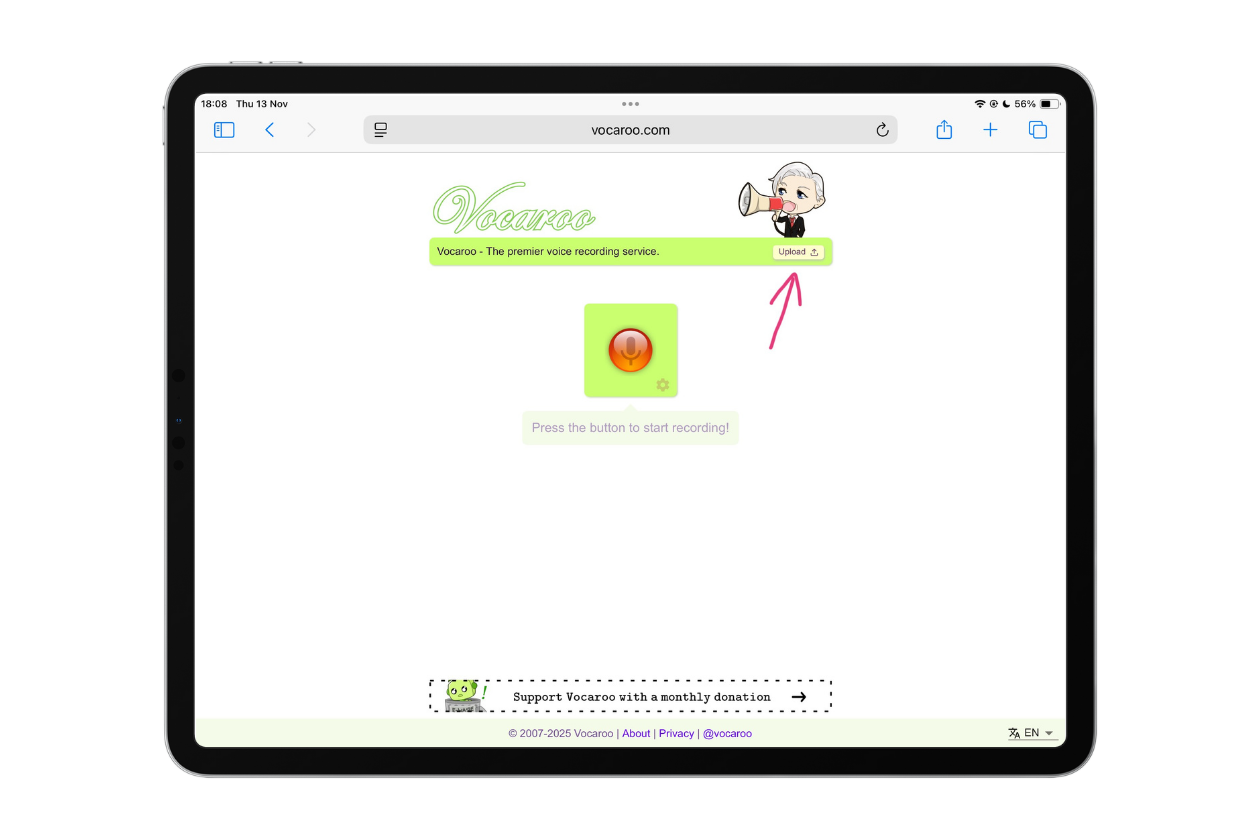
For audio files recorded elsewhere, like in Garageband, you can upload them to Vocaroo as a host site. Type www.vocaroo.com into your browser.
Tap upload file in the top right corner.
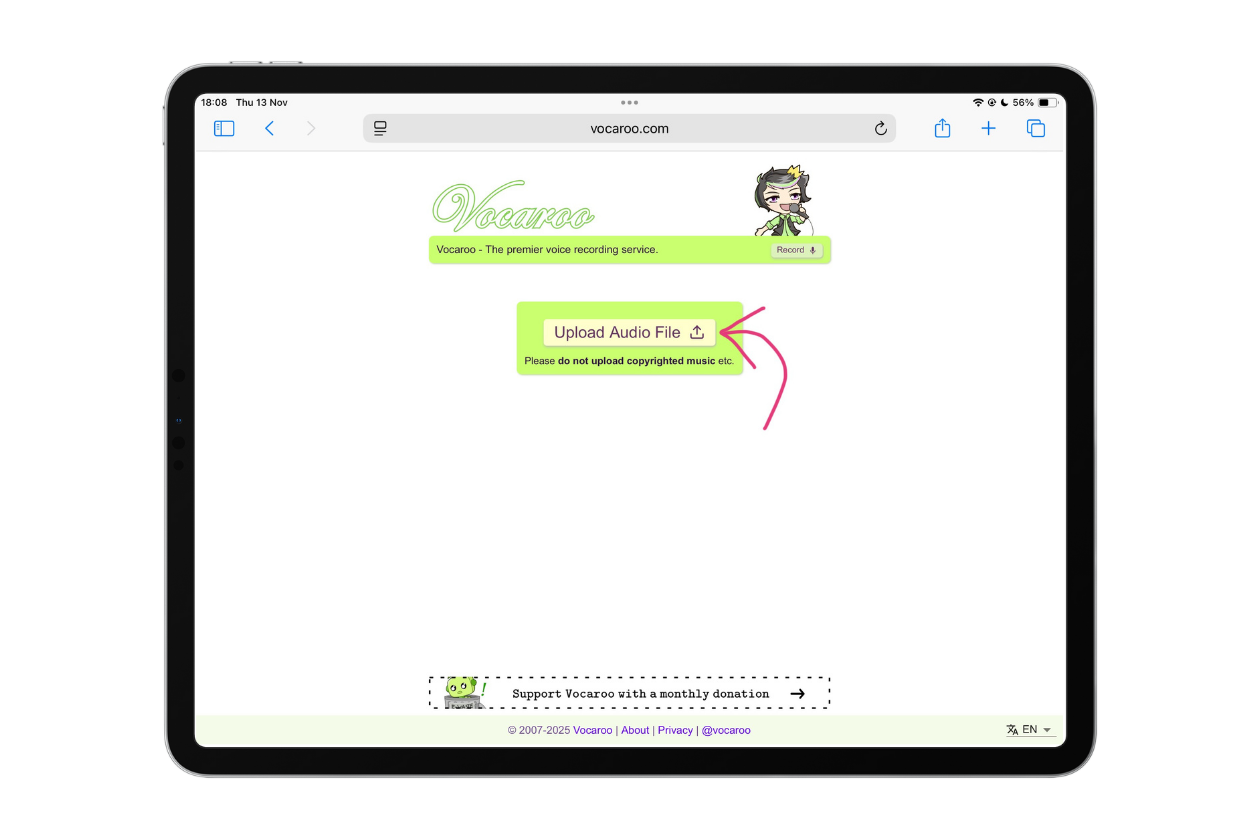
Tap upload audio file:
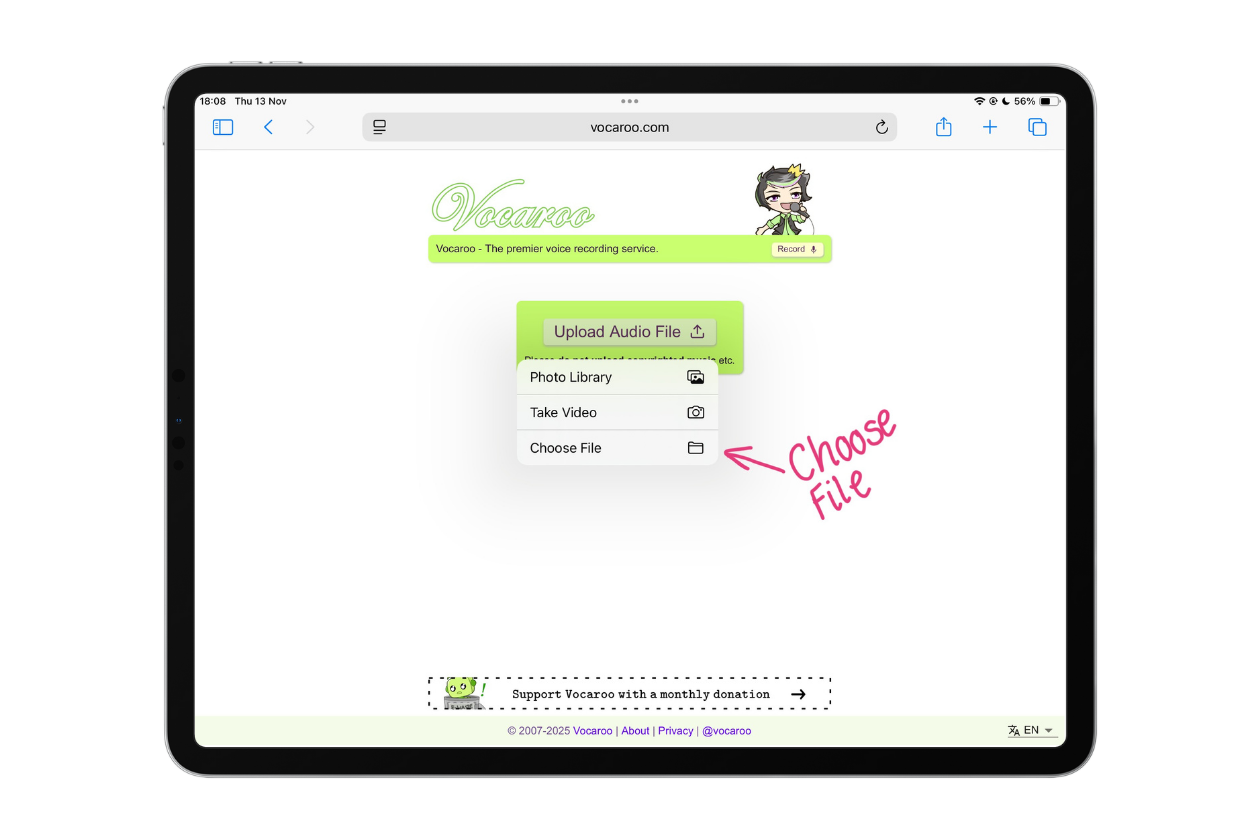
Choose where the audio file is uploading from.
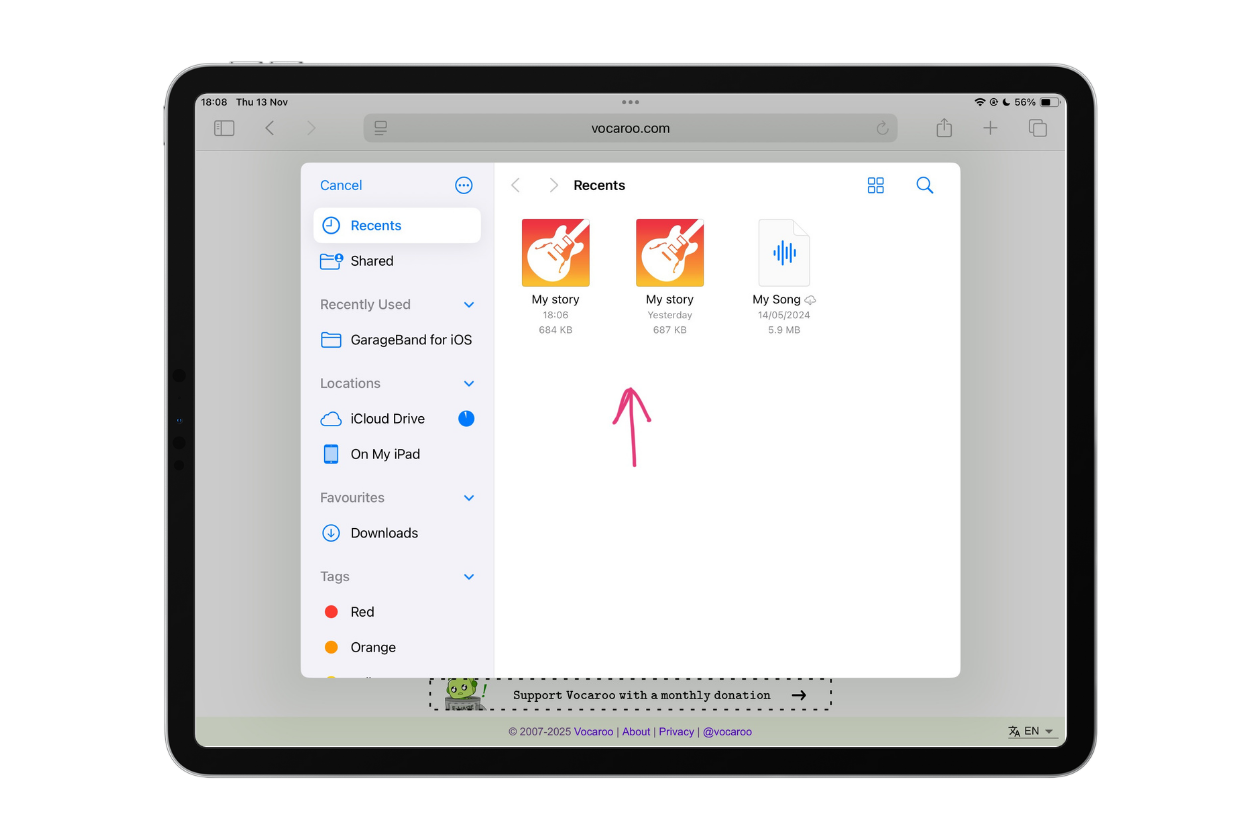
Choose the file you want to upload.
Once the audio is uploaded, you have the following options to share from: QR code, Embed and Download.