Check out the new site here: https://blogs.glowscotland.org.uk/re/digilearnrenfrewshire/
We hope you have a great summer. If you fancy some CLPL over the holidays, why not have a look back at some our our posts throughout the session. You can use our “tags” to select what you are interested in. Have a fabulous break!
PS Look out for a new DigiLearnRen coming after the holidays as part of our Transform to Innovate strategy!

This is the annual reminder of the dates when Glow forces a password reset for security purposes.
This means the next time a pupil or staff member logs on after that date, they will be forced to change their password.
All schools are able to sign up for the “free” Safer Schools Scotland app which can be used for pupils, staff and parents to provide helpful information on keeping safe online. To find out more, come along to our Introduction to Safer Schools Scotland webinar on 24th August by signing up via CPD Manager, Course Id: 94609. This session will share information about what resources and support are available in the app as well as how to get signed up.


Introducing the New SharePoint Experience
Microsoft is rolling out a redesigned SharePoint experience, including a new app bar and updated navigation. This will automatically apply to all Glow M365 users, replacing the current interface. The rollout is scheduled from mid-June to mid-July.
Introducing the New SharePoint Experience – Glow Connect
Retirement of SharePoint Alerts
SharePoint Alerts are being retired and will be fully removed by July 2026.
Retirement of SharePoint Alerts – Glow Connect
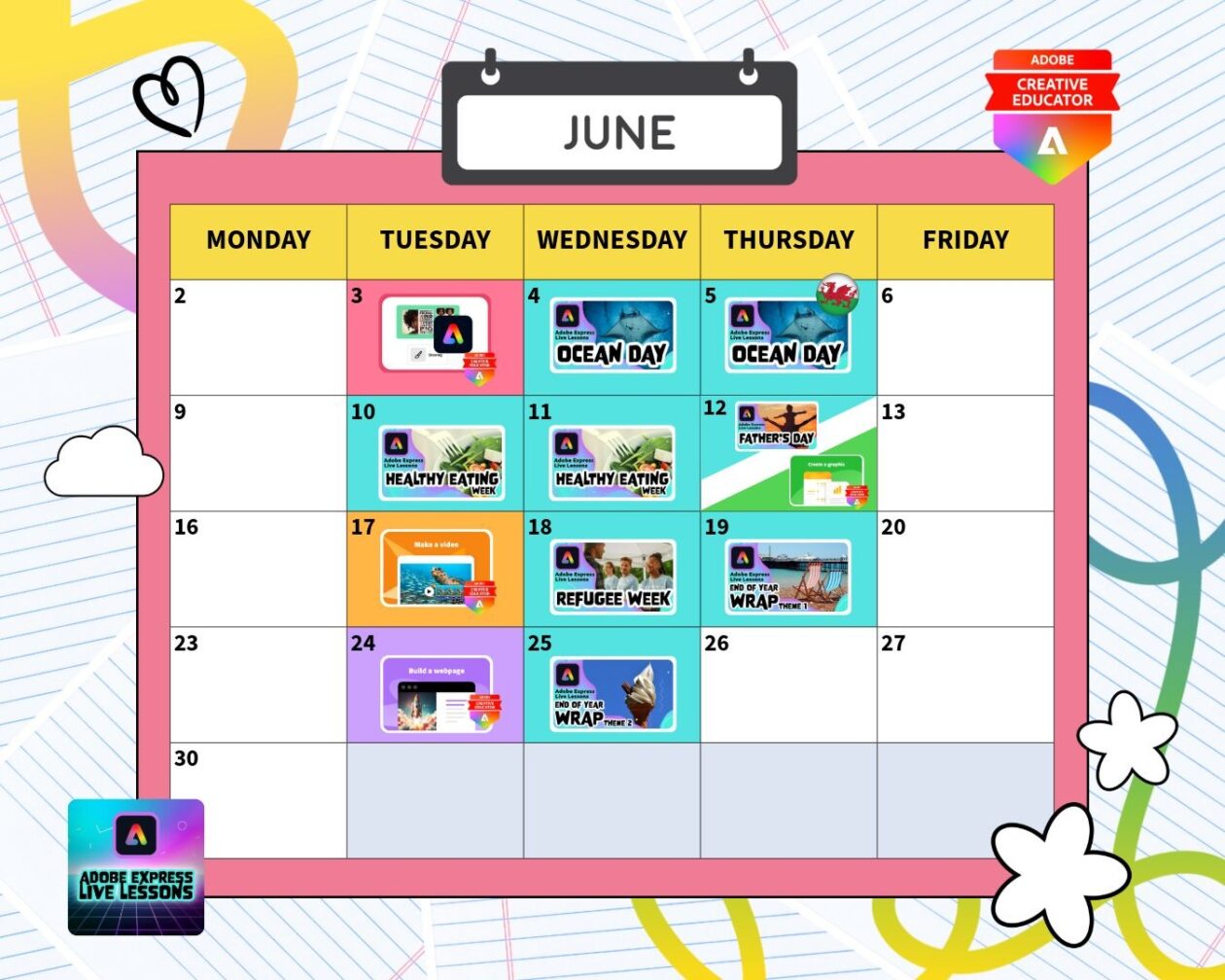
75 minutes long with a natural half time break if you need to leave early. Register for the recording if the dates or times don’t suit and to get pupil certificates. Ideal for ages 7-13.
Go here to see recordings of past sessions like School Year Transition from last week. The audiogram activity is a great one.
Last training sessions of the year!
All account registrations were reset at new year so you may need to register as if for the first time
There’s so much stuff to explore from previous sessions on YouTube.
Check out the new Secondary Computing E-book! The primary e-book is always here.


As a gift from the Scottish Government, a box of books on being safe and secure online is on their way for each Primary One child in all Scottish schools.
What is inside the box?
Inside each box P1 teachers will find copies of the brand-new story book Cy Bear at School Keeping Safe and Secure Online and a covering letter for your P1 Teacher/s and support staff.
Cy Bear at School – Keeping Safe and Secure Online is a first concept story book, introducing the concept of cyber security, written and illustrated by Story Learning, here in Scotland and supported by Education Scotland and the Scottish Government’s National Cyber Resilience Unit.
This bright, friendly storybook introduces young learners to the idea of staying safe and secure online. Through simple language and fun illustrations, Cy Bear helps children understand the importance of strong passwords and good digital habits – turning every child into a Cyber Security Hero!
Why is this an important concept for our Primary Ones?
In today’s digital world, learning how to stay secure online is just as important as staying safe in the real world. As part of the Strategic Framework for a Cyber Resilient Scotland (2025-2030), we are committed to helping children develop the skills they need to protect themselves, their date and information.
Just as children learn to lock their doors at home, they can also learn how to “lock” their digital spaces. This book supports that learning with clear explanations, colourful storytelling and engaging hands-on invitations to explore this concept further.
Support for Primary One Teachers.
Education Scotland are supporting the delivery of Cy Bear at School Keeping Safe and Secure Online through a series of online information webinars for P1 teachers and support staff and via a range of online live read-alongs for children, taking place each term with morning, afternoon, ASN and GME options.
Gifting.
The boxes will arrive in schools the week beginning 17th August 2026.
Hosting a “gifting event” creates excitement for the children and encourages them to involve their parents and carers when the bags are taken home.
You may also wish to involve older pupils by inviting them to read the story (paired reading) to the Primary One children and support their younger peers to explore the learning invitations and the coinciding symbolised resources created by CALL Scotland for children with additional support needs.
The first two information sessions are taking place in June. Please share across your networks:
Thursday 18th June 10.30-11am session https://events.teams.microsoft.com/event/15ed69f6-12ac-4ae2-9a0b-1b0e15a97b91@0ef77447-1083-4dec-b89f-27c765076840
Thursday 18th June 3.30-4pm https://events.teams.microsoft.com/event/c3423f95-c882-4dd0-803f-6d5d82428f35@0ef77447-1083-4dec-b89f-27c765076840
Additional online resources: