Primary Schools –
Introducing Apps
Before my secondment I had a P1 class. We were fortunate enough to have a group set of iPads. I used them to teach Digital Literacy skills as part of my IDL rotations, using a familiar context, e.g. I used the context of our weather topic to teach the skills of adding text and images in Pic Collage for them to show today’s weather. Then when the children had these skills using the app, I could get them to use this skill in other areas of the curriculum, e.g. create a story ending prediction in literacy or a character visualiser from their reading book.
Assessment
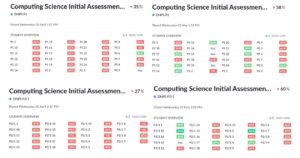
As part of my Practitioner Enquiry, I did a baseline assessment and then end of unit assessment using Plickers. I was able to easily gather data from the classes regarding their knowledge of computational thinking skills before I implemented my lessons and then again at the end of the sessions, to determine if the progression planners being in place would have a positive impact.
Secondary Schools – Future Fridays
I was also part of a mall team that taught coding and computational thinking skills to high school students across the authority during ‘Future Fridays’ on a Friday afternoon. In the first year there was still restrictions due to Covid, so we overcame this by setting up a Future Fridays Team and hosting live code alongs each week, with a different programming focus. In the second year, restrictions had been lifted and we were able to visit students in person, These sessions involved using Scratch initially to teach the basics of coding a game then depending on the abilities of the students, providing them with further challenges and also introducing them to other platforms such as Make Code Arcade and Replit for those looking into learning Python.
I also used this opportunity to cover aspects of CRIS whenever possible. For example when setting up Scratch accounts, students were encouraged to use three random words for their password. They were reminded not to share any personal details online, including images of them wearing school uniform. I also created a lesson focusing on their Digital Footprints and looking at the impact it could have on them in their futures.

Community – Intergeneration Project
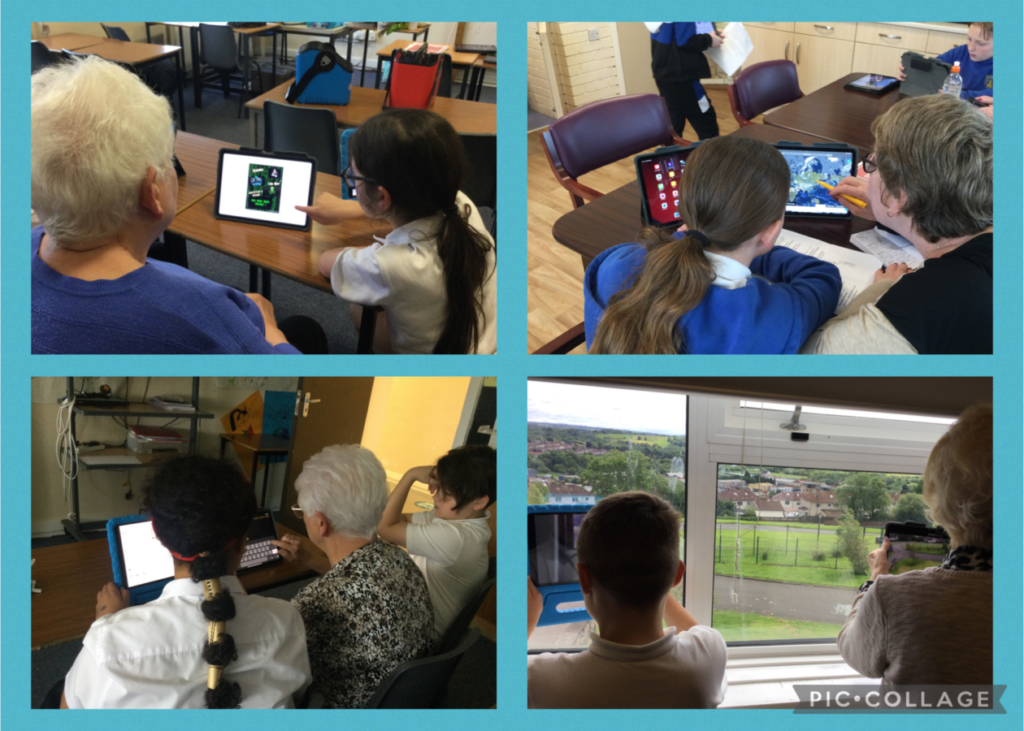
For this session, I have led the Intergenerational Project where I set up sessions for primary school digital leaders to work with senior citizen groups in teaching them digital skills and developing their digital confidence. We use iPads and encourage the children to take the lead in supporting their senior citizen partner to use Notes, Mark Up, Pic Collage, Magnifier app, Measurement app, web browsers and the camera app to take images, videos and to read QR codes.