Blog
-
Test Image from sway
Image url: https://eus-www.sway-cdn.com/s/yxBOD2mcPsZkUWFo/images/5dSPk2zDarPeo-?quality=1024&allowAnimation=false
-
Table
Header Header 2 Data Data Data Data Data Data Data Data produced by pasting this:
<table border="1" cellspacing="5" cellpadding="5">

<tr><th>Header</th><th>Header 2</tr>

<tr><td>Data</td><td>Data</td></tr>

<tr><td>Data</td><td>Data</td></tr>

<tr><td>Data</td><td>Data</td></tr>

<tr><td>Data</td><td>Data</td></tr>

</table>
into the Text Editor.
-
Parapara

Produces an SVG animation. This is not supported in Internet explorer, as far as I know. So if you are using IE you will not see this:-(

-
gist embed
I just noticed that you can embed gists by pasting the url to the gist into the post editor on a line of its own. This uses the shortcode module of the Jetpack plugin so you need to Active the plugin and then the shortcode module.
this example is an applescript that creates auto-complete gifs for google searches. Not something many folk would need.
This file contains hidden or bidirectional Unicode text that may be interpreted or compiled differently than what appears below. To review, open the file in an editor that reveals hidden Unicode characters.
Learn more about bidirectional Unicode characters
–needs gifsicle http://www.lcdf.org/gifsicle/ — updated for retina screen set thetext to text returned of (display dialog "What do you want to autocomplete?" default answer "I hate") set theFileName to change_case_of(thetext, "lower") & ".gif" set tempdir to POSIX path of (path to temporary items from user domain) & "autogifs/" try do shell script "mkdir " & tempdir end try set alphabet to {"a", "b", "c", "d", "e", "f", "g", "h", "i", "j", "k", "l", "m", "n", "o", "p", "q", "r", "s", "t", "u", "v", "w", "x", "y", "z"} set vowels to "aeiou" tell application "Safari" activate tell application "System Events" tell process "Safari" click menu item "New Private Window" of menu "File" of menu bar 1 end tell end tell set bounds of window 1 to {0, 0, 800, 600} set the URL of the front document to "http://google.co.uk" delay 5 tell application "System Events" keystroke thetext end tell repeat with letter in alphabet set typing to " " & letter set tfile to tempdir & letter & ".gif" tell application "System Events" keystroke typing delay 1 do shell script "screencapture -t GIF " & tfile keystroke (ASCII character 8) keystroke (ASCII character 8) end tell end repeat end tell if isRetina() then do shell script "/usr/local/bin/gifsicle –delay 90 –colors 128 –loopcount –crop 0,200+1600×320 –resize 800×160 " & tempdir & "* > ~/Desktop/" & theFileName else do shell script "/usr/local/bin/gifsicle –delay 90 –colors 128 –loopcount —crop 0,100+800×160 " & tempdir & "* > ~/Desktop/" & theFileName end if — –clean up do shell script "rm -rf " & tempdir –do shell script "open " & tempdir on isRetina() set ret to (do shell script "system_profiler SPDisplaysDataType | awk '/Retina:/{print $2}'") if ret is "Yes" then return true else return false end if end isRetina on change_case_of(this_text, this_case) if this_case is "lower" then set the comparison_string to "ABCDEFGHIJKLMNOPQRSTUVWXYZ " set the source_string to "abcdefghijklmnopqrstuvwxyz_" else set the comparison_string to "abcdefghijklmnopqrstuvwxyz" set the source_string to "ABCDEFGHIJKLMNOPQRSTUVWXYZ" end if set the new_text to "" repeat with thisChar in this_text set x to the offset of thisChar in the comparison_string if x is not 0 then set the new_text to (the new_text & character x of the source_string) as string else set the new_text to (the new_text & thisChar) as string end if end repeat return the new_text end change_case_of -

Last Day
I’ve thoroughly enjoyed working at the Computer Centre for the last 8 or so years.
Sad to go.
-

More Connectors
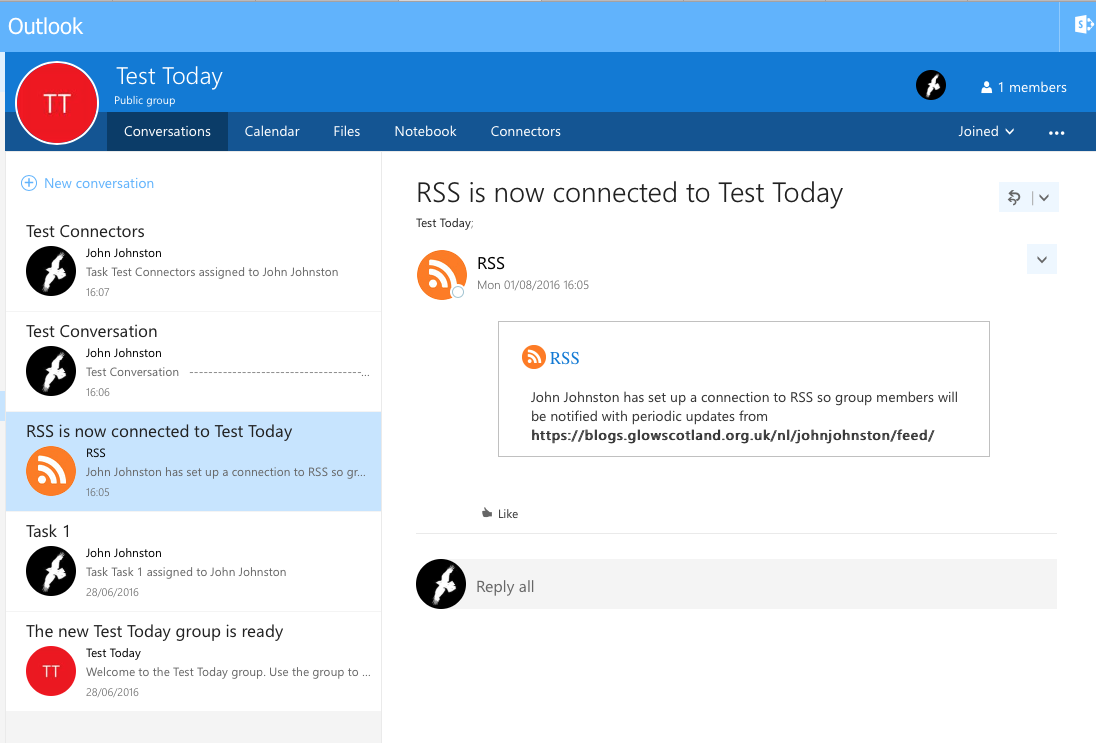
I’ve done a little more testing of connectors, the RSS one has not worked yet, but I, added a twitter search which works and a ‘Incoming Webhook’. The webhook allows you to hook up services to post to your Outlook group. I’ve just tested it from the terminal.
The featured images shows the result of the twitter connector. You connect to your twitter account in the usual way and can set up alerts for usernames or searches. You can get them delivered periodically or as they happen.
The Twitter connector could be a simple and powerful way to pull information about a topic (hashtag) into an outlook group discussing that topic.
Here is an incoming webhook:
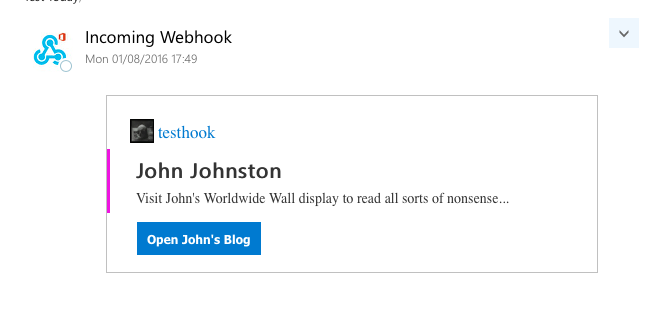
There is information on how to send these: Get started with Office 365 Connector Cards – Outlook Dev Center.
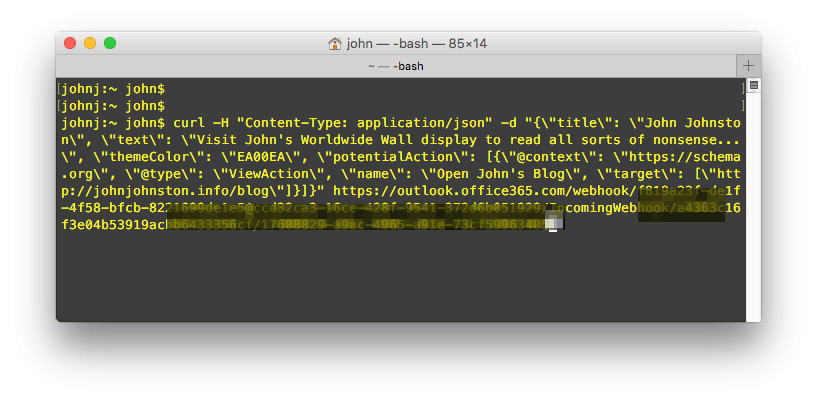
Here is a screenshot of the terminal producing that card (I’ve pixelated some of the url).
Hopefully this post will get pushed to the group through the RSS connection.
-
Connectors in Outlook Groups

I am hoping that this blog post will feed into a test outlook group.
It looks like there are a lot of possibilities…