

This page is for session resources from our AI in Education: Engagement and Interaction session. This session explored AI tools aimed at making learning more interactive and captivating for students.
Session Slides
You can view a PDF copy of the slides below. If you’d prefer the Keynote version please contact Kerry Abercrombie.
Additional Content
Our sessions tend to have a lot of live demonstrations within them. The remainder of the page outlines some of the digital tools covered in the session or signposting to some of the resources shown or mentioned in a format which can be easily revisited or passed along to colleagues who were unable to attend the session.
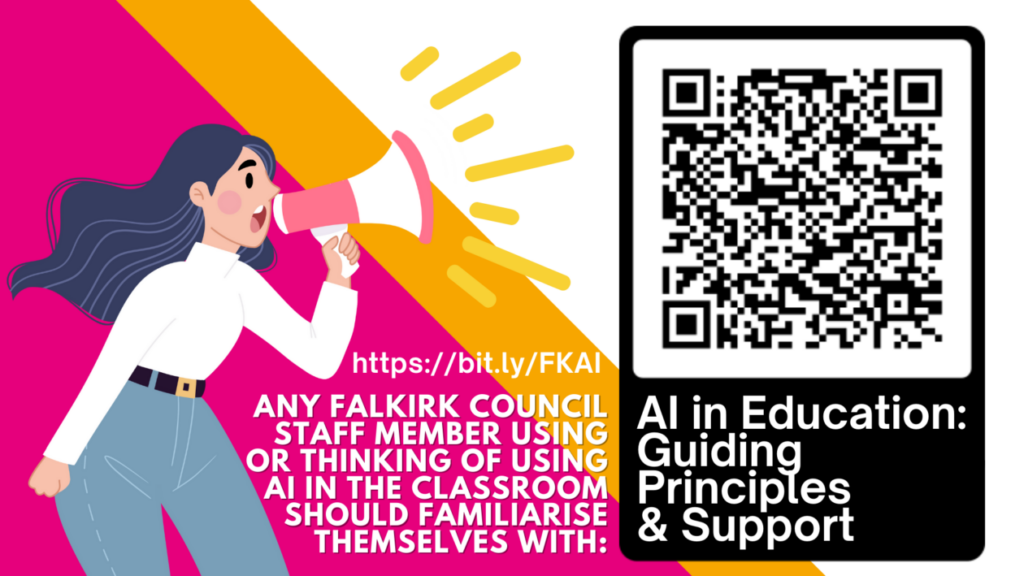
AI in Education: Guiding Principles and Support
All Falkirk Council education staff using or considering using AI in education should familiarise themselves with the AI in Education: Guiding Principles and Support information.
AI Teacher Tools – Starter Suite
Navigating the rapidly evolving landscape of AI in education can be overwhelming for busy educators. Our starter suite offers a carefully curated collection of nine free AI-powered tools which have been assessed to ensure their educational value and ease of initial use. The hope is that this provides a practical entry point for teachers and establishments embarking on their AI journey. The document sorts the tools by educational function, gives an education focused use overview and provides quick guides for each tool.
Falkirk AI Teacher Network
Are you interested in exploring the potential of AI in education? Express your interest in joining our AI Teacher Network. By filling out this form, you’ll help us connect with like-minded educators and keep you updated on exciting opportunities, resources, and events. You will also have the opportunity to influence the use if AI in education within Falkirk. We’ll be in touch with details of how to join the Microsoft Teams space.
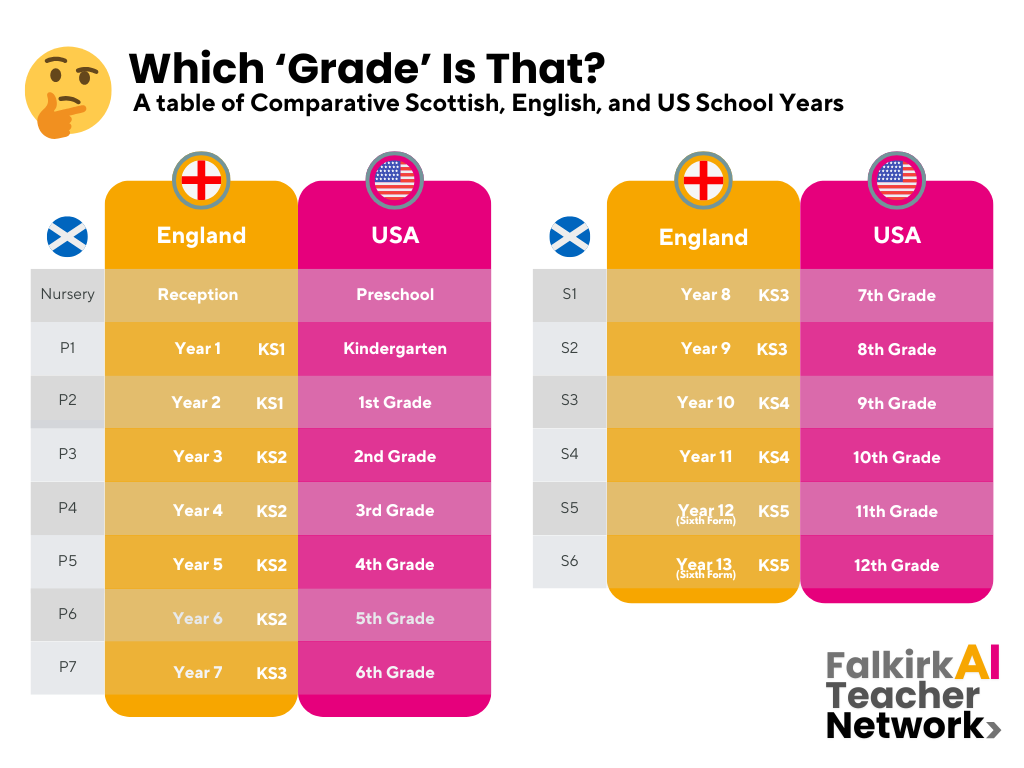
Which ‘Grade’ is That? Conversion Table
Here is that handy conversion table for use with AI tools which default to the US system.
Quick Guides
Below you can find the quick guides for the four tools featured in this session.

Curipod
Curipod Quick Start Guide by Miss Abercrombie
What does it do? Curipod is a platform designed to assist educators in creating engaging and interactive lessons. It combines elements like polls, word clouds, and drawing activities to make learning dynamic and participatory. Curipod’s built in AI features allow educators to generate interactive lessons quickly and easily. All AI output is customisable. Additionally, Curipod’s AI adapts content to suit different teaching styles and student needs, streamlining the lesson material creation process while making learning more interactive and engaging.
How do I get access? Teachers can access Curipod by signing up for a free basic account on the Curipod website.
Pupils do not need accounts to participate in Curipod lessons.

Wayground (Quizizz)
Wayground Quick Start Guide by Miss Abercrombie
What does it do? Wayground (formerly Quizizz) is an online learning platform that enables teachers to create and share interactive quizzes, polls, and lessons. Wayground has integrated AI features that allow teachers to automatically generate quizzes, worksheets, and questions based on specific topics or curriculum needs. By using AI, Wayground can suggest questions tailored to different skill levels, provide instant feedback to students, and offer personalised learning paths. This streamlines lesson planning and helps teachers quickly assess student understanding, making the platform more efficient for educational purposes.
How do I get access? Teachers can sign up for a free account at wayground.com
Pupils do not need accounts to participate in Quizizz activities.
Padlet ‘AI Image’
Padlet AI Image Quick Start Guide by Miss Abercrombie
What does it do? Padlet’s “AI Image” feature uses a text-to-image AI model to transform users’ written descriptions into images.
How do I get access? Teacher sets up a Padlet and learners access via link or QR code. Pupils do not need to log in.

Adobe Express
Adobe Express Quick Start Guide by Miss Abercrombie
What does it do? Adobe Firefly in Adobe Express is an AI-powered tool that allows users to generate and edit images using text prompts. It enabling users to quickly create designs, add effects, and make creative adjustments to photos, illustrations, and graphics.
How do I get access? Learners have access to Adobe Express via Glow.
Session Recording
Here is a recording of the session for those who wish to watch it again or who missed it. Please be aware that the session recording is edited to remove all discussion and task sections. This is to protect the privacy of our participants and ensure everyone feels comfortable speaking freely on mic and in the chat without worry that their comments will be made publicly available.