
The festive season is here, bringing with it a wonderful opportunity to blend seasonal cheer with engaging digital learning opportunities. Whether you’re looking for activities which build digital creativity, seasonal STEM challenges, or fun ways to practice digital skills, this guide gathers a sleigh-full of festive activities from DigiLearnFalk, Connected Falkirk and our friends designed to spark joy and curiosity in learners of all ages. Get ready to wrap up the year with some digital learning fun!
Local Resources
Our home grown Falkirk festive resources designed to be used with 1:1 and Shared iPads.
Creative Activities for Learners Festive Edition II
The latest edition of our Creative Activities for Leaners which focuses on festive fun. (Pssst…Edition I is still available here, as is the YouTube playlist for Edition 1 which can be found here).
Festive Activities for Early and First Level
This free downloadable Keynote contains seven festive activities for early and first level learners. Explore creativity, coding and games which all help to build familiarity with iPad as well as build digital skills and confidence.
You can preview a PDF version of the Keynote below, for best results and access to all activities (including voice instructions to support pre-readers) within the one document please download the Keynote file from our Box folder here. Find out more details about our festive activities for early and first level learners here.
Codemas
Three coding themed challenges to celebrate the festive season and boost STEM learning.
Other Resources
Festive resources for 2026 from our friends and partners. Please note, some of these activities use text-to-image AI, all Falkirk Council Education employees using or thinking of using AI in the classroom must familiarise themselves with the AI in Education: Guiding Principles and Support page.
Adobe Express 12 Days of Creativity
Twelve joyful, low-prep Adobe Express activities to celebrate learning and wrap up the year with creativity and cheer. Whether you unwrap one activity each day or all 12 at once, getting started is easy: Pick an activity.
All learners and teachers in Falkirk have access to Adobe Express via Glow. For more information on this and how to log in visit this page.
To access the 12 Days of Creativity challenges:
- iPad users log into Adobe Express app as usual and the activities will appear on the main home page
- Desktop users can click this link: adobe.ly/12DOC25
Find out more directly from Adobe Express here or browse the activities below.

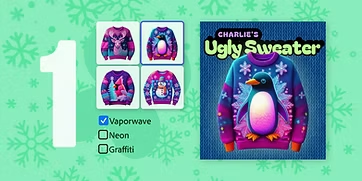
Day 1: Design an ugly sweater
Skills: Gen AI Styles + Background Swapping

Day 2: Design Your Very Own Stuffie
Skills: Generate Image, Background Swapping, Image Effects
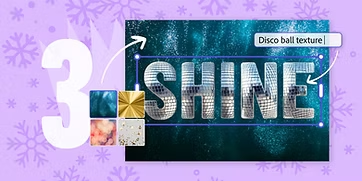
Day 3: Design a One-Word Wallpaper
Skills: Text Effects, Background Swapping
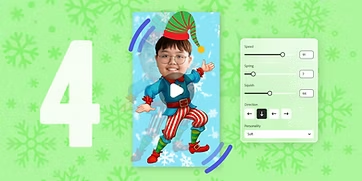
Day 4: Transform Yourself Into a Dancing Elf
Skills: Photo Upload, Crop, Wobble-loop Animation

Day 5: Animate a Funky Snack
Skills: Animation, Layered Elements, GIF Export
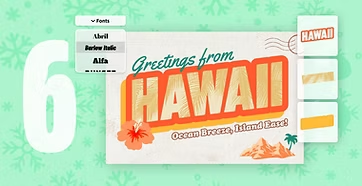
Day 6: Send a Vintage Postcard
Skills: Text Effects, Layering

Day 7: Record a News Story From Future You
Skills: Gen AI Styles + Background Swapping
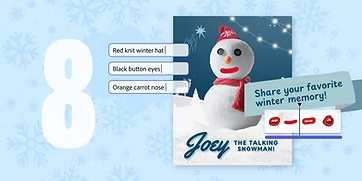
Day 8: Assemble a Talking Snowman
Skills: Generate Image, Background Swapping, Image Effects
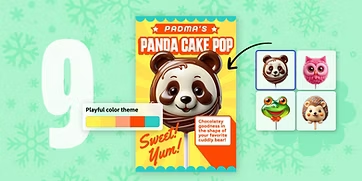
Day 9: Sugarcoat Your Favourite Animal
Skills: Text Effects, Background Swapping

Day 10: Construct a Personalized Snow Globe
Skills: Multi-Layer Video Editing, Animation

Day 11: Personalize a Time Capsule
Skills: Video and Music Editing
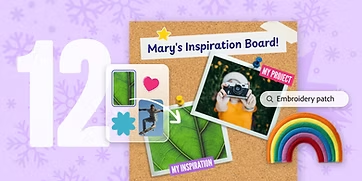
Day 12: Curate an Inspiration Board
Skills: Layering, Image Effects, Text Effects
Glow Adobe Express Christmas Tree Challenge
Glow are running an Adobe Express Christmas Tree Challenge! The challenge is to use the powerful tools in Adobe Express for Education to design and create a unique Christmas tree. Find out more here.