In the Agama Theme there is a nice feature where your header does not scroll with the page. We have edited the page template of this page to behave in the same way.
How To
Edit the page template1
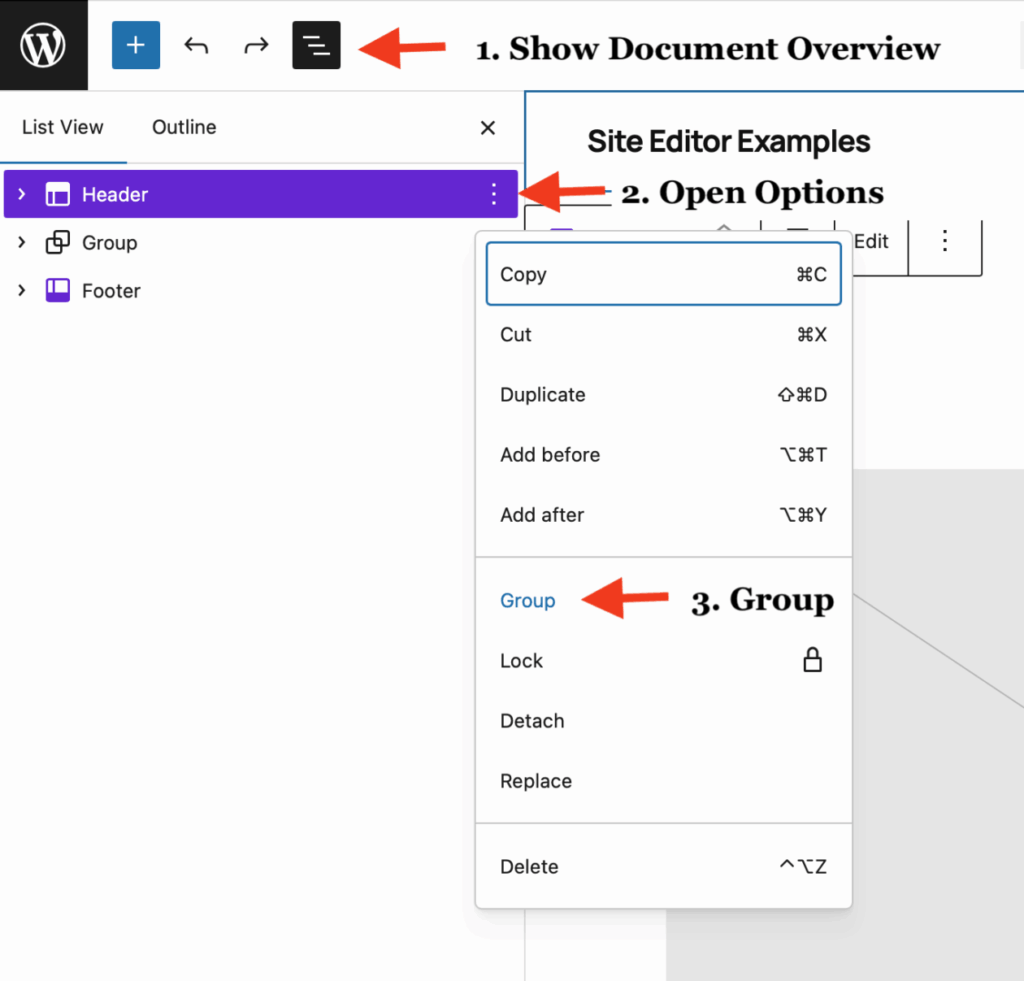
- Open the Document Overview
- Open the Header Options
- Select Group
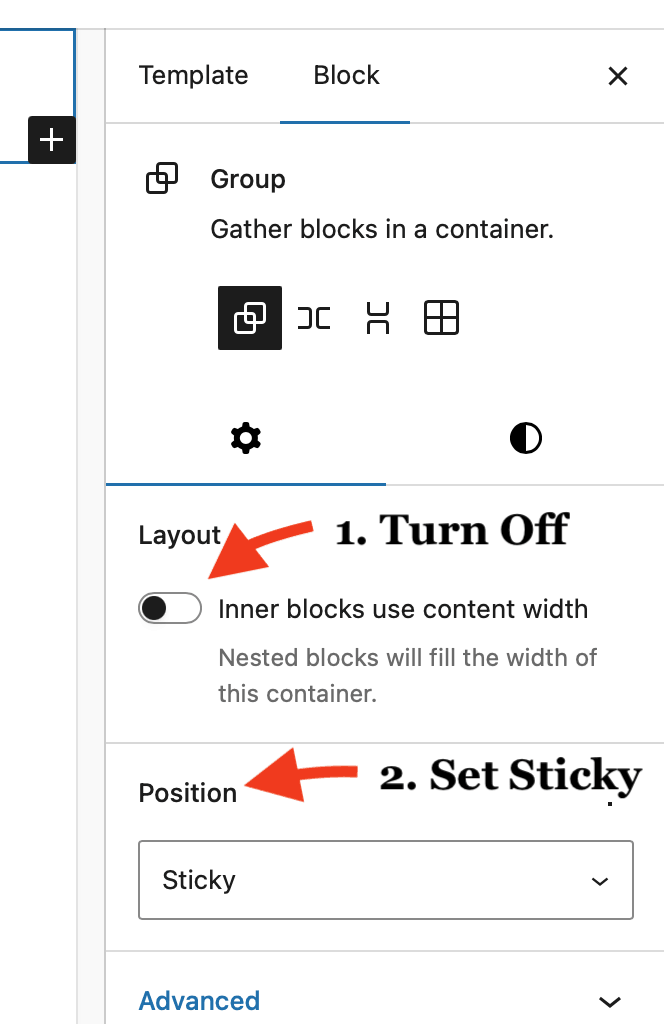
Then in the Right Hand Settings sidebar
- Turn off Inner blocks use content width. This will allow your header to spread.
- Set position to sticky.
- In this case we created a page template just of this page. Normally you would edit the site and act there. ↩︎