
Chrome Music Lab, a hands-on music playground. Explore the science of sound through interactive experiments.
🔍 What does it do?
Chrome Music Lab is a website based collection of 14 web-based “experiments” that make learning music tactile and visual. It covers everything from basic rhythm and melody to the complex physics of sound waves and harmonics. It is designed to be played with – there are no “wrong” notes, and every interaction provides immediate visual and auditory feedback.
🎓 Why is it useful?
Instant Creativity: There is no “learning curve.” A pupil can open the Kandinsky experiment, draw a circle with their finger, and hear it turn into a sound immediately.
Visualising the Invisible: It turns abstract concepts like “frequency” and “pitch” into colourful animations. The Spectrogram allows pupils to literally “see” their own voice or the sound of a flute.
Cross-Curricular Links: It is as much a Science and Maths tool as a Music tool. It uses grids to teach patterns (Maths) and oscillators to show how air molecules move (Science).
Easy Sharing: In Song Maker, pupils can save their work as a simple web link. They don’t need to export files; they just copy the link and paste it into a Teams or Google Classroom assignment.
⚙️ How does it work?
1. Access: Open Safari and go to musiclab.chromeexperiments.com. No login required.
2. Pick an Experiment: Tap on one of the colorful cards to open the experiment. There are a range different options: Song Maker, Rhythm, Spectrogram, Chords, Sound Waves, Arpeggios, Kandinsky, Melody Maker, Voice Spinner, Harmonics, Piano Roll, Oscillators, and Strings.
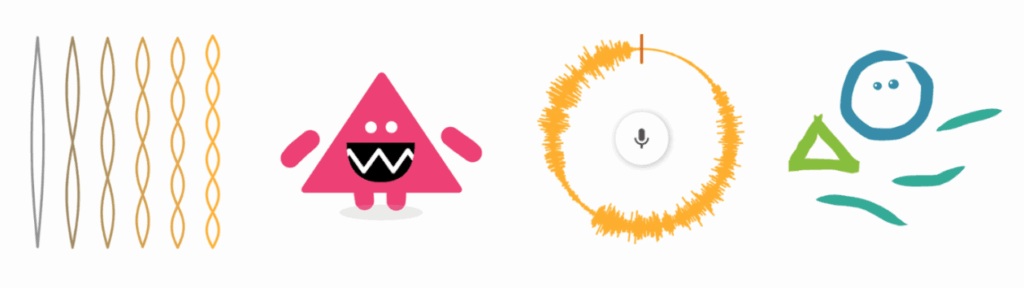
3. Interact: Use your finger to tap the grid, draw shapes, or drag sliders.
🚀 Beyond the Basics
- Sound Waves in Science: Use the Oscillators experiment. Pupils can drag their finger up and down to change the pitch and see how the character’s shape changes—stretching for high sounds and squashing for low sounds.
- Syllable Beats: Use the Rhythm experiment in Literacy. Pupils can use the different characters to “tap out” the rhythm of their name or a line of poetry, helping them understand meter and syllables.
- Pattern Recognition: Use Song Maker. Challenge pupils to create a repeating “pattern” of colors on the grid. They can see and hear the mathematical symmetry in their music.
- Voice Spinner: Pupils can use the microphone to record a short sound (like a “Hello” or a clap). They can then use their finger to spin the sound fast, slow, or backwards, exploring how speed affects audio.
- Hear Art with Kandinsky: Based on the artist Wassily Kandinsky, this experiment turns drawings into music. Draw your picture, hit play and hear your image!