
Microsoft Forms can be used to assess pupils, collect feedback and collaborate with others.
Forms are easy to use and can save teachers time with the automatic grading function. They also support differentiation strategies, with the ability to include branching, and provide real-time in-quiz feedback to pupils.
In Glow, Forms are located through your Microsoft 365 account – simply open any of the Microsoft applications such as Outlook or OneDrive, select the waffle tile in the top left of the screen and locate the Forms app.

Resources from Microsoft
Resources from Education Scotland Digital Team
Education Scotland’s Digital Skills YouTube channel has many bite size video clips to help you use Forms in your classroom.
Visit DigilearnScot and use the search function to find all video content for Forms.
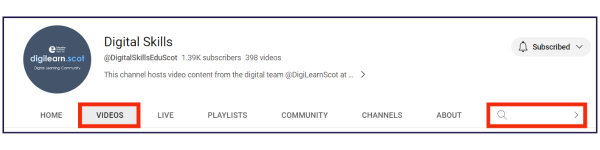
Here are some quick links to the bite size videos to get you started…
- Creating new Forms, inserting headers and media (5 mins)
- Creating quizzes in Forms (14 mins)
- Populating your Form with questions (12 mins)
- Maths options in Forms quizzes (4 mins)
- Managing your Forms (4 mins)
- Sharing, settings and accessibility features (8 mins)
For a more comprehensive overview of Forms, watch Introducing Fabulous Forms (43 mins). This video is part of the Digital Pencil Case suite of resources created by the digital team at Education Scotland.