Digital Learning – what is ICT?
ICT stands for Information and Communication Technology. It refers to technologies that provide access to information through telecommunications. Some examples of ICT used in schools are; the internet, computers, and applications such as Microsoft Office. Schools also use websites, Glow Blogs and social media networks to keep families informed of school activities.
ICT supports learning across the whole curriculum, as well as being a taught subject. For example, Computing Science activities, which can take place with, or without a computer, and from the early years of education. Computing Science involves computational thinking. Examples of activities include using programmable devices like Bee-bots and Lego WeDo. It also introduces children to coding using programmes such as Tynker or Scratch.
How do we use technology in our schools and at home?
This leaflet tell you about these tools and how we recommend we work together to keep children, young people and families safe online.
Our schools use a range of tools to communicate, create, store and manage information. Some of these key tools can also be used in the home.
Front of class technology
The Council has recently invested in interactive panels in every teaching space in all early learning and childcare centres, and schools. The use of these is supported by ongoing training for staff in our schools.
For your child, this means their teacher will be using these interactive panels to enhance learning and teaching in the classroom through the wider variety of built-in apps.

Glow – Scotland’s national digital learning platform

Glow is an online platform used in our schools and across most of Scotland. Learners can access the resources and features of Glow using any device at any time. This means that learning can continue outside the classroom on any device connected to the internet.
Glow services are free to all learners with a Glow login, and accounts are created for everyone when they start school.
Glow allows schools across Dumfries and Galloway (and across Scotland) to work collaboratively. Pupil name and school are available for staff within Glow to support collaboration. This information can be accessed by staff (teachers and support staff) who have a Glow account.
All staff accessing Glow will have been checked through the Protecting Vulnerable Groups (PVG) registration process. Pupils can search for and share information with teachers and other staff in Glow. However, if you have any concerns about your child’s name and school being available to staff via Glow please discuss this with your Headteacher.
Through their Glow account, every learning in Dumfries and Galloway has access to Microsoft 365 web apps and mobile apps, including OneDrive, Outlook (email), Teams, Word, PowerPoint and Excel.

One element of Microsoft Office being used increasingly is Class Teams. Teachers can upload class materials, resources and assignments. Learners can access these in and out of class on any device connected to the internet.
Class Teams provide a conversation area to support learning, and lessons can be recorded for, or live streamed to learners unable to get into school.
Bring Your Own Device (BYOD)
Bring your own device, or BYOD is where learners use their personal device (laptop, tablet, mobile phone) in the classroom to engage in learning. The device will connect to the BYOD network which provides access to a safe, filtered internet connection. Our Secondary schools are in the early stages of implementing BYOD, more information on how BYOD will work at your child’s school, please contact the
school office.

How can I get involved?
Ask your child to log in to Glow and show you what they use in school and how they use it. Some schools use Class Teams for homework which your child can show you in Glow.
Encouraging the safe use of the internet at home is another great way to get involved in your child’s digital life. You can open conversations by asking what sites or apps they like using and encourage them to show you what they do.
As parents you might also want to agree when you can access mobile phones and tablets at home, so you manage screen time. Information websites such as UK Safer Internet Centre have lots of resources and information to guide you through this.

What about internet safety?
In school, pupils are taught cyber resilience and internet safety from early years onwards. This is referred to as Digital Literacy and forms part of Technologies in Curriculum for Excellence.
For more information on the Technologies area of the curriculum, visit Education Scotland’s Parentzone.
Support for Parents and Carers
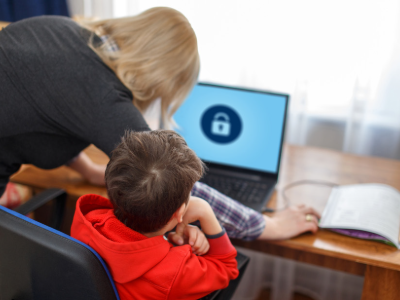
Parents and carers play a key role in helping children stay safe online, but as the internet changes quickly and often, knowing where to go for information and support can be confusing.
There are many fantastic resources aimed at parents and carers, including:
- Childnet
- Digital Schools Award Scotland
- Scottish Government Digital Learning and Teaching
- Thinkuknow
- UK Safer Internet Centre
There are also online resources aimed at young people. A great example is BBC Own It, a site written by young people with straight answers and support on a wide range of topics. Another site full of useful information is Young Scot’s DigiKnow.
Social Media
School Blogs, Websites, Apps and Social Media
Many schools have their own Blog, school app, website or social media accounts such as Facebook or X. These online resources are a great way for parents to keep up to date with important events, access information about the school, and celebrate the achievements of learners.
School Blogs are often written by learners who sign up to be young digital leaders. Young digital leaders learn many transferable skills including communication, literacy and English skills, writing for an audience, working with others, problem solving and independent thinking.
Social Media and Schools
Councils across Scotland have been developing their use of social media and schools are no different.
Social media enables us to have conversations about things that matter to us – about life in your community and your family. However, if that conversation were taking place in a room, you could influence and contribute to the conversation. If you are not using social media, you can be cut out of the conversation and be unaware of what is being said – true or false, and you have no way of presenting your view.
Social media is like having a conversation, so you need to think about how that person would or how they would react if you were in the room with them.
Think about the impact of your words, images, vlogs and blogs. Children in our schools are asked to consider this and it is important for this to be modelled by parents and carers.
Social media – positives
Social media is a great way to:
- gather views and opinions
- advertise and promote events and activities in your school
- share achievements and celebrations
- supply answers to problems in an emergency
Social media – negatives
Social media also has its negatives, it can be used to:
- spread information that is a view but shared as a fact
- target individual children and young people with negative statements
- highlight negative stories about families
- share information that is private without consent that will do harm
We would encourage you to site down with your family and discuss the positives and negatives of social media and how you as a family can use it to support and share the successes of the school.

Things to remember:
- what goes online tends to stay online
- you can’t control the internet
- use closed Facebook groups to protect information about children and young people and families
- carefully consider how and who you share information with
Things to remember before posting online:
- before you post something – pause and think – would you say this ‘face to face’ to the person?
- if someone has posted something argumentative, try to ignore unless the point they have is worth discussing
- respect privacy
- apologise if you posted something you should not have
- don’t be a ‘troll’ – trolling is a form of bullying where people gang up to abuse and aggressively poke fun at an individual or organisation

Contact Us:
Education, Skills and Community Wellbeing

Telephone: 030 33 33 3000